Alter News-Artikel!
» Hier geht's zur aktuellen Online-Hilfe
Article from
WYSIWYG – Deluxe Variables.
The use of variables has reached a new level: Instead of searching for the right variable through help and typing it in, MOCO automatically offers all variable options for insertion with a live preview by simply typing a curly brace "{".
 (English image not yet available)
 (English image not yet available)
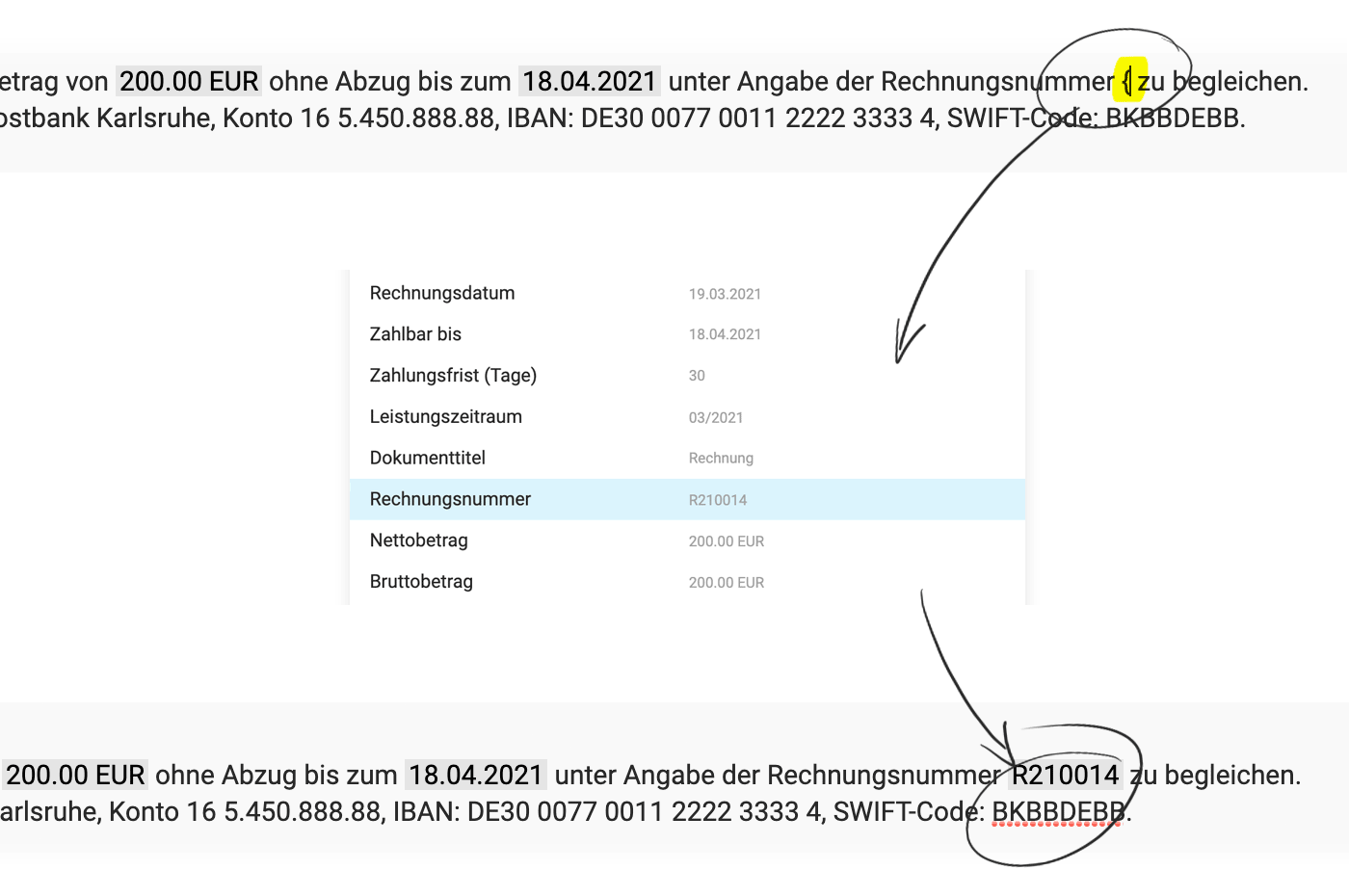
When editing documents, a live preview of the variable value is displayed. Directly upon insertion (1) – as well as in the set text (2).
Standard Texts
In the settings, the variables are no longer listed next to the predefined standard texts, as copying and pasting or typing is no longer necessary here either. Just type "{" ...
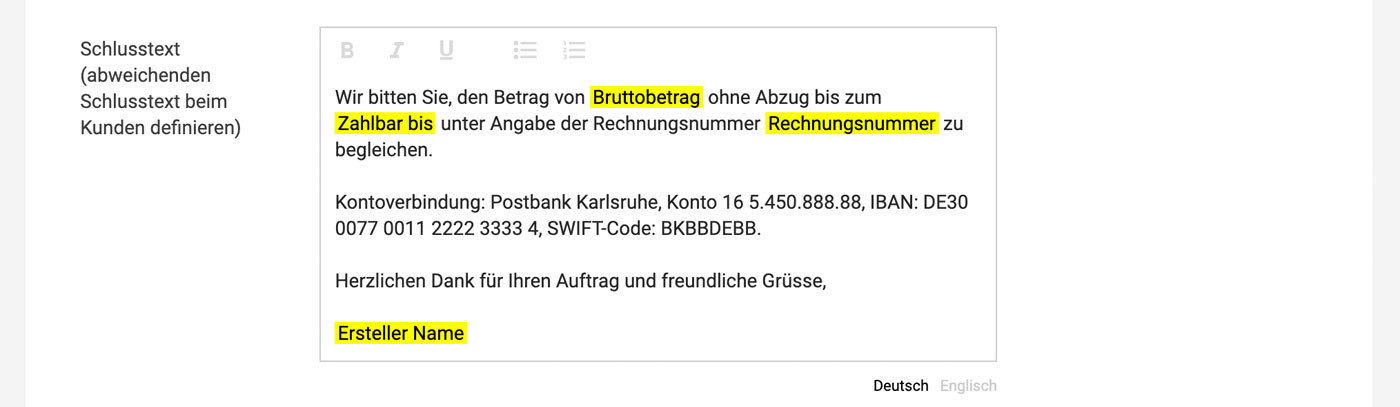
If a value cannot be directly inserted, the variable text is highlighted in yellow. This is clearly visible in the settings for the standard texts.
 (English image not yet available)
If a value cannot be directly inserted, the variable text is highlighted in yellow. This is clearly visible in the settings for the standard texts.
(English image not yet available)







