Alter News-Artikel!
» Hier geht's zur aktuellen Online-Hilfe
Article from
Major Update for Custom Fields.
Custom fields have made significant progress in their development. Technical upgrades, more options, and improved handling ensure a better user experience!
WYSIWYG – Display of Custom Fields when Editing a Proposal or Invoice
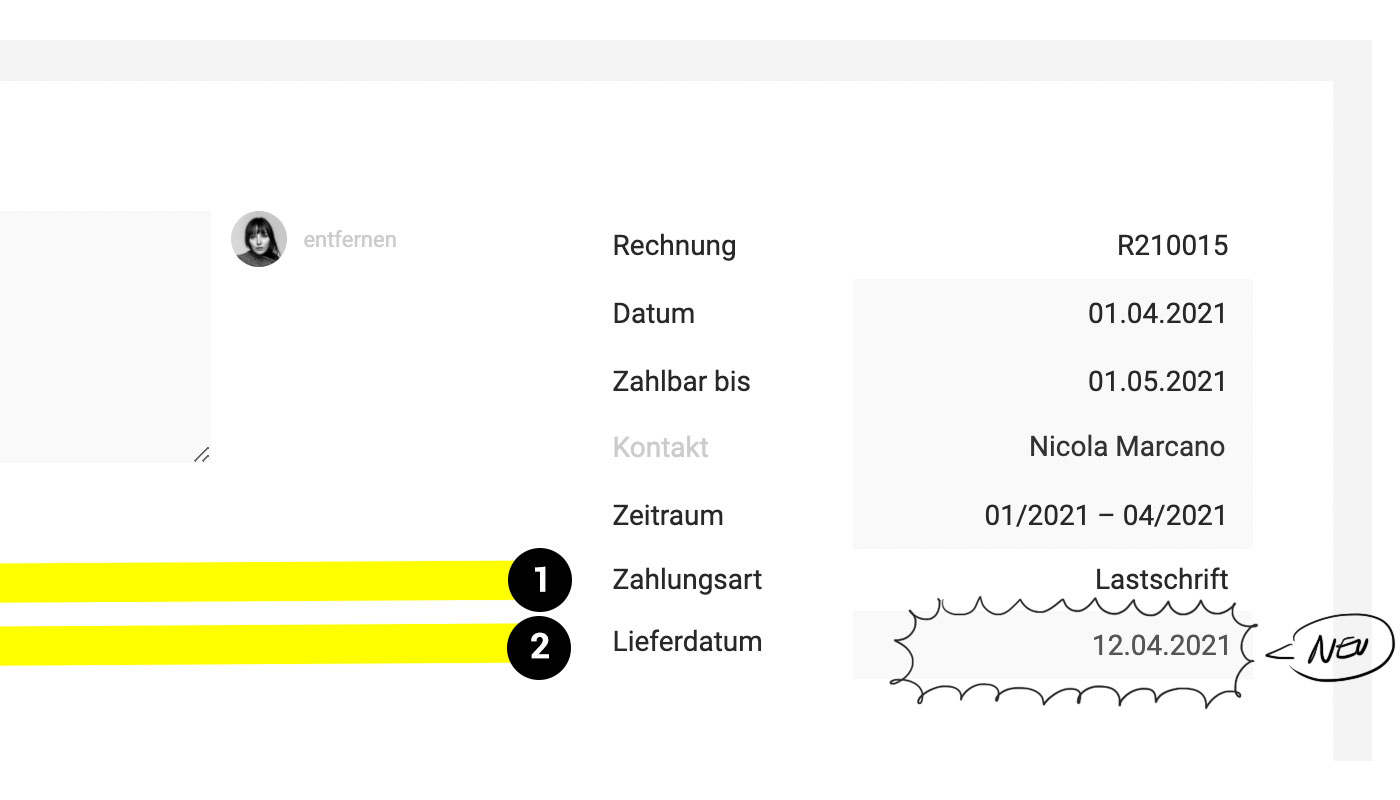
All custom fields that will later appear on the invoice are now visible in the info area when creating and editing (1). Standard fields that are filled in only on the invoice but are disabled for PDF display are visually minimized.
 (English image not yet available)
Custom Fields for Proposals and Invoices
Individual Information Directly for Proposal and Invoice
New custom fields can now be created directly for proposals and invoices. This means that the intended information is filled in only there (2).
Optional Display in PDF
You can define whether the info should also be displayed on the PDF.
If the display is activated but the field on the invoice is not filled, nothing will be shown on the PDF.
Internal Use Only
If the display for the PDF is disabled, custom fields can serve an internal purpose, e.g., for specifying a cost center or other individual evaluation purposes.
Included in Excel Export
These custom fields are also part of the Excel export.
New custom fields can now be created directly for proposals and invoices. This means that the intended information is filled in only there (2).
Optional Display in PDF
You can define whether the info should also be displayed on the PDF.
If the display is activated but the field on the invoice is not filled, nothing will be shown on the PDF.
Internal Use Only
If the display for the PDF is disabled, custom fields can serve an internal purpose, e.g., for specifying a cost center or other individual evaluation purposes.
Included in Excel Export
These custom fields are also part of the Excel export.
Date as a New Field Type
Forms and proposals/invoices can now also be extended with an individual date field. To do this, select "Date" when creating a custom field.
The date field features a date picker – a notification option will follow.
The date field features a date picker – a notification option will follow.
Create Custom Fields: New Options
 (English image not yet available)
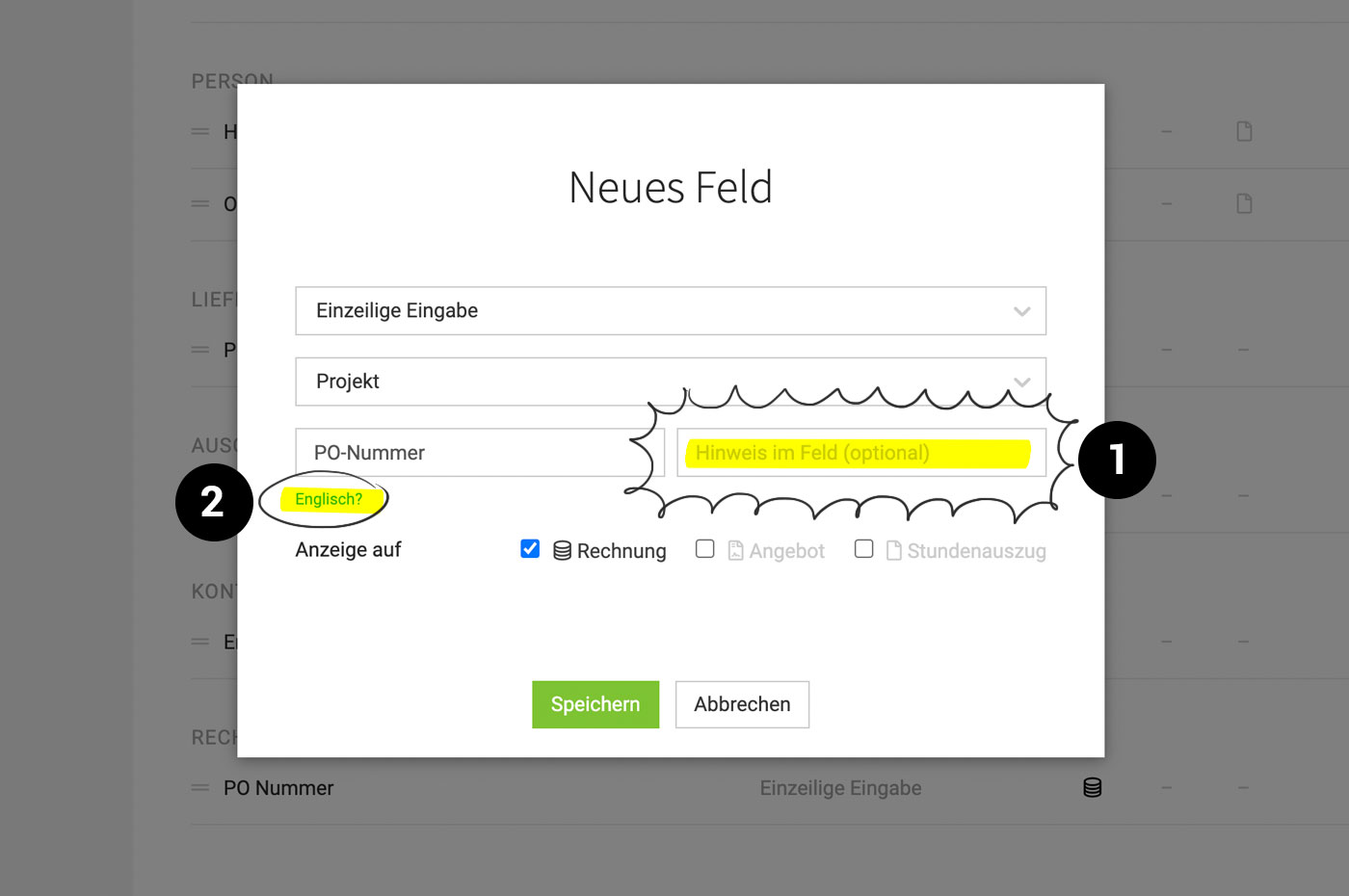
The creation of custom fields has been completely technically revamped in the background, noticeably optimizing handling. Additionally, the following new options have been added:
Placeholder Texts (1)
You can now specify the hint text in the field for a custom field. This allows you to keep the label as short as possible and supplement or clarify it with the hint.
English Label (2)
An English label can now also be stored for the custom field – in case the field is used for English correspondence.
Determine the Order of Custom Fields
The order of the created custom fields within an object can be adjusted in the settings via drag & drop.








