Article from
Leads: Time-allocated, Weighted Lead Volume in Financial Forecast.
The weighted lead volumes are now also displayed in the financial report with time allocation – if they have been assigned a period.
 (English image not yet available)
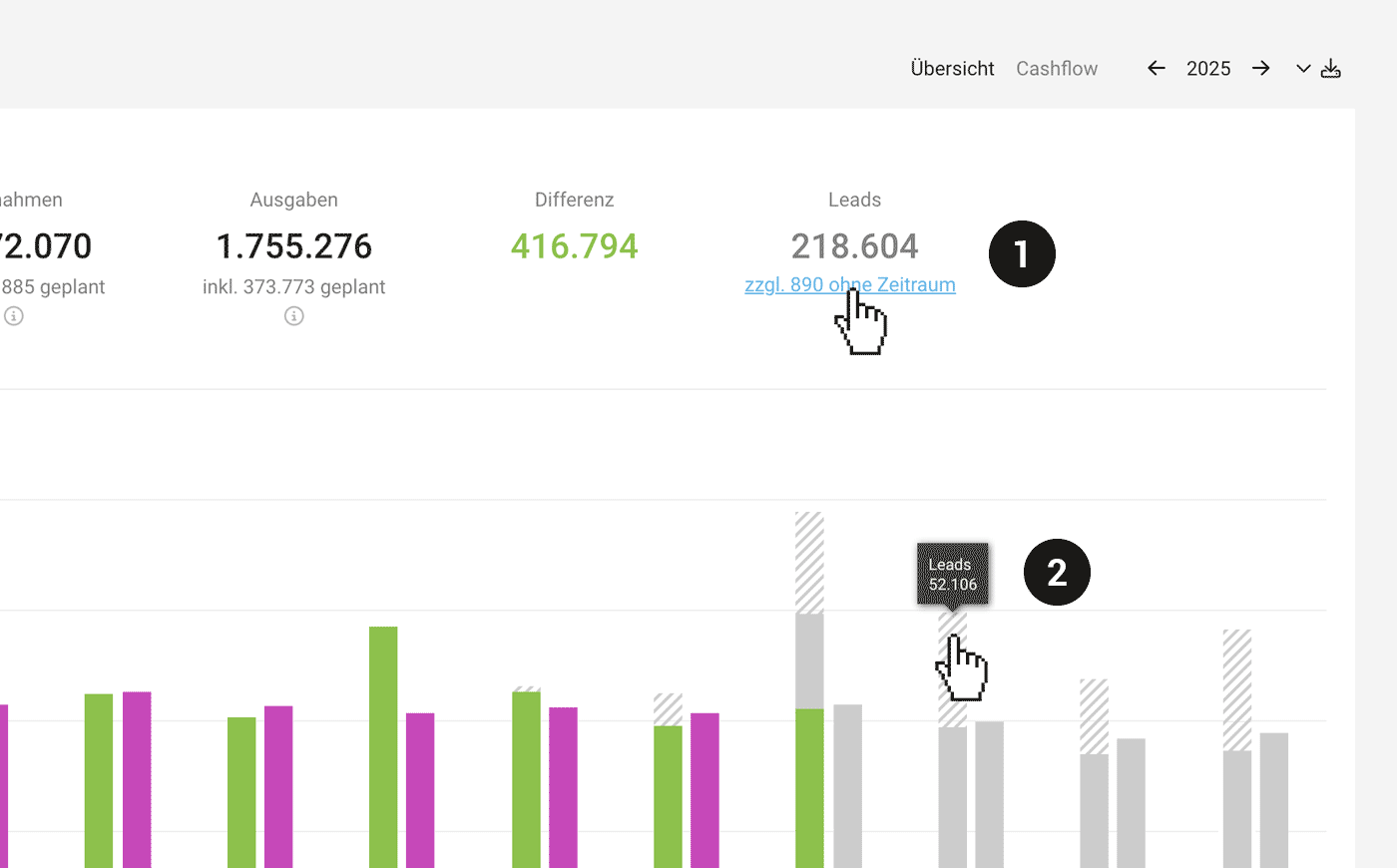
Volume per Year (1)
The probable volume for the selected year delineates leads with cross-year periods.
Without Period
If there are leads that cannot be time-assigned, MOCO shows an info line below the volume. With a click, you can filter these leads and assign a period.
Without Period
If there are leads that cannot be time-assigned, MOCO shows an info line below the volume. With a click, you can filter these leads and assign a period.
Volume per Month (2)
On the monthly bar, you can read the total per month via the tooltip. If there are volumes in the past, you should adjust the period of the leads. This can be quickly done using the new Smart Filter "Adjust Period" (see below).
New Smart Filters
 (English image not yet available)
Smart Filter "Without Period"
This new Smart Filter under "Leads" filters with a click for leads where the period is missing. This way, you can quickly ensure your forecast is complete.
Smart Filter "Adjust Period"
This new Smart Filter under "Leads" filters with a click for leads where the set period is at least partially in the past and should therefore be adjusted.
This new Smart Filter under "Leads" filters with a click for leads where the period is missing. This way, you can quickly ensure your forecast is complete.
Smart Filter "Adjust Period"
This new Smart Filter under "Leads" filters with a click for leads where the set period is at least partially in the past and should therefore be adjusted.








