Closing Leads
Won, Lost, Cancelled | Create Project | Bill Quotes OnlyWon, Lost, Cancelled
You close leads by setting them to won, lost, or cancelled. When you do this (and when you create the project), you can control which actions are triggered. Closed leads remain traceable.
Won
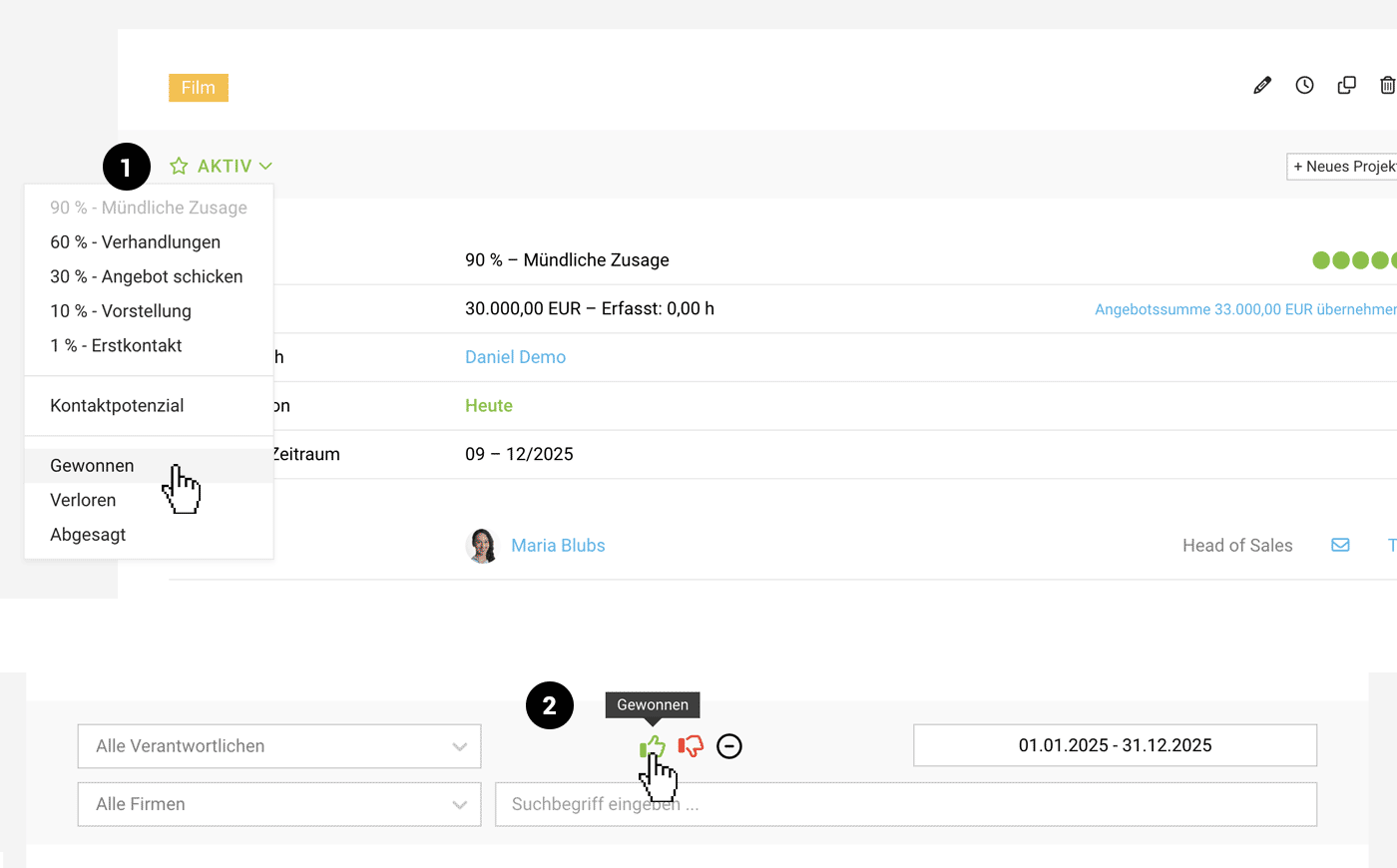
Once the client has confirmed, set the lead to won (1). The following actions are linked to this step:
Quotes are set to "Confirmed"
All quotes are also set to "Confirmed" (except quotes that were previously set to "ignored"). You can disable this in the modal prompt.
Create Project
Quotes are set to "Confirmed"
All quotes are also set to "Confirmed" (except quotes that were previously set to "ignored"). You can disable this in the modal prompt.
Create Project
Create one or more projects from the lead (by now at the latest). Any hours already planned in capacity planning, as well as time tracking, can be carried over. Quotes are also automatically linked to the project. Find out more
 (English image not yet available)
All Closed Leads Listed by Close Date
When you close a lead, a close date is set. All closed leads are then available under "Closed", sorted by close date, so you can track them. You can filter (2) and export them there, and analyse them by period, etc. Find out more
Lost & Cancelled
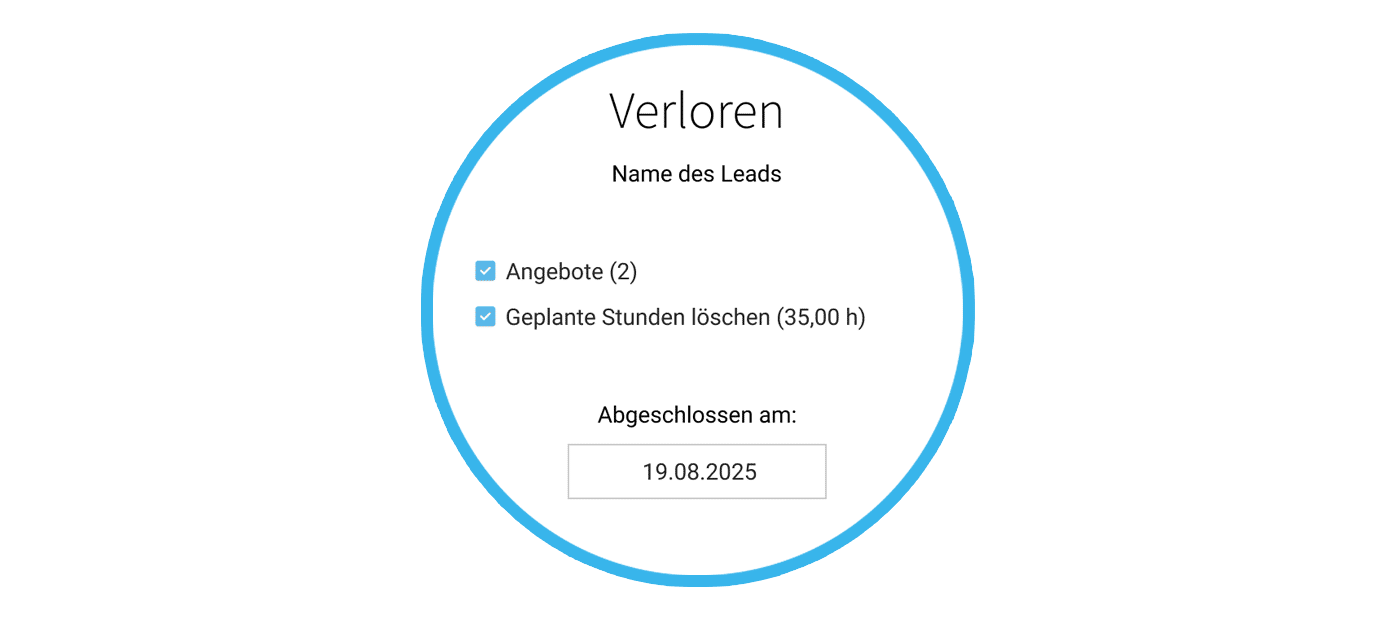
Set leads you do not want to pursue any further to lost (the client has declined) or cancelled (your business has declined). Reasons might include a budget that is too small, or an unsuitable enquiry.
 (English image not yet available)
MOCO automatically closes related items
In this step, open quotes are set to ignored by default, and planned hours are deleted.
(English image not yet available)MOCO automatically closes related items
In this step, open quotes are set to ignored by default, and planned hours are deleted.
Create Project
If you create a project from a lead, the details and quotes are carried over. The link between the lead and the project remains traceable at all times.
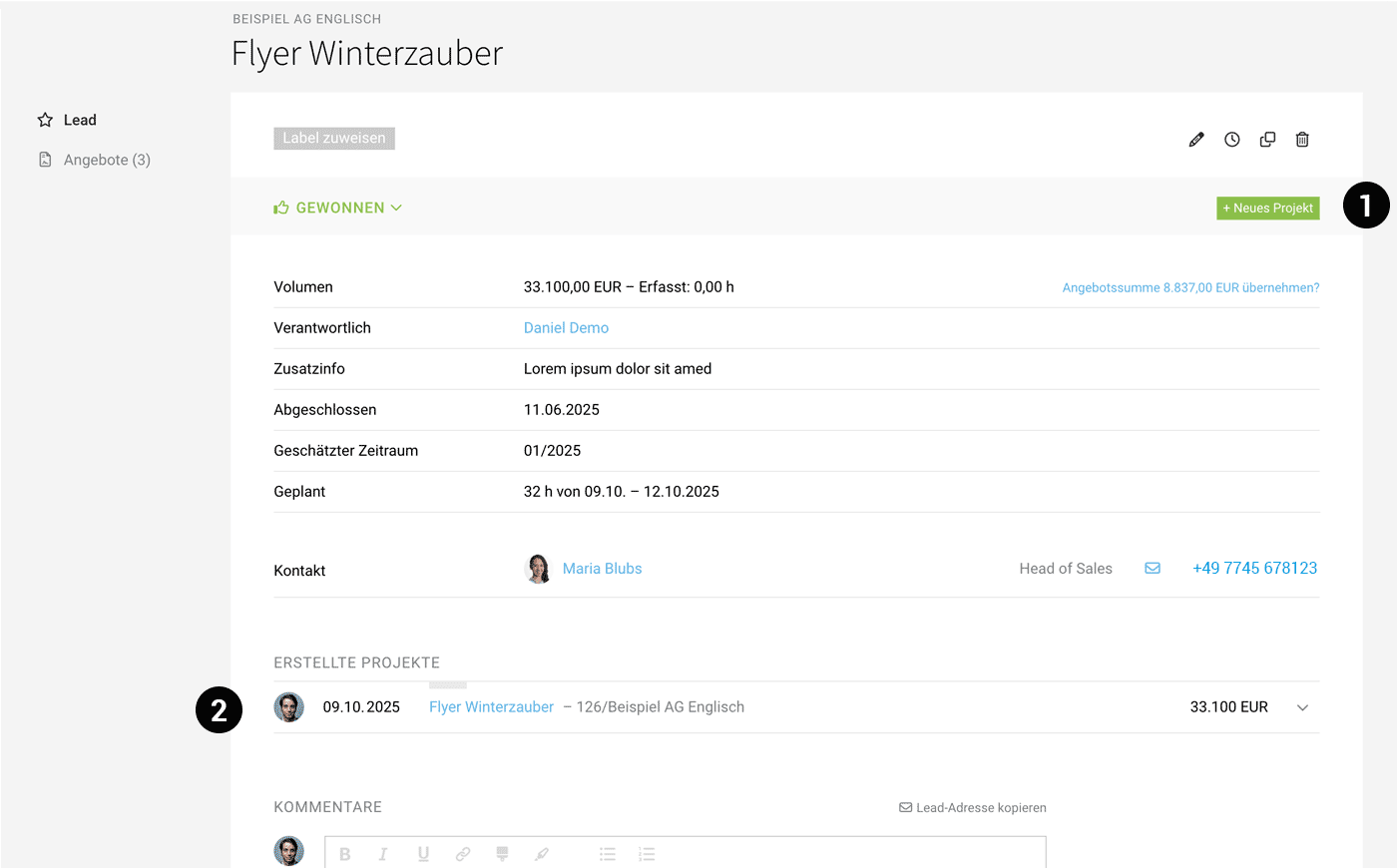
On the lead details page, you can create a project via the option at the top right (1). The following will be carried over:
- Details are copied across
- Quotes are linked. From the quote, you can add services for time tracking & additional services to the project.
- Lead/project visibly linked (2)
- Time tracking copied across, if required
- Planning copied across, if required
 (English image not yet available)
Create Multiple Projects
MOCO leaves it up to you whether you create more than one project from a lead. This can make sense, for example, for an annual budget or a campaign. These “sub-projects” can then be grouped together in the Projects area using Project Groups.
MOCO leaves it up to you whether you create more than one project from a lead. This can make sense, for example, for an annual budget or a campaign. These “sub-projects” can then be grouped together in the Projects area using Project Groups.
Bill Quotes Only
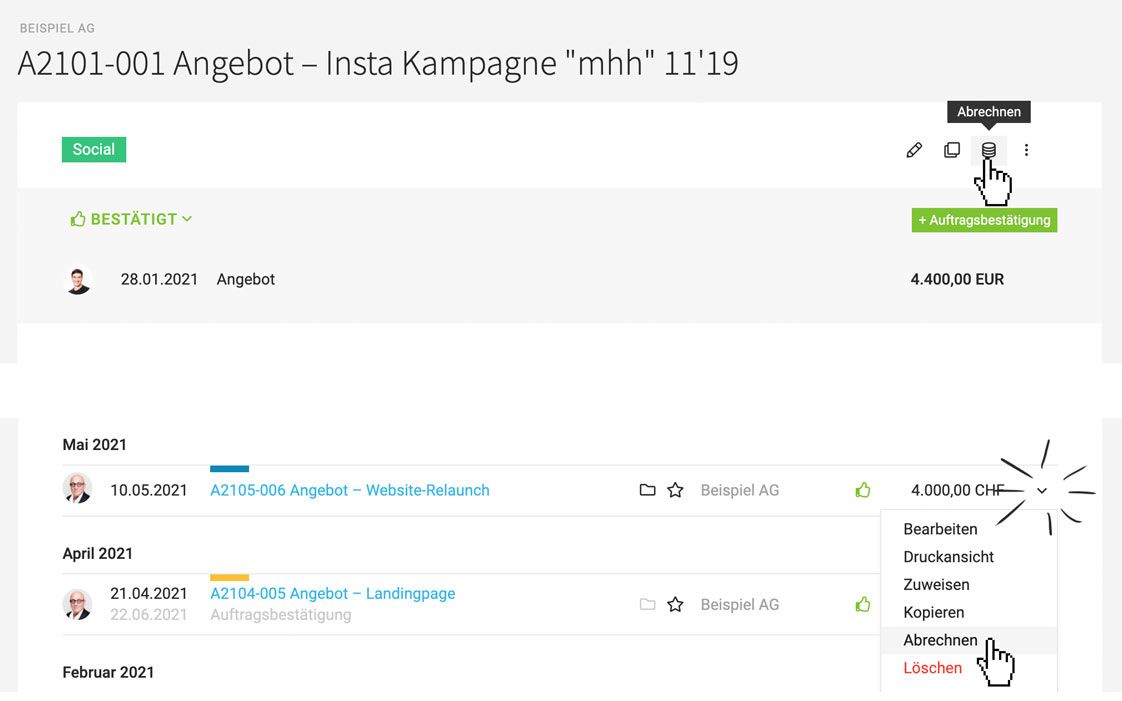
Quotes can be billed directly (without a project). The prerequisite is that the company is categorised as a client.
 (English image not yet available)
(English image not yet available)







