Article from
Bank Integration: Automatic Payment Reconciliation for Expenditures.
With MOCO, you can connect your bank for payment reconciliation. Previously, the reconciliation only applied to incoming payments – now outgoing payments are also reconciled. Here you can find all the information about the new option.
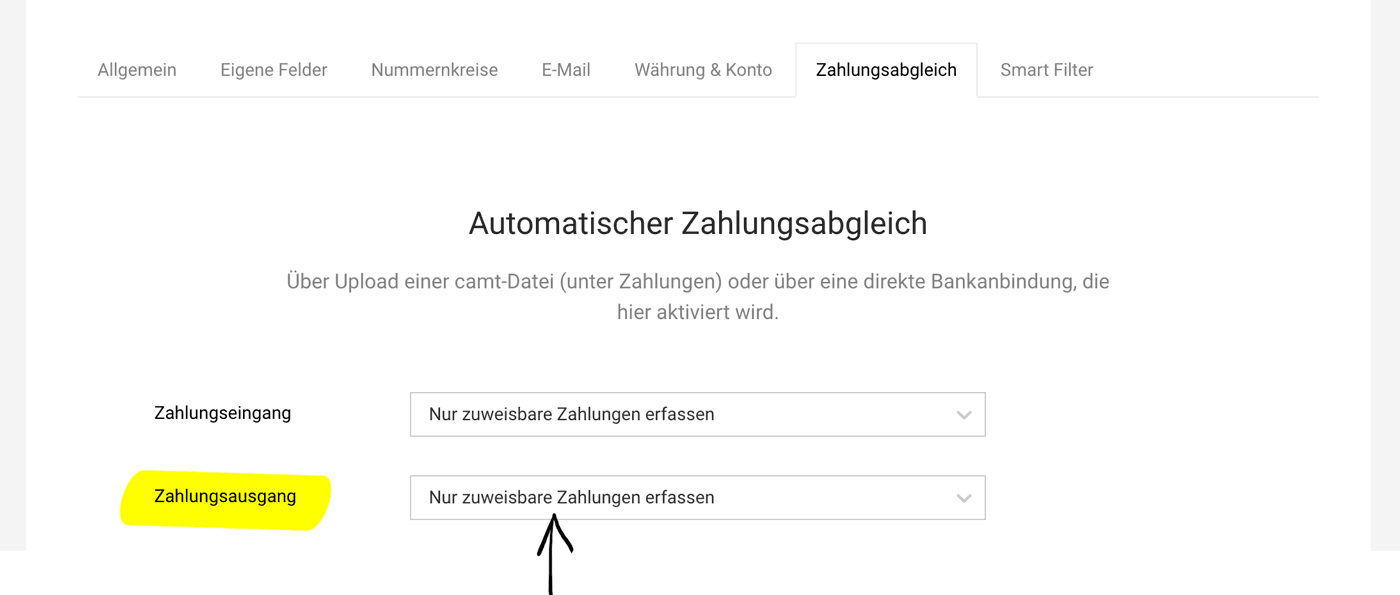 (English image not yet available)
Activation
With the extension, the settings page has moved from the "Invoicing" section to the general "Account" settings area. Activate the option under "Payment Reconciliation" there.
Open Expenditures Marked as Paid
After activation, MOCO automatically checks via finAPI regularly (4 times a day) if there are payments for created expenditures. The prerequisite for recognition is the matching amount and a clear assignment via reference, invoice number, or IBAN.
Currently, only open expenditures are reconciled or assignable payments are recorded in MOCO. This development step ensures that unintended salary payments or other sensitive expenditure items do not appear with full access under "Payments."
The ultimate development goal is to capture all outgoing payments to address missing receipts.
Incoming & Archive + Not Older Than 3 Months
MOCO recognizes new outgoing payments from activation. During each reconciliation, all expenditures (in incoming & archive) without payments are checked. Only when expenditures or payments are older than 3 months are they no longer considered.
Currently, only open expenditures are reconciled or assignable payments are recorded in MOCO. This development step ensures that unintended salary payments or other sensitive expenditure items do not appear with full access under "Payments."
The ultimate development goal is to capture all outgoing payments to address missing receipts.
Incoming & Archive + Not Older Than 3 Months
MOCO recognizes new outgoing payments from activation. During each reconciliation, all expenditures (in incoming & archive) without payments are checked. Only when expenditures or payments are older than 3 months are they no longer considered.
Miscellaneous
Confirmation of Recorded Transfer Orders
Payments already recorded by MOCO through a transfer order are confirmed with the payment reconciliation. MOCO records a corresponding comment on the expenditure.
CAMT
For payment reconciliation via CAMT file, especially for Swiss accounts: The payment reconciliation via CAMT will be implemented subsequently.
Payments already recorded by MOCO through a transfer order are confirmed with the payment reconciliation. MOCO records a corresponding comment on the expenditure.
CAMT
For payment reconciliation via CAMT file, especially for Swiss accounts: The payment reconciliation via CAMT will be implemented subsequently.
Further Links
- Account Settings Payment Reconciliation
- Create Transfer Orders in MOCO
- Credit Card Integration with Automatic Payment and Receipt Reconciliation








