Alter News-Artikel!
» Hier geht's zur aktuellen Online-Hilfe
Article from
Forecast Expenditures Part 2: Recurring General Expenditures.
Overview
Part 1 One-time General Expenditures
Part 2 Recurring General Expenditures
Part 3 Planned Project Expenditures
Part 2 Recurring General Expenditures
Part 3 Planned Project Expenditures
Use this option to plan all regular company expenditures. They are similar to recurring additional services, with the difference that you can decide whether the planned expenditure should be created for an assignment or not.
Recurring General Expenditures: Recorded Once – Planned for the Future
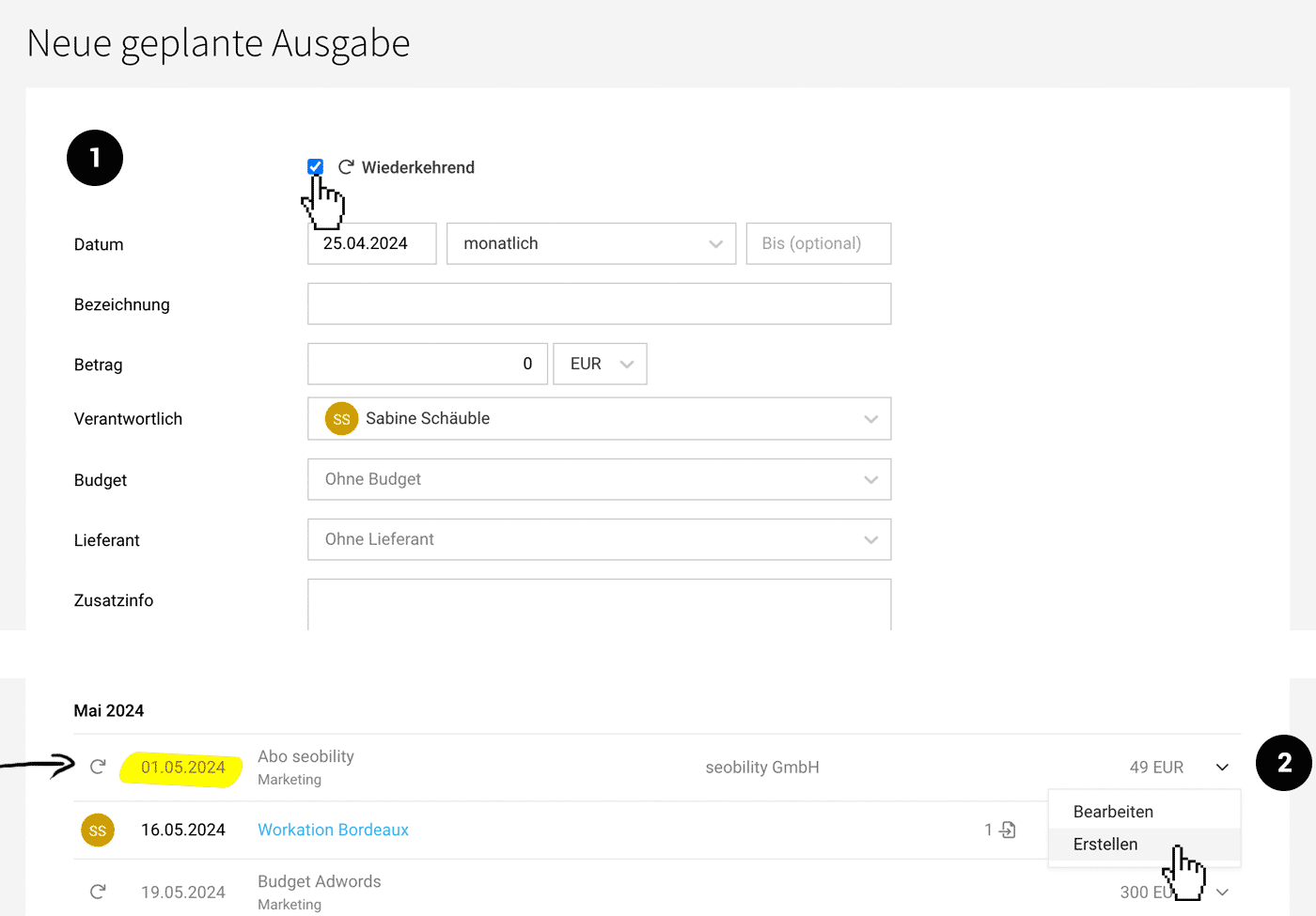
Regular company expenditures for which you expect receipts are recorded as recurring (1). This includes for example, software subscriptions, service subscriptions, website hosting, etc. You can also plan a regular expenditure budget – for instance, a monthly ad budget that responsible individuals can manage.
Distinction from Fixed Costs
Fixed costs still include regular expenditures for which there are no receipts and are handled differently in accounting. These are typically rent and salaries.
 (English image not yet available)
On the defined due date, the planned expenditure is created – and the relevant expenditure can be assigned. With the assignment, the plan is fulfilled. Complete the planned expenditure. If the receipt arrives before the planned expenditure is created, you can quickly create it via the dropdown (2).
Handle Small Amounts Pragmatically
Want to plan smaller recurring amounts for the future but find the assignment unnecessary? Then define in the settings the minimum amount (1). The default value is set to 0.
.png "Geplante Ausgaben Einstellungen aktiviert") (English image not yet available)
(English image not yet available)
(English image not yet available)Manage Subscriptions Centrally
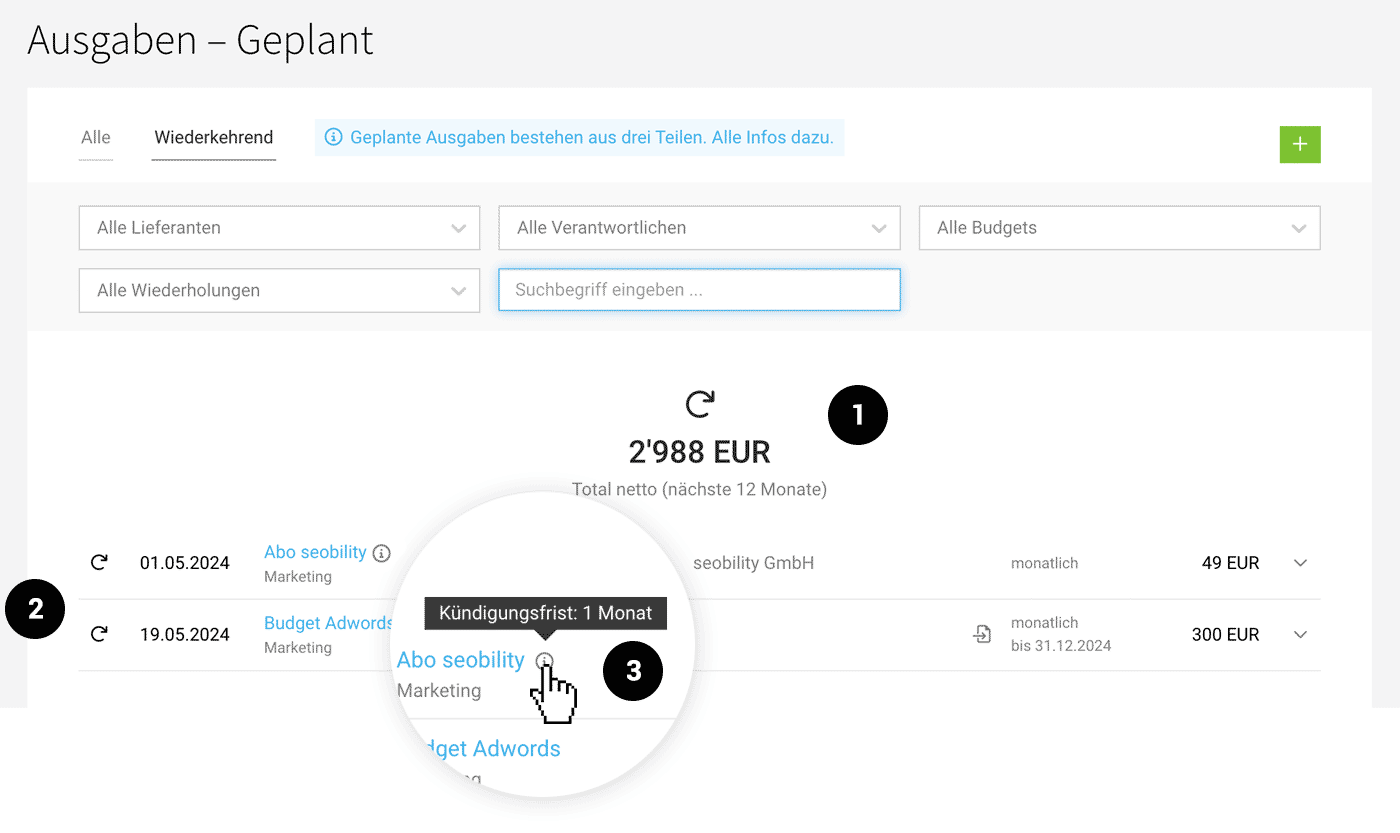
In the overview list under "Recurring," you can view and manage all recorded regular expenditures. You see the total amount for the next 12 months (1) – and for each listed regular expenditure (2) the next date, which budget the recurring expenditure is assigned to, how often the expenditure occurs, whether there is an expiration date, and whether a planned expenditure is created for assignment.
If you enter information in the "Additional Info" field, it will be displayed in the list via the info icon including a tooltip (3).
 (English image not yet available)
If you enter information in the "Additional Info" field, it will be displayed in the list via the info icon including a tooltip (3).
(English image not yet available)Reports
The amounts are considered in the financial overview, liquidity planning, and annual budgets, just like manually created individual planned expenditures.
Business Dashboard & Financial Reports
Annual Budgets Expenditures
Business Dashboard & Financial Reports
Annual Budgets Expenditures








