Alter News-Artikel!
» Hier geht's zur aktuellen Online-Hilfe
Article from
DATEV Integration: New Solution Page and Required Actions Post-Update.
Find Solutions Faster
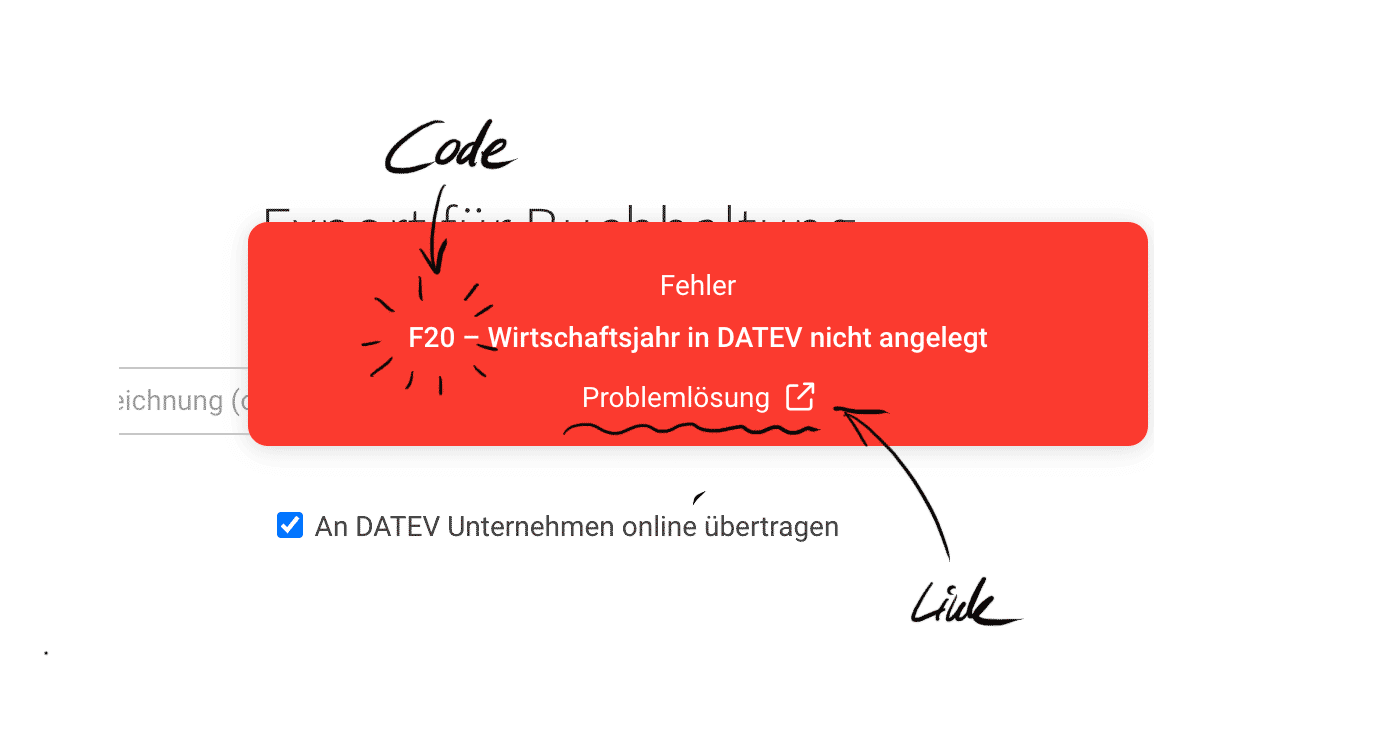
We've completely revamped the error messages for the DATEV direct integration: numbered, simplified for maximum clarity, and now with a direct link to the solution page.
 (English image not yet available)
This allows you to quickly find a solution – for instance, if MOCO receives a notification from DATEV that the fiscal year is missing in DATEV.
The solution page can also be accessed directly via the in-app service.
(English image not yet available)This allows you to quickly find a solution – for instance, if MOCO receives a notification from DATEV that the fiscal year is missing in DATEV.
The solution page can also be accessed directly via the in-app service.
New Authentication Required After DATEV Update
DATEV has changed its requirements, and the MOCO interface has been adjusted accordingly and has passed DATEV's verification.
What you need to do from February 14th:
Re-authenticate once!
MOCO will also notify you directly via a message in the software about this required action.
All Information on DATEV Direct Integration
What you need to do from February 14th:
Re-authenticate once!
MOCO will also notify you directly via a message in the software about this required action.
All Information on DATEV Direct Integration








