Alter News-Artikel!
» Hier geht's zur aktuellen Online-Hilfe
Article from
New Options for Personal Time Tracking.
 (English image not yet available)
Delete Individual Time Entries
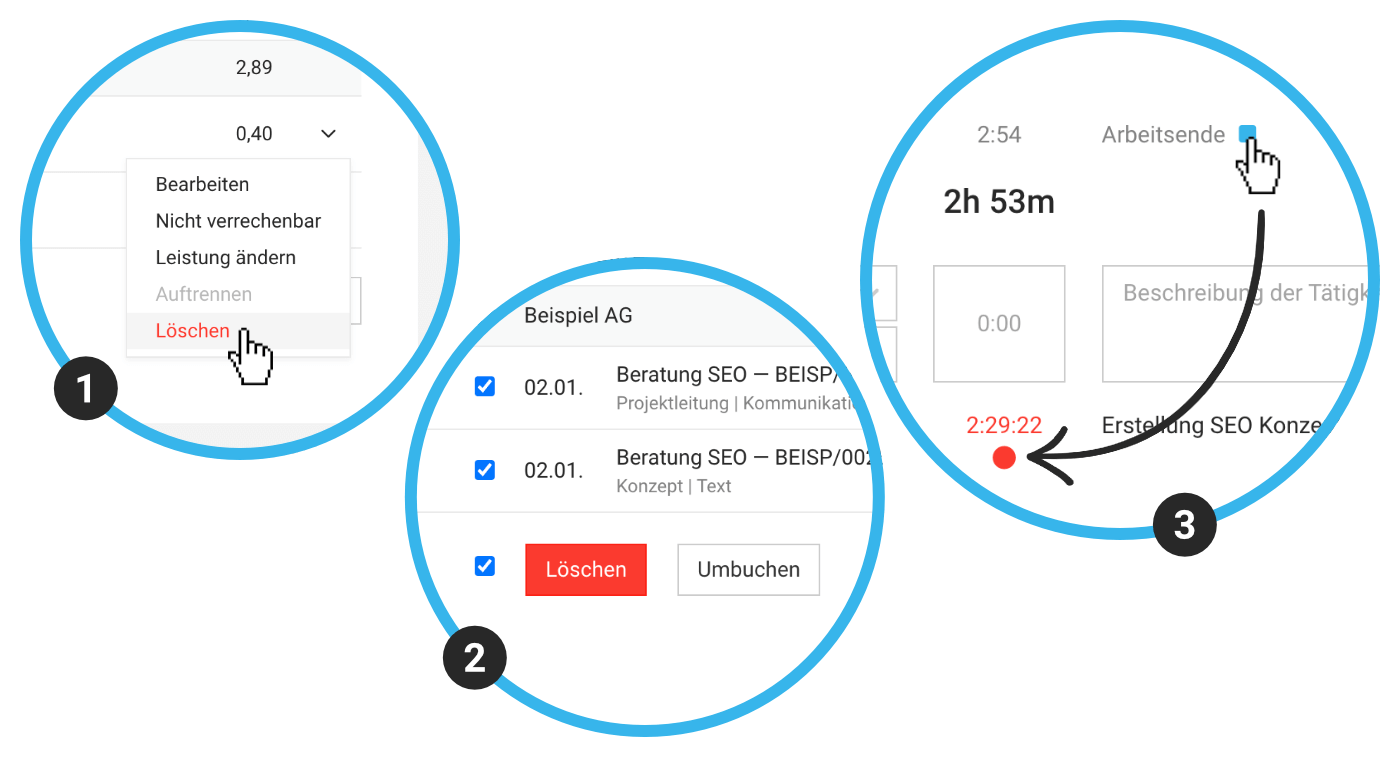
You can now delete project times directly in the timesheet. To do this, select "delete" on the right of the time entry (1).
Delete Multiple Time Entries
You can delete marked or filtered time entries using the bulk action (2). This can be useful, for example, when removing test data.
Reassign Multiple Time Entries
You can reassign marked or filtered time entries to other projects, to which you are assigned for time tracking, using the bulk action (2).
Stopwatch Automation with End of Workday
Clicking the stop symbol at the end of the workday (3) will also automatically stop the running timer for project time.








