Alter News-Artikel!
» Hier geht's zur aktuellen Online-Hilfe
Article from
The Customisable Project List!
Are certain pieces of information particularly important to you for project management? With the new project view, you can create your own flat, sortable list. All users with full project access rights can see the selection in the top right corner (1). By choosing "Custom", you can create your own view with the following options:
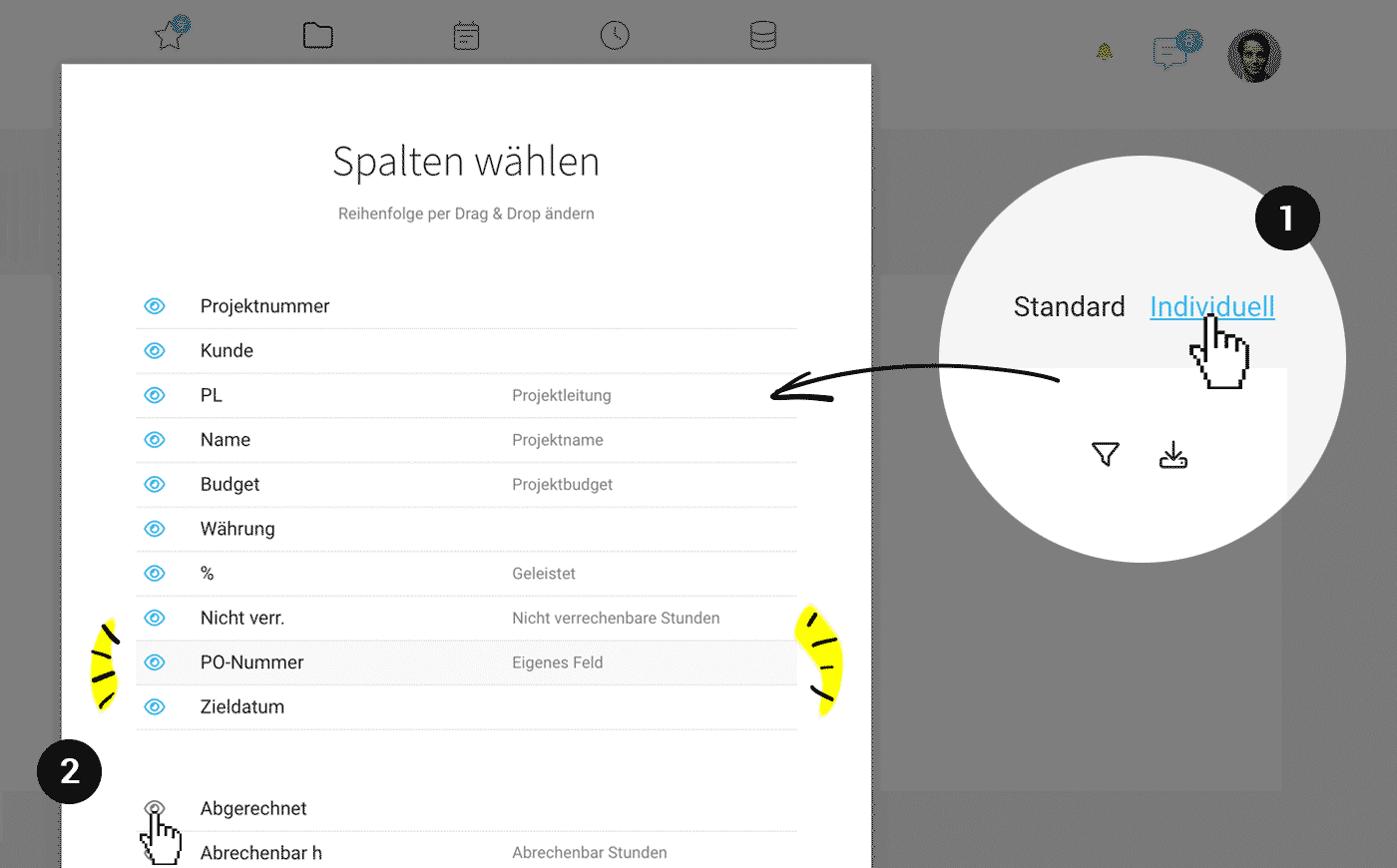 (English image not yet available)
- Choice of column number, order, and width
- Column sorting in ascending and descending order
- Selection of additional project details
- Selection of custom fields (2) such as single-line entry, single choice, date
- Filtering usable as with the standard list
- Export after custom filtering
Examples of Use
- You always want to keep an eye on whether and how many non-billable hours have been recorded on a client project.
- You want to see the amount that has not yet been invoiced.
- You use custom fields so that the project manager can assign a status icon - e.g., traffic light symbols 🟢, 🟡, and 🔴 or 👍, ☝️, and 👎
Suggestions?
Over the coming months, we will gather suggestions for additional columns, and the clear common denominators will be selected for implementation.








