Alter News-Artikel!
» Hier geht's zur aktuellen Online-Hilfe
Article from
Quick Wins: Enhancements for Time Tracking, Planning & More.
 (English image not yet available)
Time Tracking
Display Target-Actual Basis for Time Tracking
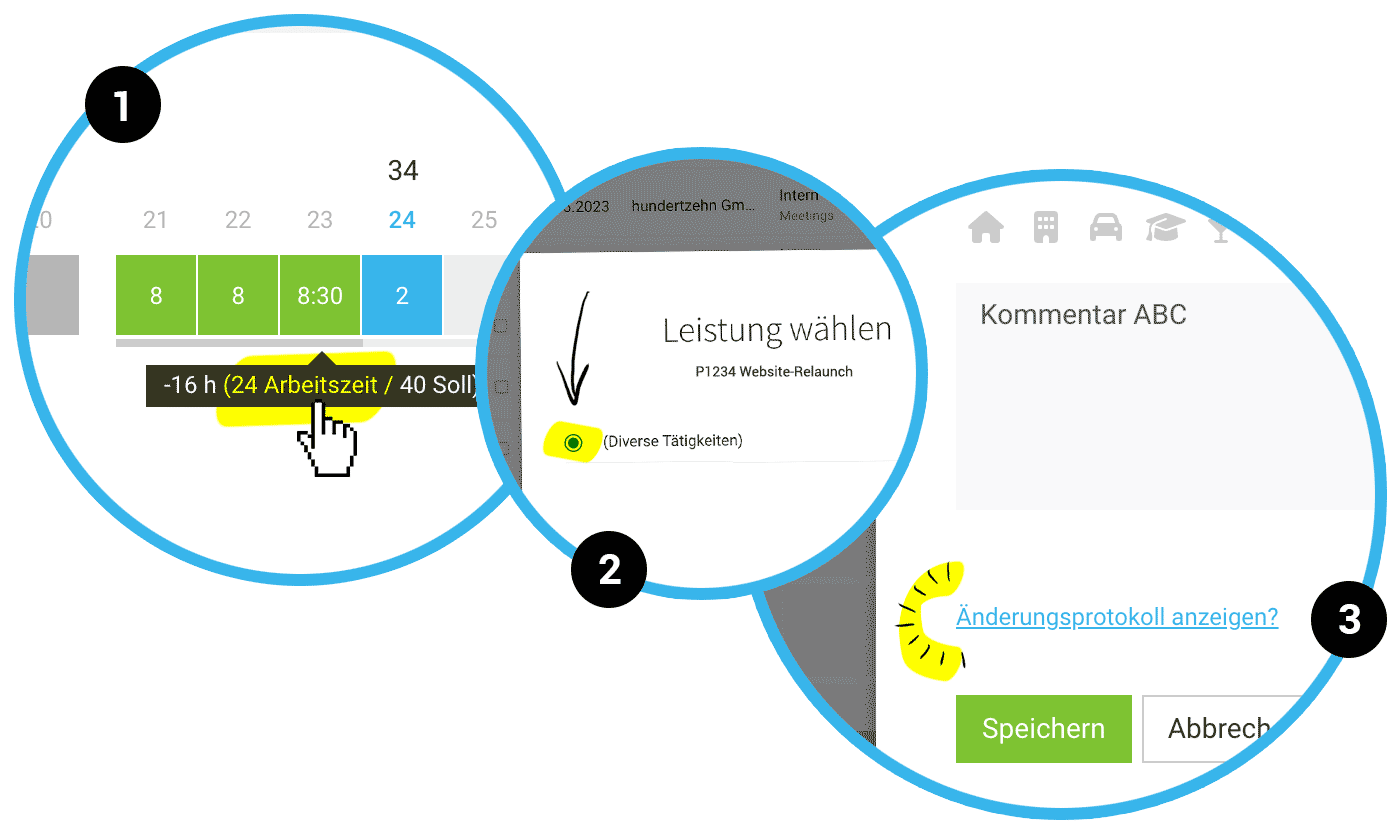
In the progress bar under the weeks in time tracking, the Target-Actual tooltip now directly shows if working hours instead of project hours are chosen as the basis for calculation (1).
In the progress bar under the weeks in time tracking, the Target-Actual tooltip now directly shows if working hours instead of project hours are chosen as the basis for calculation (1).
Reallocate Hours: If there is only one service, it is pre-selected (2), saving a click. Additionally, in this second step of service selection, the name of the project chosen in the first step is displayed again (2).
Planning
Entry with History
The history of entries is recorded in the planning entry. This allows you to always track who created or modified the project entry (3).
Enhanced Export
In the Excel export for planning (Reports > Planning), the self-added title of the planning entry is now also displayed as a column.
The history of entries is recorded in the planning entry. This allows you to always track who created or modified the project entry (3).
Enhanced Export
In the Excel export for planning (Reports > Planning), the self-added title of the planning entry is now also displayed as a column.
Various Exports
- In the export, custom fields are displayed in the chosen order.
- In the project and client export, the column "Invoicing Info" has been added. Any stored notes are output here.
- The overarching Target-Actual export (Reports > Personnel > top right "Target-Actual & Verifiability") contains, similar to the individual export for a person, a column with the cumulative balance.
UX Minis
- The hour suggestions in the planning entry are now better contrasted from the background, making them easier to read.
- A line break with Shift + Enter is now possible in the planning entry.
- In the project report, the planning curve directly links to the planning.








