Alter News-Artikel!
» Hier geht's zur aktuellen Online-Hilfe
Article from
Add Custom 2FA Options: Touch ID, Yubikey, Face ID etc.
With the expansion of 2FA (Two-Factor Authentication), each user can add an alternative to mobile authentication, allowing for more convenient options such as the MacBook's Touch ID.
When 2FA is enabled in the settings, every user needs a mobile app like Authy or Google Authenticator to access MOCO. Exceptions include time tracking and contacts. After entering the password, a code displayed in the app must be entered for authentication.
In the profile under "Password & Security", each user can add additional authentication options according to their preferences. These are confirmed via the 2FA code from the authentication app. 2FA options can include:
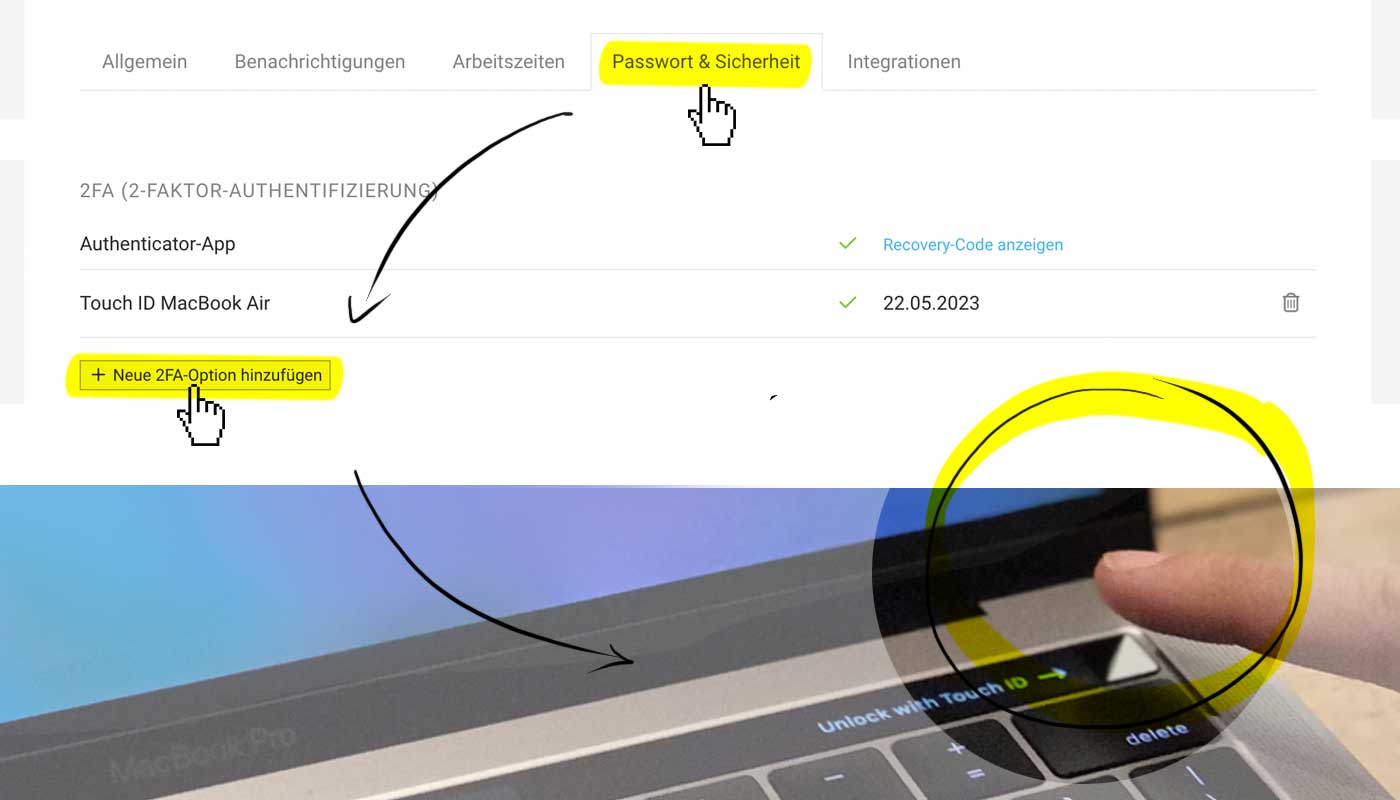 (English image not yet available)
For example, add the following 2FA options
- Touch ID: Confirm via MacBook by placing your finger.
- Yubikey: USB security key with fingerprint recognition or password entry.
- Apple Passkey: Passwordless sign-in method from Apple across multiple devices.








