Alter News-Artikel!
» Hier geht's zur aktuellen Online-Hilfe
Article from
Quick Wins: OCR, Payment Capture, Filters & More.
 (English image not yet available)
Project Controlling
New Filter Option for Project List
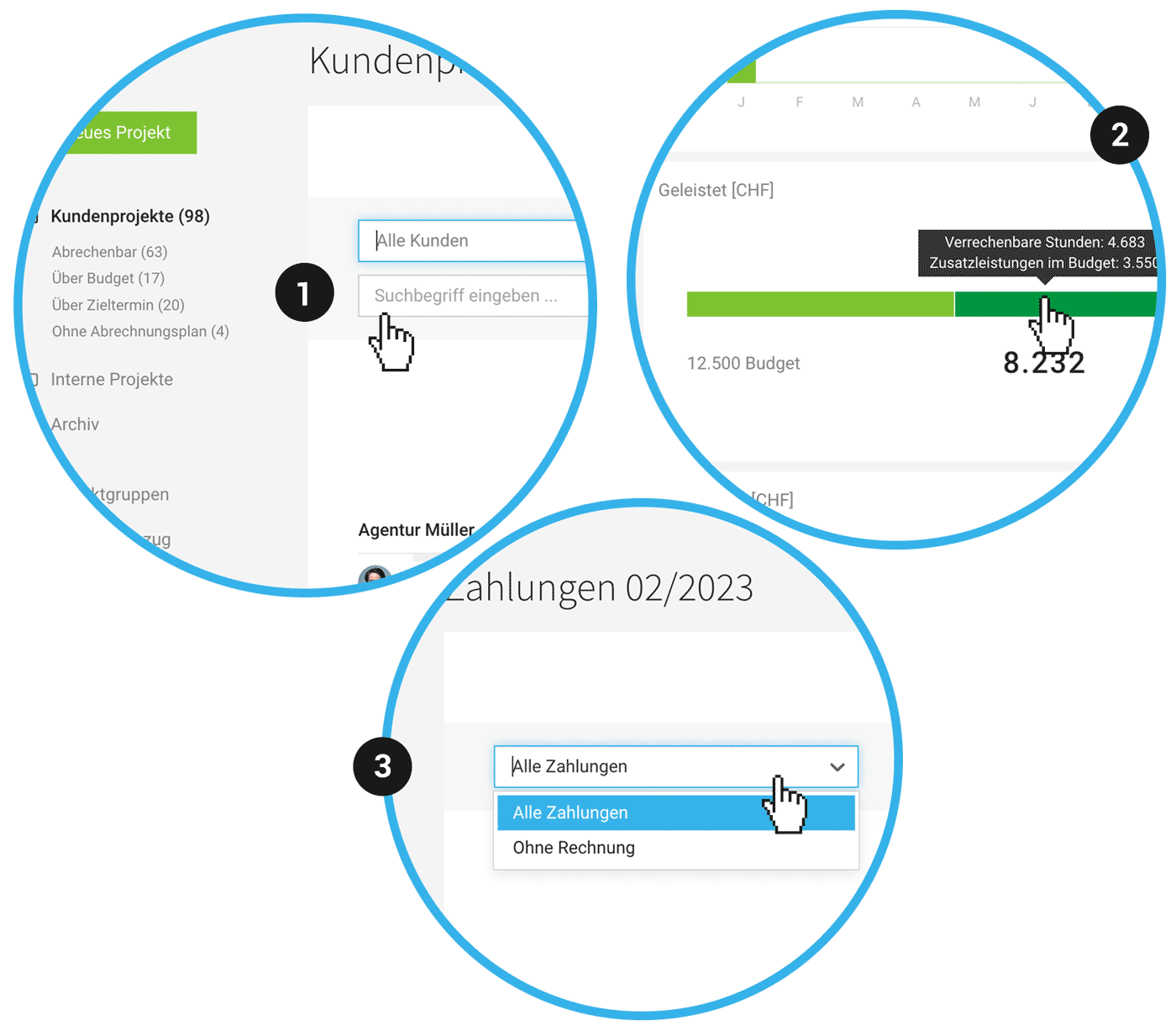
You can now filter the project list using keywords (1).
Carry Over Internal Hourly Rates with a Click from Previous Year
If you leave the hourly rates for 2024 empty (0), you can carry them over from 2023 to 2024 with a single click at the end of the year.
Project Group Report Enhanced with Detailed Info
The project group report shows the breakdown of the budget progress into services and additional services when hovering over "Performed" (2).
Invoices & Expenditures
Optionally Read Individual Items via OCR
If you want to assign individual items to different projects, you can choose to save the individual items when creating the expenditure.
New Filter Option for Payments
Payments for invoices and expenditures can now also be filtered by "Payments without Receipt". This is useful, for example, when many payments are recorded via bank connections, and some cannot be assigned (3).
Assign Payment Without Expenditure
Similar to incoming payments, outgoing payments can now also be assigned to an expenditure retrospectively.
UX Various
Payment Capture Optimized
Payment capture has been optimized (Invoicing > Payments > top right "+"): Technically completely revised, now with page transitions and grouping by month/year.
Client Selection for Project Group
When creating project groups, clients without active projects are now also offered.
Payment capture has been optimized (Invoicing > Payments > top right "+"): Technically completely revised, now with page transitions and grouping by month/year.
Client Selection for Project Group
When creating project groups, clients without active projects are now also offered.
New Filter Option for Companies
The direct filter has been expanded with the keyword option. Previously, you had to use the global search (magnifying glass top right or "/").
Exports
Leads: The lead export has been enhanced with an "Additional Info" column.
Clients: The client export now also includes a column indicating whether the client has different hourly rates stored.
API & Zapier
Zapier Manager
Zaps can now be managed directly in the account (Settings > Extensions > Zapier) without needing to switch to Zapier.
API
- API V1 webhooks now include all line items, and the URL of the invoice file can be accessed directly
- API V1 Share/Lock Project Report








