Alter News-Artikel!
» Hier geht's zur aktuellen Online-Hilfe
Article from
Automated Reminder Levels.
It is now possible to predefine various texts for reminder levels and email dispatch. MOCO automatically identifies the next level when creating a reminder and fills in the corresponding texts. These can still be adjusted if necessary.
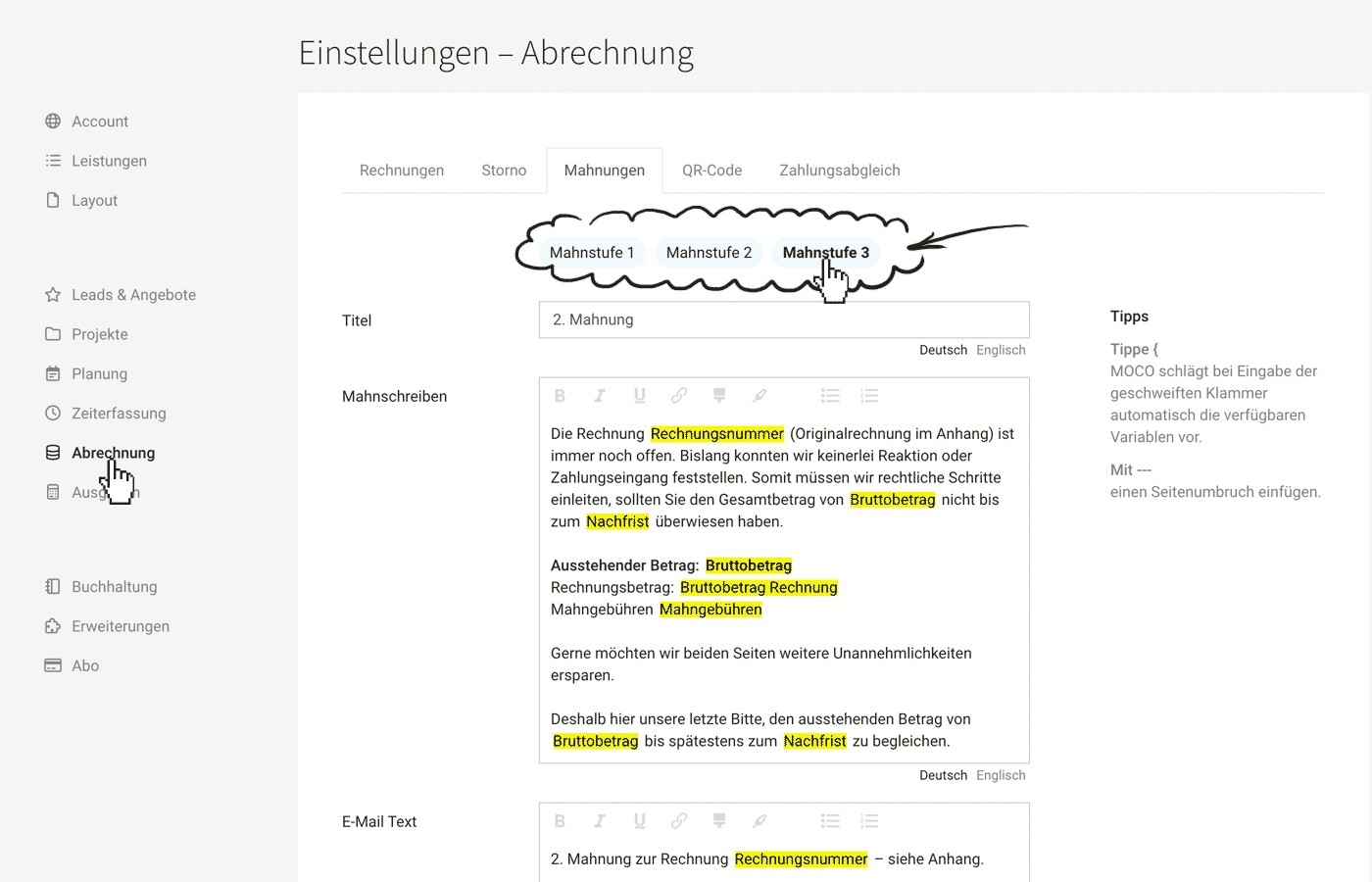 (English image not yet available)
Reminder Levels: Predefine Texts
In the settings under "Invoicing" > "Reminders", you can predefine the reminder texts.
New in the settings:
New in the settings:
- 2nd and 3rd reminder levels
- Predefinable reminder fees
- Due to automation, the text fields cannot be left empty.
Create Reminder
As before, reminders are created by clicking on the invoice view at the top right. In the coming weeks, an option for mass creation will be available, allowing reminders to be created and sent with one click for selected or all overdue invoices.








