Alter News-Artikel!
» Hier geht's zur aktuellen Online-Hilfe
Article from
Billing Optimisations
 (English image not yet available)
Clear visibility of which Invoice items were billed on
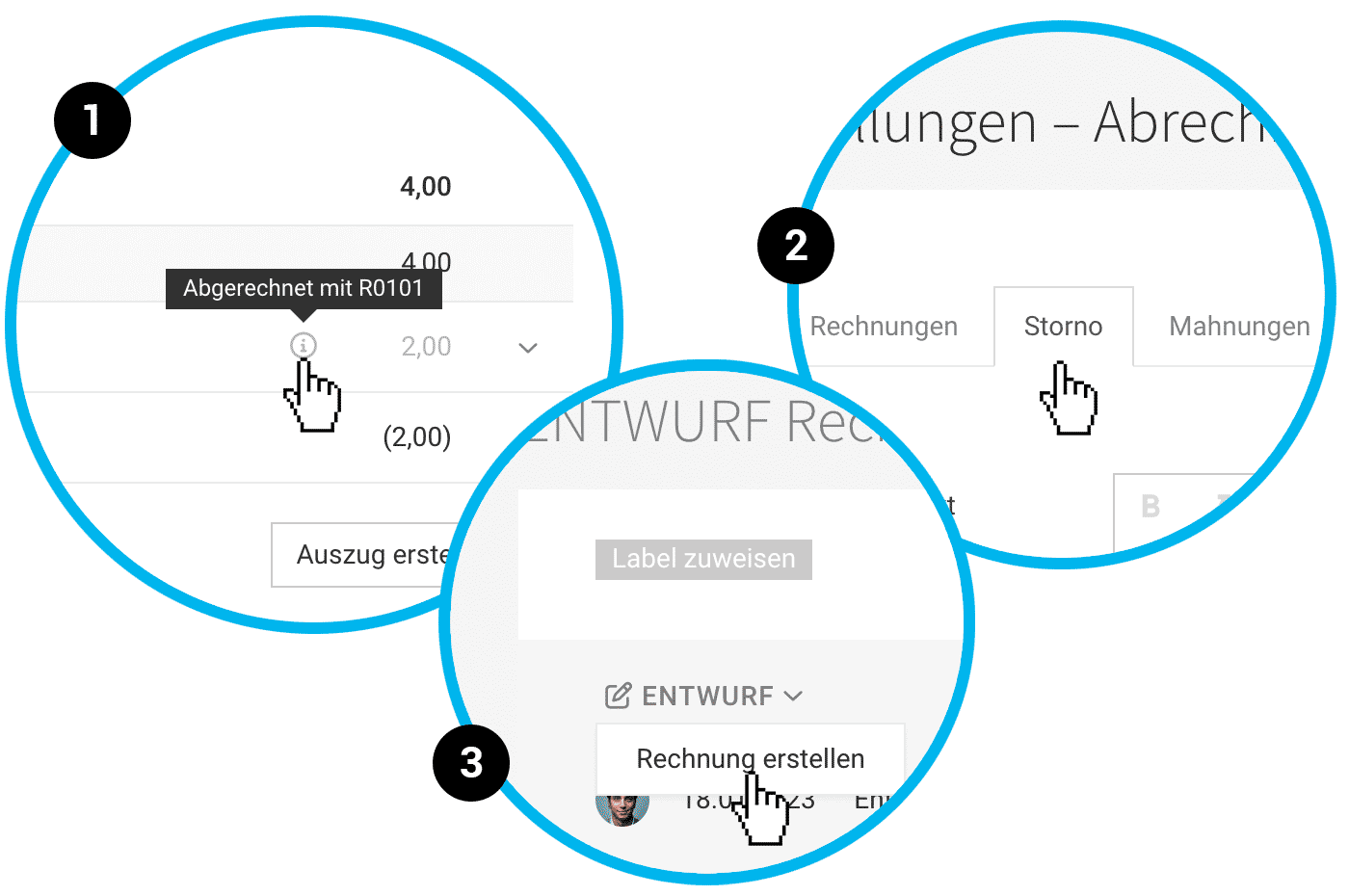
- For hours (under Timesheet) and for additional services, MOCO now shows via tooltip which Invoice an item was billed on – or whether, and when, the item was marked as already billed (1).
- This information is also available via the API
Predefined text for cancellation Invoices
You can now also save standard text for cancellation Invoices. You can set this up in Settings under "Billing" > "Cancellation" (2).
CAMT payment matching expanded
You can now upload multiple CAMT files at once via drag and drop.
Create the final Invoice directly from draft Invoices
For drafts, the Invoice view now offers one-click creation of the final Invoice (3). This can speed up your workflow if you first create draft Invoices via bulk creation and then review them.
Minor UX improvement
For time entries that can no longer be edited, MOCO now shows the "Edit" action as disabled (grey text) in the Timesheet dropdown (instead of black text as before). This avoids false expectations and confusion.
The payment entry view (Payments > "+") has been technically updated. Open Invoices are now easier to find.
The payment entry view (Payments > "+") has been technically updated. Open Invoices are now easier to find.








