Alter News-Artikel!
» Hier geht's zur aktuellen Online-Hilfe
Article from
Time Tracking: Visual Compliance Check with Legal Requirements.
MOCO also covers time tracking (start of work, end of work, breaks). Documentation and verification are ensured in combination with the period lock. MOCO can now also notify about deviations or irregularities. This helps employees make corrections if needed and eases the burden on supervisors.
 (English image not yet available)
Activate Display
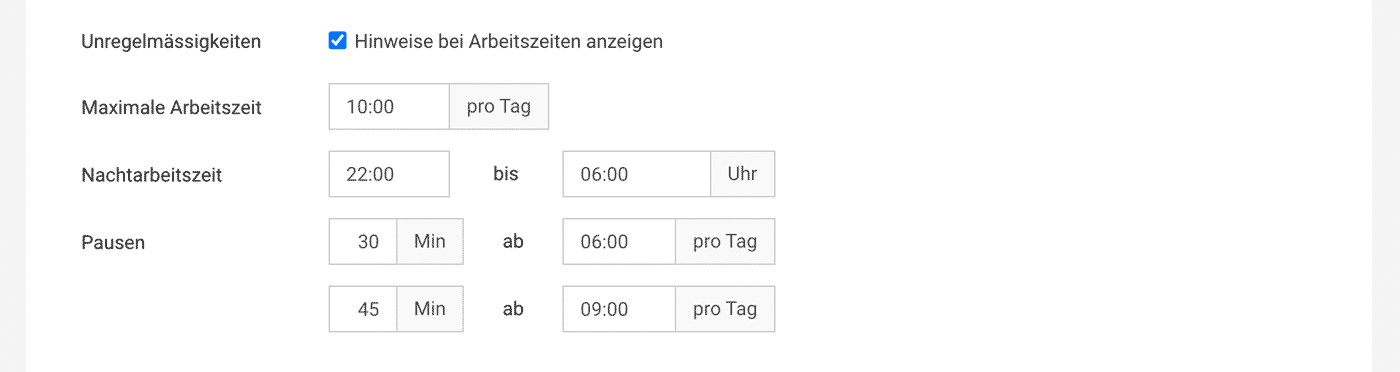
You can activate the display of irregularities in the settings under "Time Tracking" and enter the desired regulation.
 (English image not yet available)
Your Personal Reminder
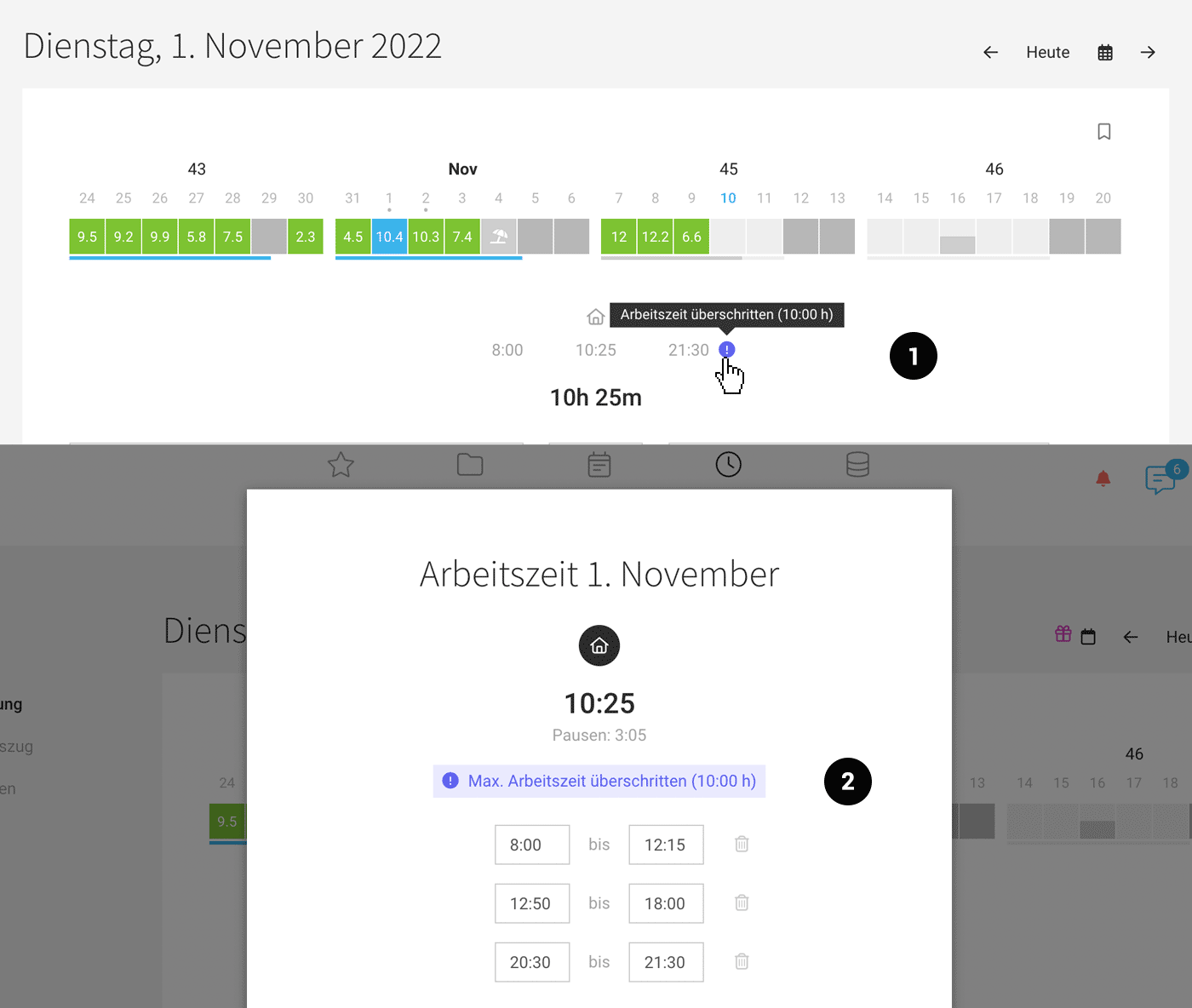
Directly in their own time tracking, individuals can see if there are deviations and correct them (1,2).
In the overall summary under "Working Hours," everyone can quickly see if there are any irregularities in the current month (or a specific period).
 (English image not yet available)
Overview for Individuals and All Employees
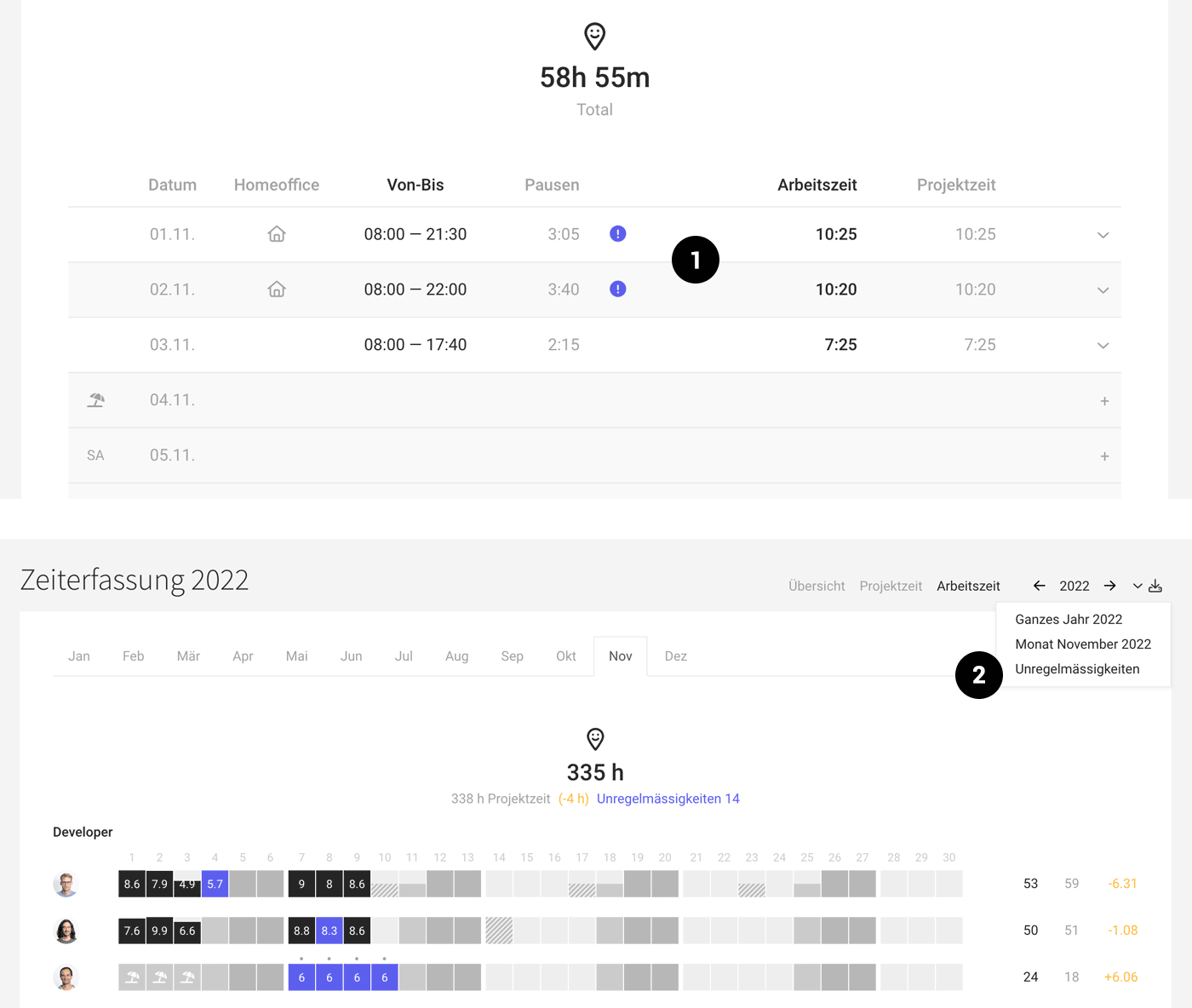
Under "Working Hours" for the individual (1) and in the overall report under "Reports > "Time Tracking" > "Working Hours" (2), the person responsible for personnel can quickly see if there are irregularities. In both places, you can click to view the day's details. At the top right, you'll also find an Excel download listing the irregularities.
 (English image not yet available)
(English image not yet available)Activate Display
You can activate the display of irregularities in the settings under "Time Tracking" and enter the desired regulation.
(English image not yet available)Your Personal Reminder
Directly in their own time tracking, individuals can see if there are deviations and correct them (1,2).
In the overall summary under "Working Hours," everyone can quickly see if there are any irregularities in the current month (or a specific period).
(English image not yet available)Overview for Individuals and All Employees
Under "Working Hours" for the individual (1) and in the overall report under "Reports > "Time Tracking" > "Working Hours" (2), the person responsible for personnel can quickly see if there are irregularities. In both places, you can click to view the day's details. At the top right, you'll also find an Excel download listing the irregularities.
(English image not yet available)







