Alter News-Artikel!
» Hier geht's zur aktuellen Online-Hilfe
Article from
Carry Over Remaining Leave and Overtime: Year-End Transfer for All Employees with One Click.
Save time now with the year-end transfer of overtime and leave balances: In addition to transferring per person, MOCO allows a one-click transfer for all employees.
Here's how it works
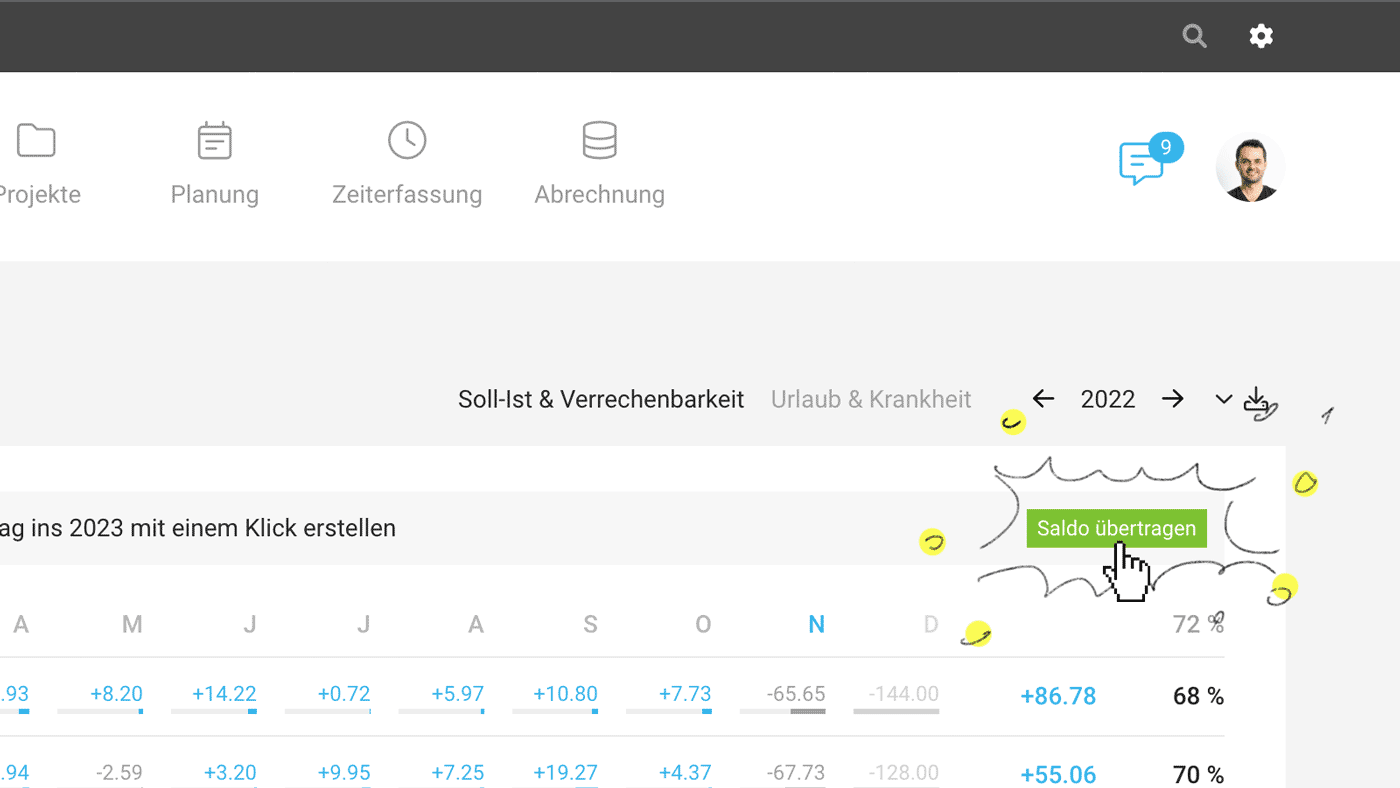
Under "Reports" > "Personnel", you will find the "Transfer Balance" button in both 2022 overviews from December 1st (see image). After clicking, MOCO briefly confirms whether the transfer should proceed. The transfer moves the respective account balance to 2023 (recording negative or positive credits in the leave or time account) and resets it to zero for 2022 (recording an adjustment entry in the leave or time account).
 (English image not yet available)
Notes
Here's how it works
Under "Reports" > "Personnel", you will find the "Transfer Balance" button in both 2022 overviews from December 1st (see image). After clicking, MOCO briefly confirms whether the transfer should proceed. The transfer moves the respective account balance to 2023 (recording negative or positive credits in the leave or time account) and resets it to zero for 2022 (recording an adjustment entry in the leave or time account).
(English image not yet available)Notes
- In principle, the transfer can also be done manually – MOCO simply automates the steps.
- We recommend performing the transfer in the first days of January, after all employees have recorded their 2022 times and time tracking has been locked. Use and save the exports for the views before the transfer.
Year-End Checklist
You can find this and more information in the Year-End Checklist. As every year, it can be accessed here on the website or directly in the personnel section via the displayed notice (2).
You can find this and more information in the Year-End Checklist. As every year, it can be accessed here on the website or directly in the personnel section via the displayed notice (2).








