Alter News-Artikel!
» Hier geht's zur aktuellen Online-Hilfe
Article from
New Search for the Online Manual.
The previous Google search within the features section has now been replaced with a dedicated search. MOCO searches the feature descriptions for the entered search terms
The New Search
Simply type something into the search under "Features" (1) to land on the new results page (2) or use "mocoapp.com/suche" directly. All headings and texts within the online manual (menu item "Features") are searched for the entered search terms.
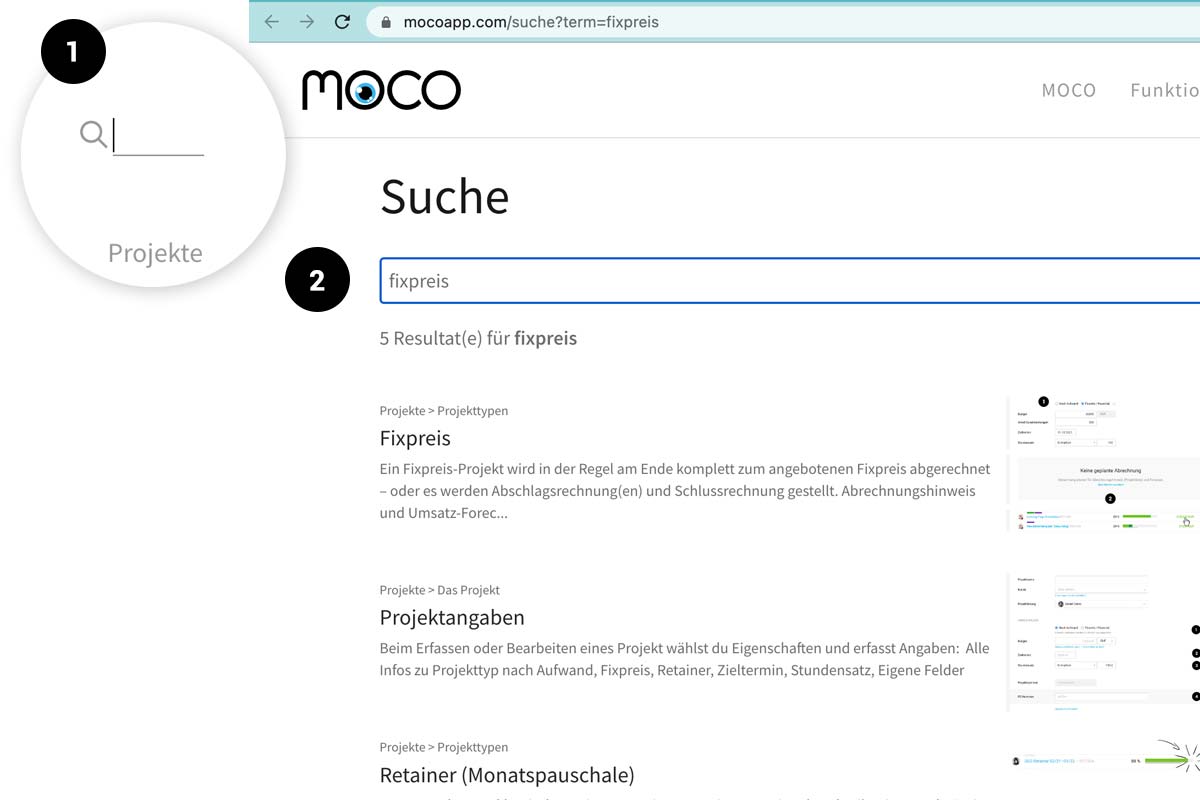 (English image not yet available)
(English image not yet available)PRO Tip: Search Directly Without Visiting the MOCO Website
How to Integrate the Search Option Directly into Your Browser (using Chrome as an example)
1. Go to Chrome Menu > Settings > Search Engine.
2. Add site search and include the desired shortcut with URL /en/search"https://support.mozilla.org/de/kb/Intelligente_Schluesselwoerter">Right-click on the search field ("Add a keyword for this search...")
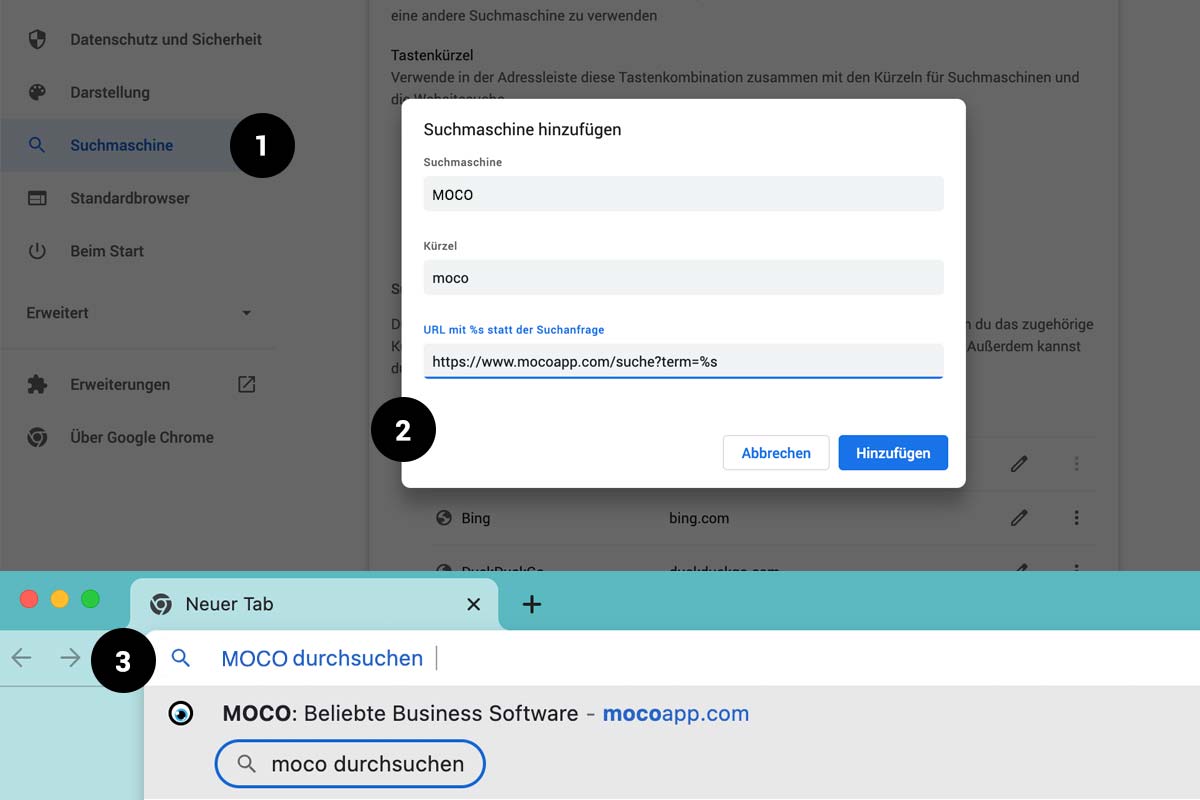 (English image not yet available)
2. Add site search and include the desired shortcut with URL /en/search"https://support.mozilla.org/de/kb/Intelligente_Schluesselwoerter">Right-click on the search field ("Add a keyword for this search...")
(English image not yet available)







