Alter News-Artikel!
» Hier geht's zur aktuellen Online-Hilfe
Article from
UX Quick Wins – The Subtle Difference.
 (English image not yet available)
Overview of Visible and Tangible Optimisations from the Last One to Two Months for Improved UX
- Client: The profile picture is now displayed alongside the responsible person (previously only text).
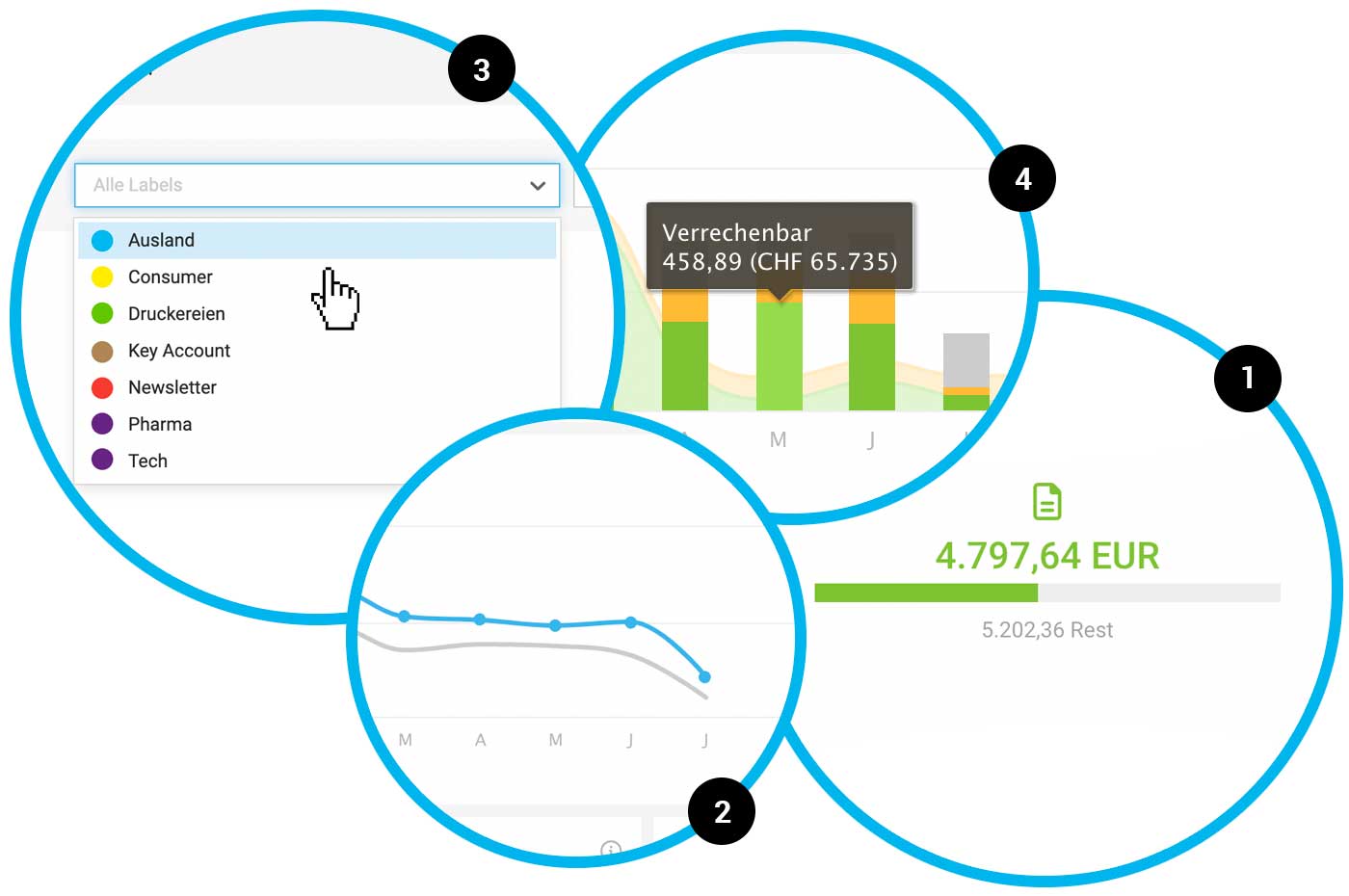
- Project: On the invoicing page, the remaining amount is now prominently displayed next to the invoiced amount. Secondary information about the budget and the percentage already invoiced is covered by the progress bar tooltip (1).
- Project Group: The client's name is also linked.
- Files: Clicking on uploaded files under "Notes & Files" now opens them in a new window, rather than downloading them. Downloads can be done as needed.
- Reports: All links are blue and underlined on mouseover to clarify their link nature.
- Report Billability: The yearly trend is displayed only up to the current month (previously, the curve extended into future months unattractively "on the ground"), and for the current month, only billability up to and including today is considered (2).
- Report Label Filtering: Colour dots assist in selection (3)
- Report Time Tracking > Project Time: Monthly hour details link directly to the timesheets.
- Additional Services: There is now a history under Notes & Files (as in other areas).
- Filter: The icons used for status selection have been enlarged. They were often overlooked and are now more noticeable and easier to select.
- Team Report: In the team report, amounts are now displayed alongside the total hours (similar to personal and company reports) (4)
- Company Report: The "Billable" link has been changed to ensure that the addressed number is found after clicking the link. Therefore, the previous link to the project list (across years) has been changed to the financial report (year-specific).
- Planning: The project number is now additionally displayed in various places.
- Settings: There is a new "Accounting" section, as it makes sense to consolidate the management of options in one place with further development. In this step, "Extensions" and "Subscription" have also been moved down. This creates clearer sections in the settings menu for the eye.
- Payments: Uniform sorting of payment lists. The most recent payment is now at the top.
- Wording: In places where positions are directly offered for invoicing, MOCO labels them as "billable". When it is purely about potential or character, the term "chargeable" is used. The difference seems minimal, and in English, it doesn't exist at all. However, we hope the change will lead to an unconscious distinction.








