Alter News-Artikel!
» Hier geht's zur aktuellen Online-Hilfe
Article from
Logo for Email Signature, Colour Text or Highlight & Add Links.
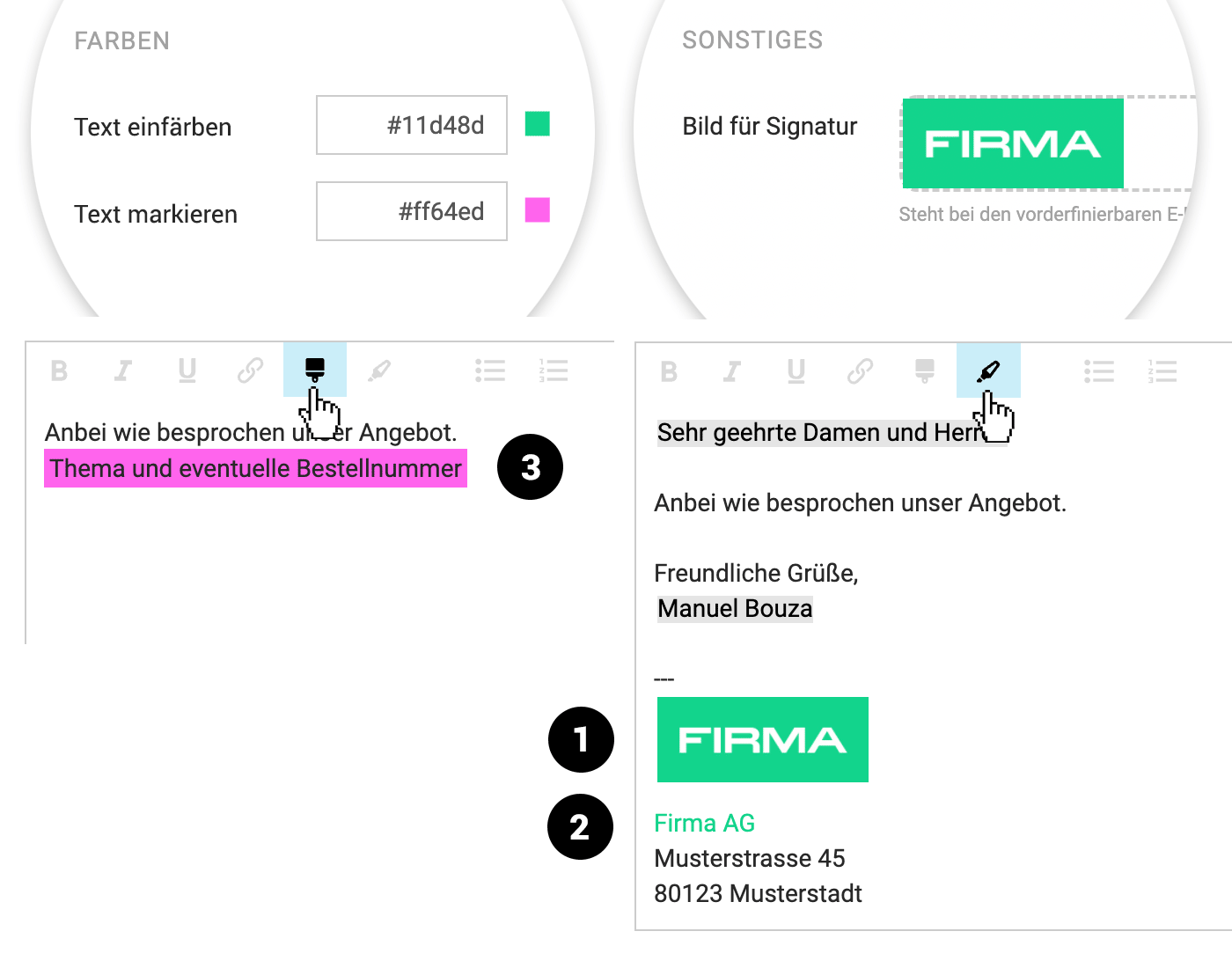
Exciting news for all branding enthusiasts: You can now integrate an image/logo into your email signature and colour text. Give it a try now.
 (English image not yet available)
Email Signature with Logo (1)
In the email settings (Settings > Account > Email), upload a logo or image and specify the display width in pixels. The image can then be inserted into the email text field using variables.
Colour Text (2)
Define your own colour in the settings (Layout > General) and use the pencil icon in the editor to colour specific text.
Highlight Text to be Added or Replaced (3)
Define your own colour in the settings (Layout > General) and use the brush icon in the editor to highlight text. This colour highlighting is intended for information that needs to be corrected or replaced. Alternatively, it can also be used for intentional highlighting.
Add Links
Use the link icon in the editor to add links.








