Alter News-Artikel!
» Hier geht's zur aktuellen Online-Hilfe
Article from
Automatically Fill Only Specific Standard Services & Lock Project for Time Tracking with One Click.
Automatically Fill Only Specific Standard Services
If you have numerous predefined standard services and want only certain services to be automatically filled in a project by default, you can now specifically mark these standard services. Only the marked ones will be filled – additional services can be added via the option in the project.
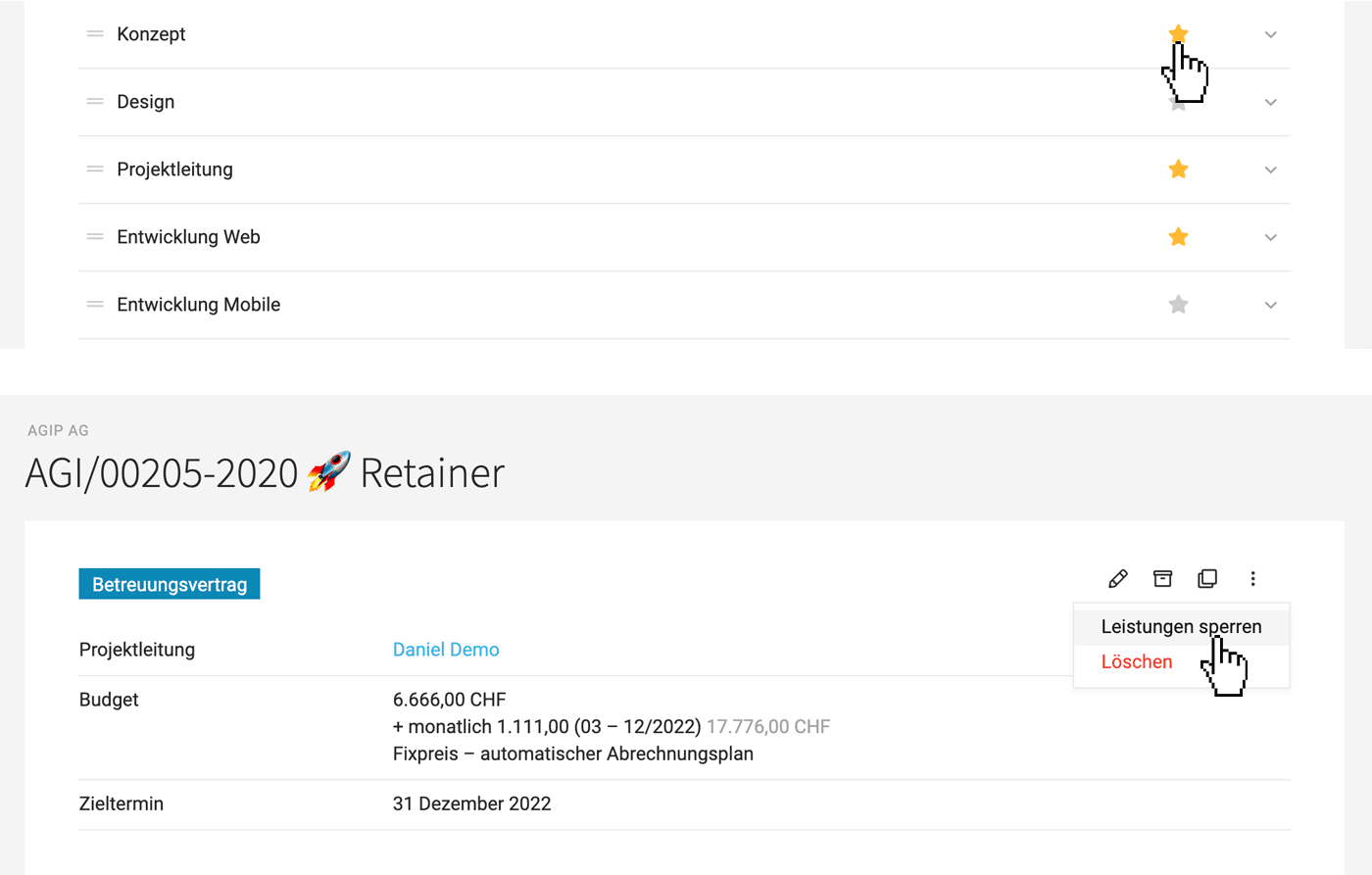 (English image not yet available)
Lock All Services in the Project with One Click
As a project manager, you can now ensure with a single click that no one can book or modify entries in the project. This is beneficial when the project is completed but cannot be immediately invoiced or archived.
If you have numerous predefined standard services and want only certain services to be automatically filled in a project by default, you can now specifically mark these standard services. Only the marked ones will be filled – additional services can be added via the option in the project.
(English image not yet available)Lock All Services in the Project with One Click
As a project manager, you can now ensure with a single click that no one can book or modify entries in the project. This is beneficial when the project is completed but cannot be immediately invoiced or archived.








