Alter News-Artikel!
» Hier geht's zur aktuellen Online-Hilfe
Article from
Create a Project Directly from a Proposal.
Previously, the focus was on the workflow from Lead to Project. After proposals became independent last year, the following gap has now been closed: The confirmed proposal no longer needs to be assigned to the newly created project afterwards.
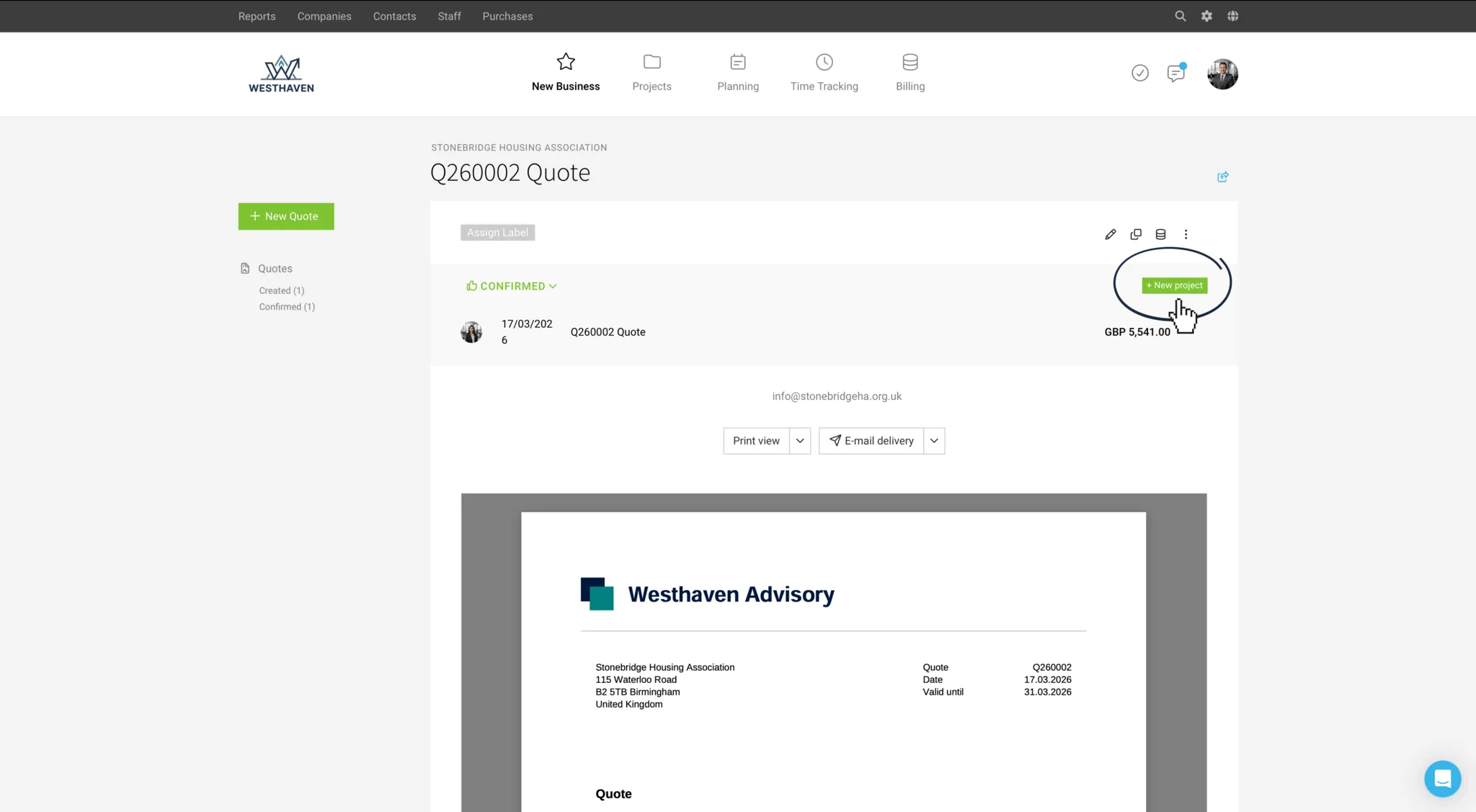
Now, you can directly select "+ New Project" from the proposal. The project will be automatically pre-filled with the details from the proposal.
1. The proposal title becomes the project title (adjust if necessary)
2. Client is carried over
3. Proposal creator is selected as the project lead
4. Billing type "Time and Material" or "Fixed Price" is set according to account default settings.
5. Proposal amount is filled in as the budget.
6. Marked additional services are filled in as a proportional budget.
7. Hourly rate is set according to account default settings.
As before, after saving the project, you can choose to include in the project if needed:
Now, you can directly select "+ New Project" from the proposal. The project will be automatically pre-filled with the details from the proposal.
1. The proposal title becomes the project title (adjust if necessary)
2. Client is carried over
3. Proposal creator is selected as the project lead
4. Billing type "Time and Material" or "Fixed Price" is set according to account default settings.
5. Proposal amount is filled in as the budget.
6. Marked additional services are filled in as a proportional budget.
7. Hourly rate is set according to account default settings.
As before, after saving the project, you can choose to include in the project if needed:
- The services budgeted for time tracking
- The additional services can be included.








