Alter News-Artikel!
» Hier geht's zur aktuellen Online-Hilfe
Article from
MOCO Messages Inbox V2.
With the new update, you won't miss any messages anymore. Opened messages are no longer automatically marked as read and visually faded. Here are the new control options:
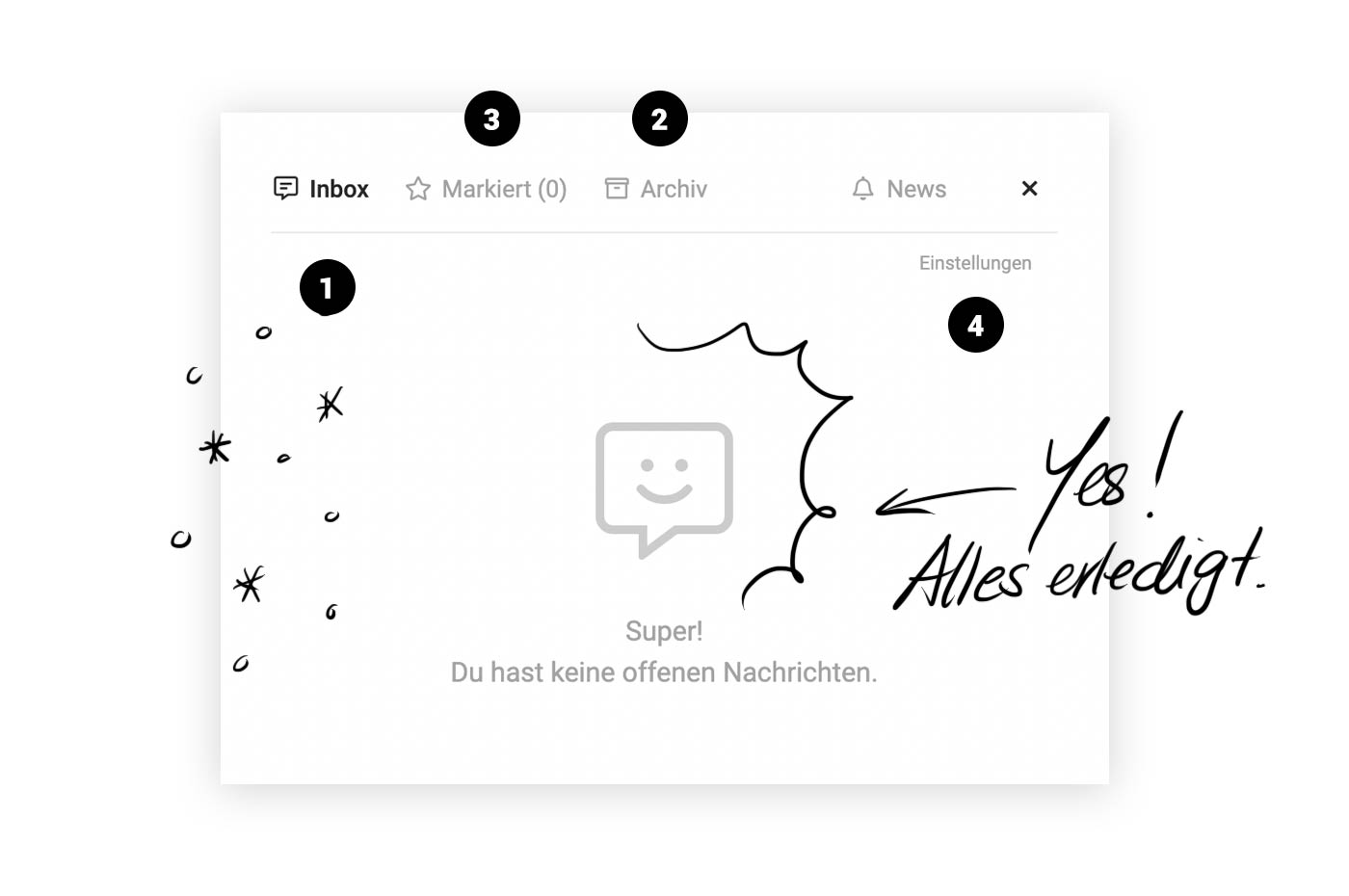
More Control for Your Inbox (1)
Some people feel a sense of accomplishment with an empty inbox, while others prefer reading the email summary. Even though we are big fans of Inbox Zero, these new actions offer benefits for all work styles.
 (English image not yet available)
Archive
You decide how long a message stays in your main list (Inbox).
Once a message is no longer relevant, you can move it to the archive with a click (2).
You can clear the list at once by selecting "Archive All".
Flag
You can flag messages if you want to highlight information or easily access it later (3). This can also apply to messages already in the archive.
Link to Settings
Through "Settings" (4), you can directly access your profile area to activate or change individual notification types. You can also choose whether to receive notifications via email simultaneously.
More Control for Your Inbox (1)
Some people feel a sense of accomplishment with an empty inbox, while others prefer reading the email summary. Even though we are big fans of Inbox Zero, these new actions offer benefits for all work styles.
(English image not yet available)Archive
You decide how long a message stays in your main list (Inbox).
Once a message is no longer relevant, you can move it to the archive with a click (2).
You can clear the list at once by selecting "Archive All".
Flag
You can flag messages if you want to highlight information or easily access it later (3). This can also apply to messages already in the archive.
Link to Settings
Through "Settings" (4), you can directly access your profile area to activate or change individual notification types. You can also choose whether to receive notifications via email simultaneously.








