Alter News-Artikel!
» Hier geht's zur aktuellen Online-Hilfe
Article from
Import Contacts.
Each account can now independently import contacts using MOCO. To do this, select "Import" in the top right under "Contacts" (1). You can find the Excel template just like with the company import, right after opening the import dialog (2).
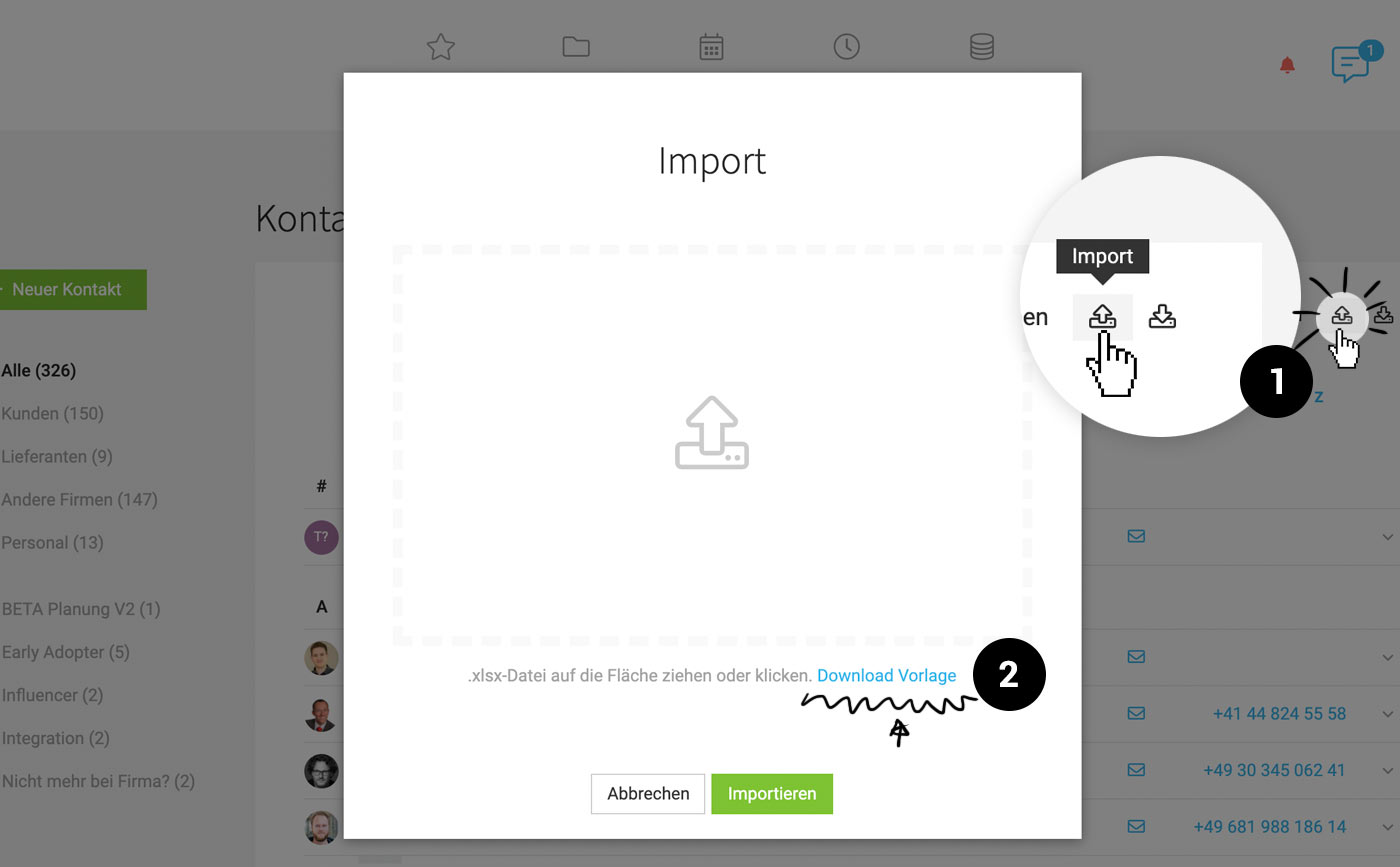 (English image not yet available)
Tip: Test import beforehand
To ensure the data is imported as intended, first import a file with a few contacts, and then proceed with the (possibly adjusted) file containing all contacts.
(English image not yet available)Tip: Test import beforehand
To ensure the data is imported as intended, first import a file with a few contacts, and then proceed with the (possibly adjusted) file containing all contacts.








