Alter News-Artikel!
» Hier geht's zur aktuellen Online-Hilfe
Article from
New Zapier Update Triggers & Searches.
This major Zapier update introduces new options for custom fields, proposals, planning entries, and work hours. It also includes several update triggers and searches.
Custom Fields
Newly, each trigger will include custom fields from MOCO, if available. These custom fields will also appear in the Zapier form for actions and can be sent to MOCO. This allows for even more personalized workflows.
Example
If you have created fields for leads like "Reference", "Company Size", etc., these can be filled directly from another tool, eliminating the need to insert them unstructured into the info text field.
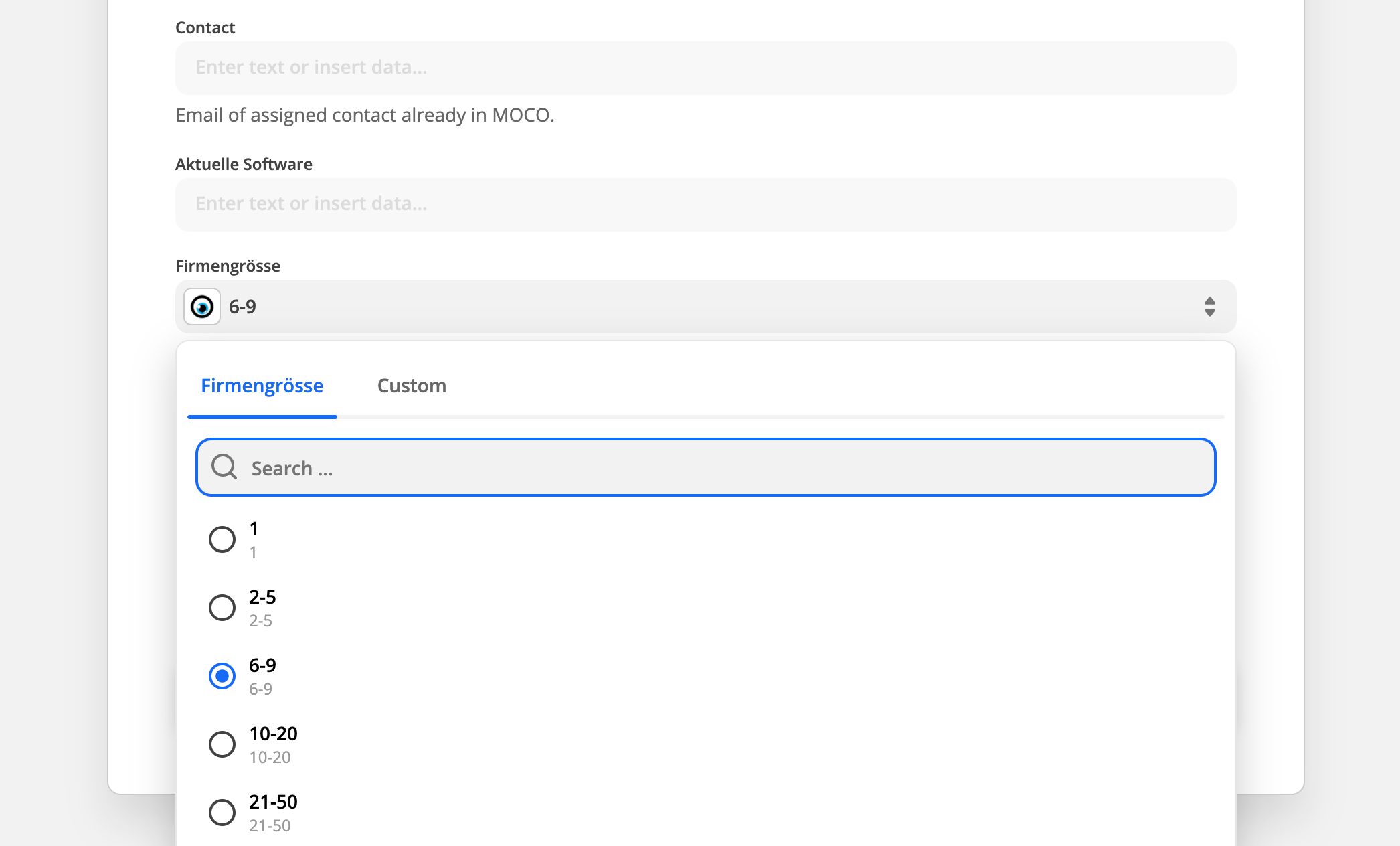 (English image not yet available)
Note: The multiple selection in MOCO is displayed as a single selection in Zapier. This field type is not available in Zapier.
(English image not yet available)Note: The multiple selection in MOCO is displayed as a single selection in Zapier. This field type is not available in Zapier.
Proposals, Planning Entries, and Work Hours
Proposals, planning entries, and work hours are now also available as triggers. You can now respond to created and updated proposals, planning entries, and work hours.
Updated Triggers
In addition to "New" triggers, where Zapier is notified when an entry is created, MOCO now also offers "Update" triggers for entry updates.
- Updated Activity (Time Entries)
- Updated Company (Clients, Suppliers, Others)
- Updated Contact Person (Contact)
- Updated Expense (Additional Service)
- Updated Invoice (Invoice)
- Updated Presences (Work Hours)
- Updated Offer (Proposal)
- Updated Planning Entry (Planning Entry)
- Updated Project (Project)
- Updated Purchase (Expenditure)
5 New Searches
A search is used in Zapier as an intermediate step before an action. This allows references from a trigger to be made to other objects, which can then be used in the action. Triggers typically provide only a few fields about other objects.
Example
Inform a person about an updated planning entry
- Select the "Updated Planning Entry" trigger
- Add the "Find User" search with the "user_id" from the "Updated Planning Entry"
- Insert the action "Email by Zapier" (or Slack, etc.) and include the email from the user search








