Alter News-Artikel!
» Hier geht's zur aktuellen Online-Hilfe
Article from
Proposals: Independent & Movable.
To make proposals more flexible to handle, intensive technical work has been carried out over the past few months. We are now very pleased to present you with the following comprehensive news:
Proposals with Their Own Section
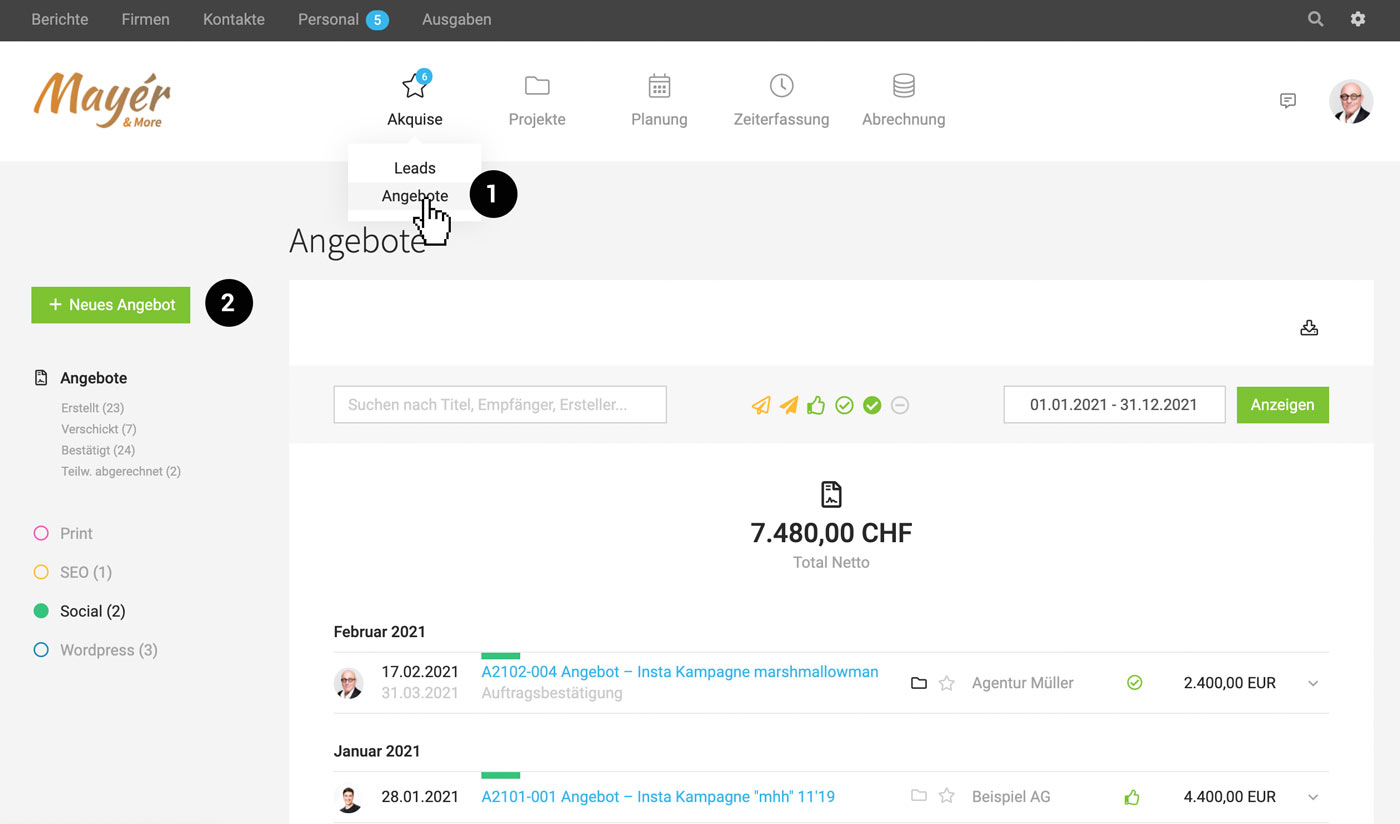
If you use leads less or not at all, you can now reach your goal faster: When visiting the main menu item "Acquisition," you can directly decide whether you want to go to leads or proposals (1).
 (English image not yet available)
(English image not yet available)Create a Proposal Without a Lead or Project
Using the green button (2), you can quickly create a proposal. The company, lead, or project can be assigned later.
Directly Move/Assign Proposals
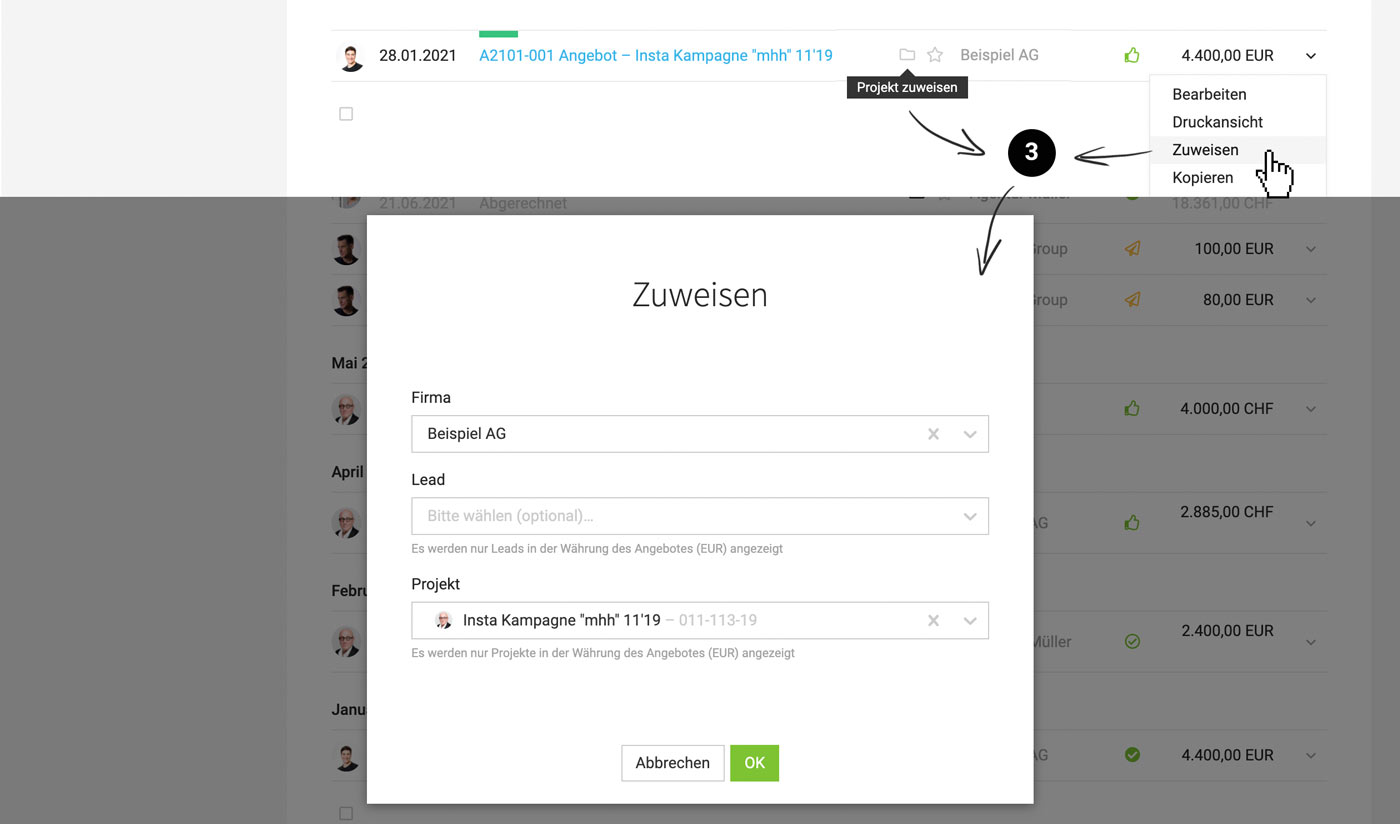
A proposal can be assigned to a (different) company, lead, or project at any time. Either in the central proposal list via the icons or the actions on the right in the dropdown (3)
 (English image not yet available)
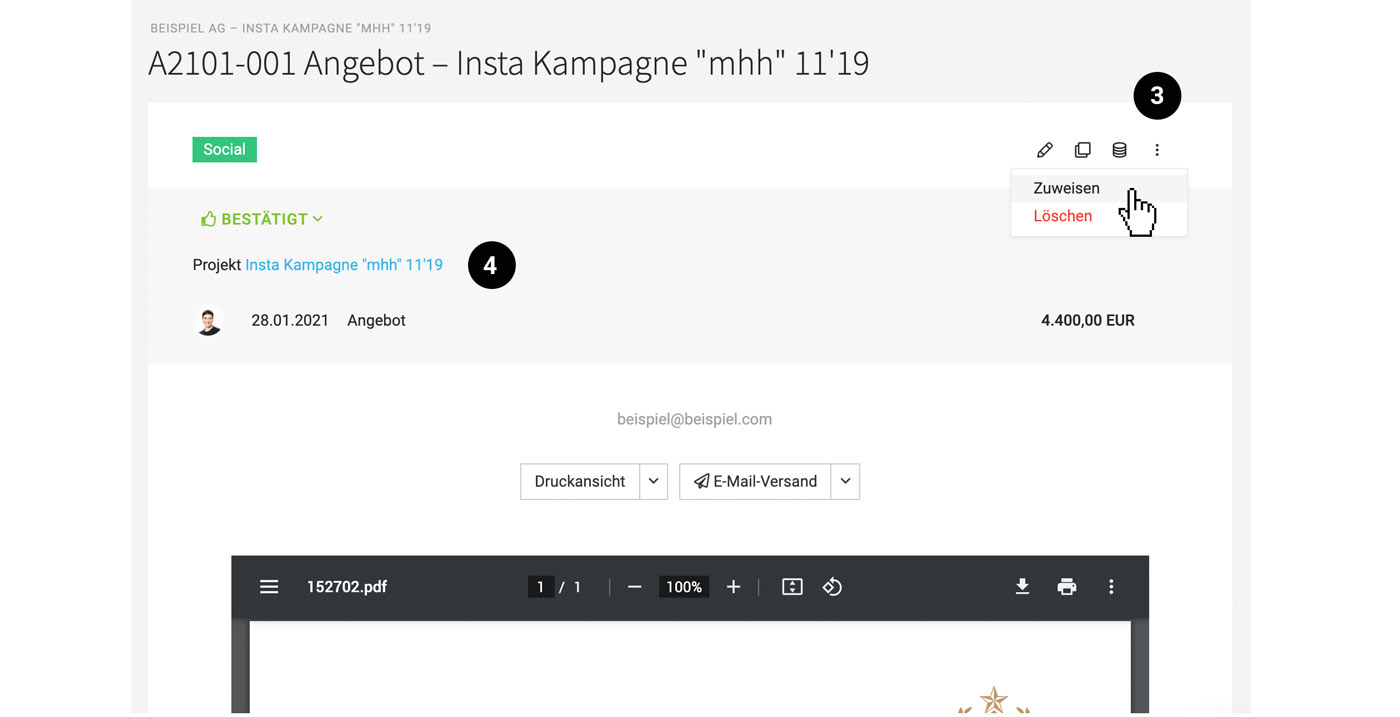
– alternatively on the proposal detail page at the top right (3). The assignment is also traceable on the detail page (4):
 (English image not yet available)
Bring Proposals into Lead or Project
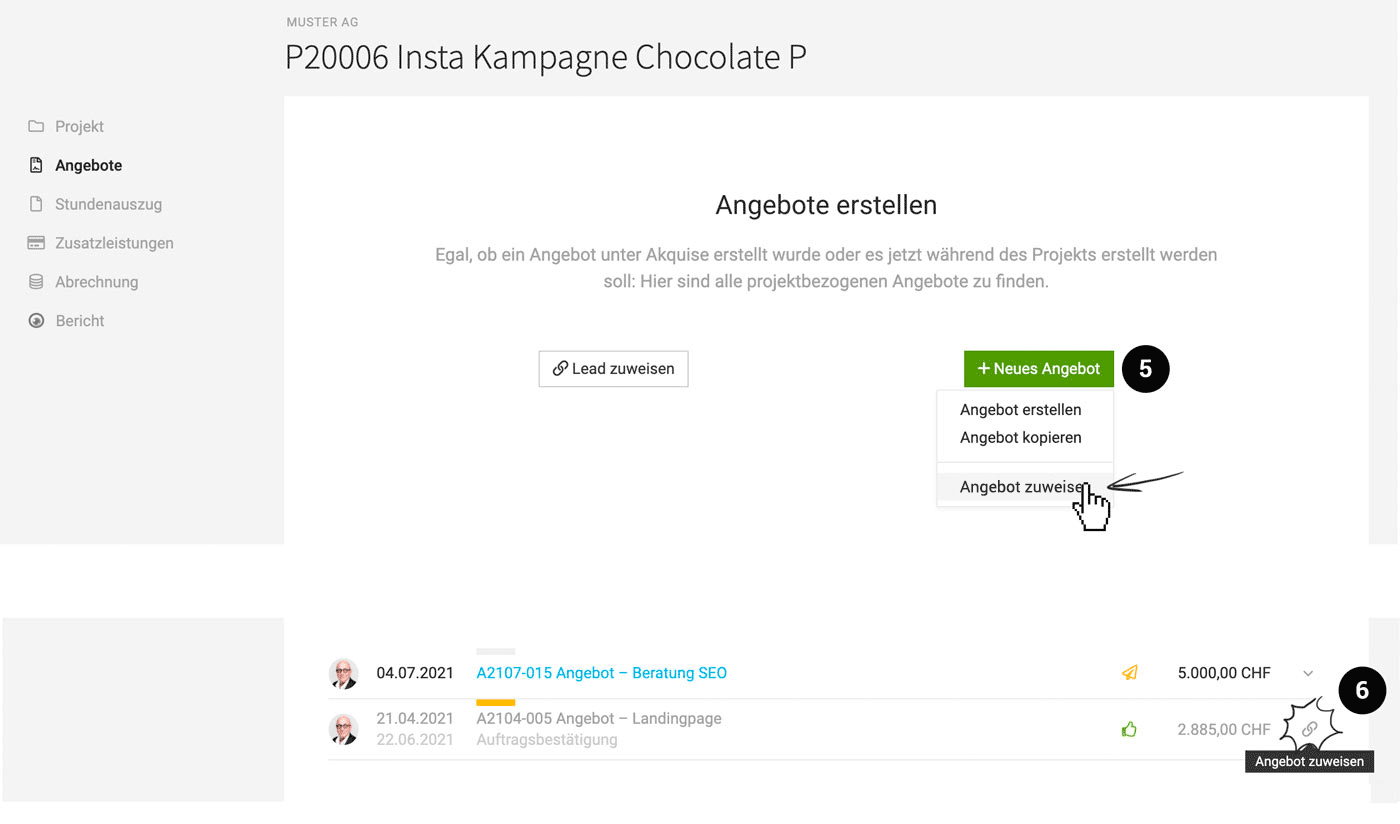
Existing proposals can be brought into the lead or project via "Search Proposal" (5).
Select Proposals from a Lead for the Project
If there are multiple proposals in a lead and a project is created from the lead (or the lead is linked later), select the desired proposals (6):
 (English image not yet available)
(English image not yet available)– alternatively on the proposal detail page at the top right (3). The assignment is also traceable on the detail page (4):
(English image not yet available)Bring Proposals into Lead or Project
Existing proposals can be brought into the lead or project via "Search Proposal" (5).
Select Proposals from a Lead for the Project
If there are multiple proposals in a lead and a project is created from the lead (or the lead is linked later), select the desired proposals (6):
(English image not yet available)Easier Invoicing of Proposals
Invoicing is always possible as before, once the proposal is assigned to a client.
- on the right via the dropdown in all lists
- On the detail page at the top right via the invoicing icon
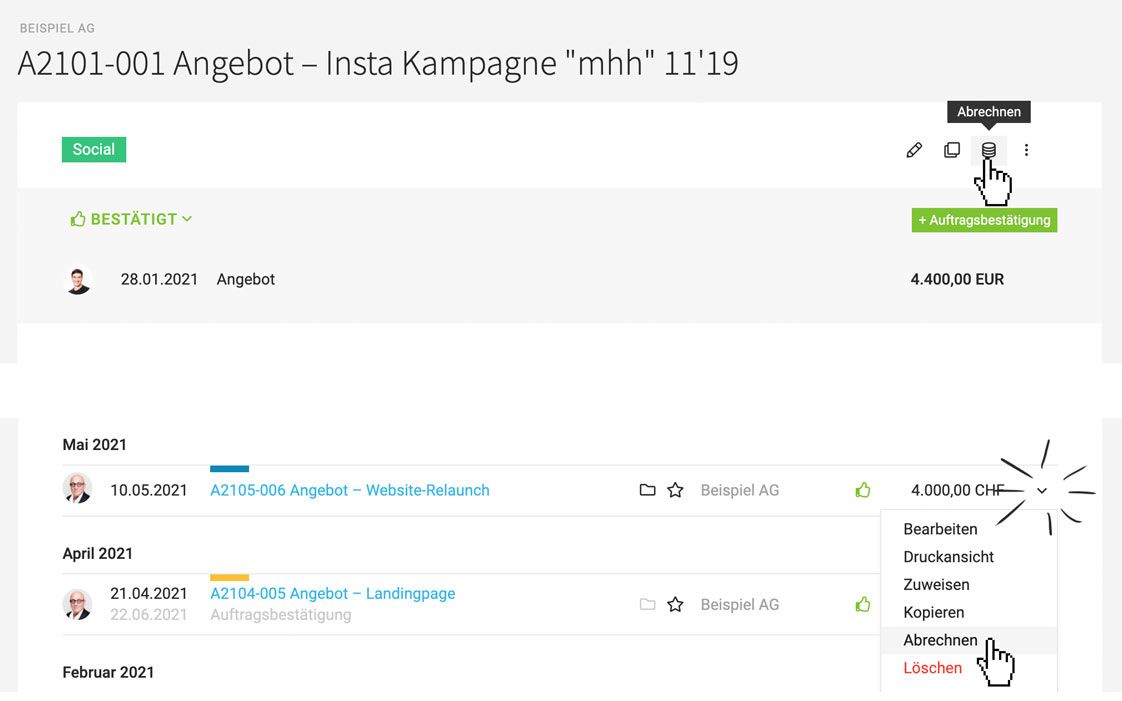 (English image not yet available)
The invoice is automatically assigned to the project or client. It can be moved within the client if needed.
Miscellaneous
English Default Setting for "Other Company"
Whether all documents should be created in English can now be chosen not only for the client but also for the type "Other Company" in the form.
Whether all documents should be created in English can now be chosen not only for the client but also for the type "Other Company" in the form.








