Alter News-Artikel!
» Hier geht's zur aktuellen Online-Hilfe
Article from
Planning: Further Optimisation of New and Existing Entries.
With a customisable title and optimised layout of elements, adding and modifying an entry becomes more intuitive, offering more options. The window no longer closes accidentally if you click outside by mistake. Here's an overview of all the details:
Start Typing Directly in the Title
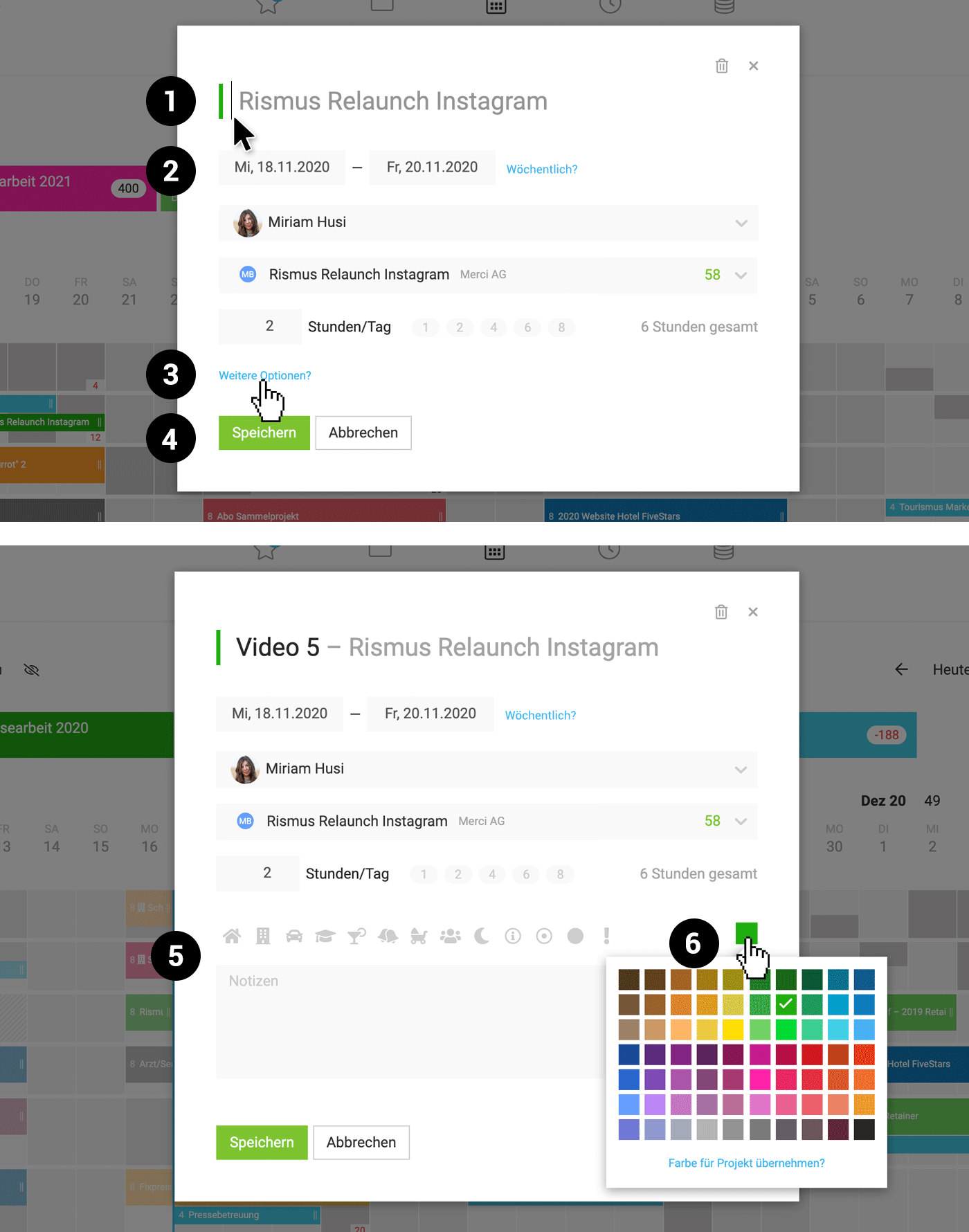
In the entry window, the title can be directly added in the title field (1). If the project is already set, the focus is immediately on this field.
Recurring Entry
The option for entry repetition is now located directly to the right of the date selection (2), making it more contextually appropriate.
 (English image not yet available)
"Additional Options" Reorganised
- The previous "Description" has been supplemented by an independent "Notes" field, now hidden under "Additional Options" (3), keeping the entry pleasantly compact.
- The icons are also now located underneath (5).
- A new abstract icon has been added: The filled circle (5).
- The project or entry colour (6) can be adjusted (in addition to right-clicking on the entry or project bar).
Closing the Entry Window
"Cancel" (4) has been added alongside the "x" in the top right corner. Clicking outside the entry no longer closes it accidentally, preventing frustration.
Note on how the new version affects existing entries
Visually, there should be no noticeable difference. When the new window goes live, the previously displayed description will be transferred to the title. Simultaneously, it remains in the notes field.
Note on how the new version affects existing entries
Visually, there should be no noticeable difference. When the new window goes live, the previously displayed description will be transferred to the title. Simultaneously, it remains in the notes field.








