Alter News-Artikel!
» Hier geht's zur aktuellen Online-Hilfe
Article from
Expenditures: Restricted Access Rights & Filter Optimisations.
 (English image not yet available)
Restricted Access Rights for "Expenditures"
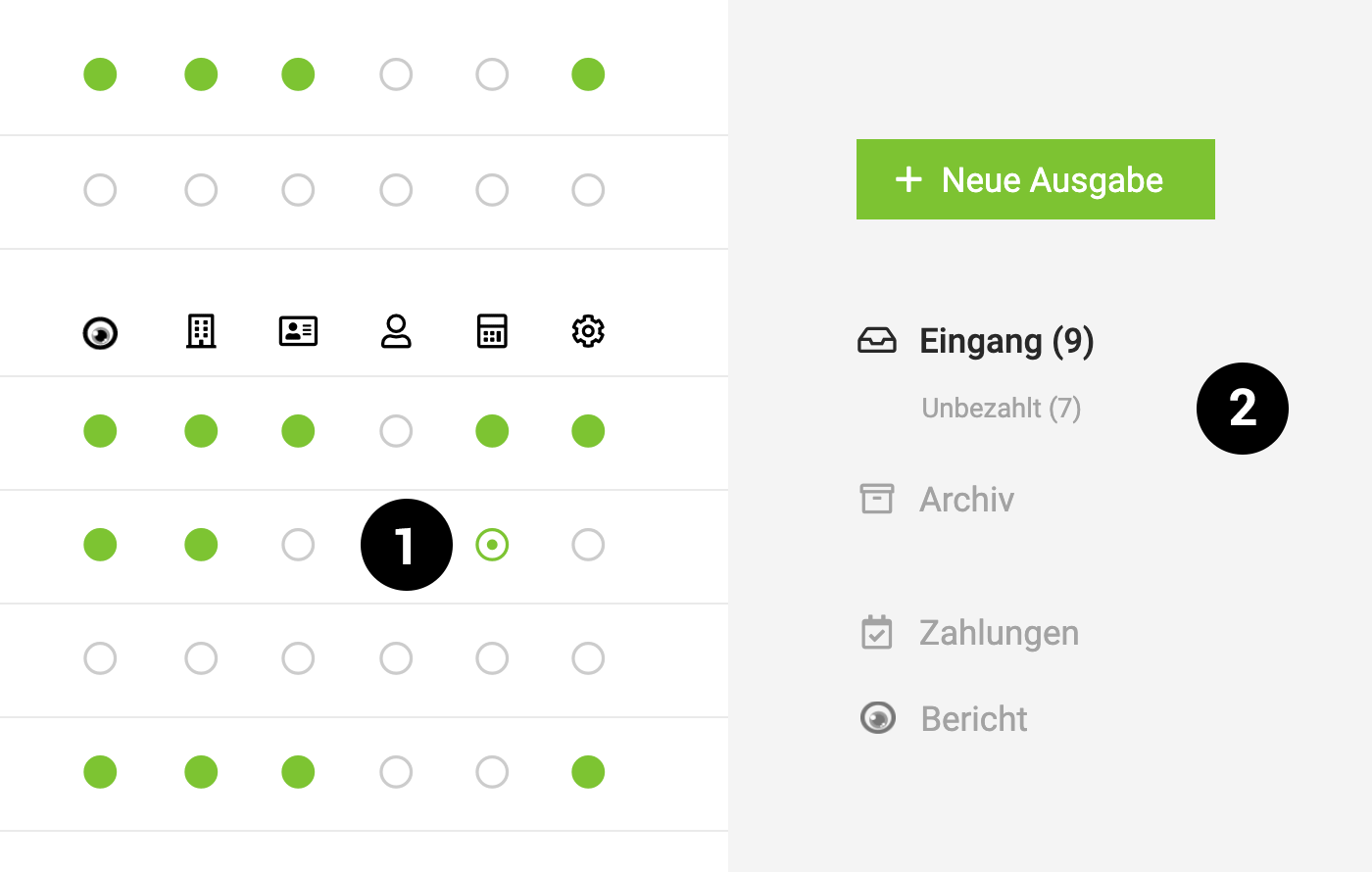
Similar to other areas, there is now a restricted access right for expenditures alongside full access (green fully filled dot) (1). Any user with restricted access rights can record expenditures without viewing others.
Example: Project managers record incoming invoices for their own projects.
Example: Project managers record incoming invoices for their own projects.
Smart Filter "Unpaid"
Smart filters help quickly identify what needs to be done. For the "Expenditures" section, there is now a new smart filter "Unpaid" (2). Clicking on it filters all invoices that still need to be paid. Credit card invoices are excluded here, as they are already paid, and only the payment date (debit of the credit card statement from the business account) is recorded in MOCO.
Expanded Filter Option
The previous filter area in the archive was "hidden" under the symbol at the top right and can be accessed by clicking or with the keyboard shortcut "F" (similar to the project list). Additionally, the filter option has been expanded in the incoming section and can be very useful when many expenditures have accumulated that have not yet been processed.








