Alter News-Artikel!
» Hier geht's zur aktuellen Online-Hilfe
Article from
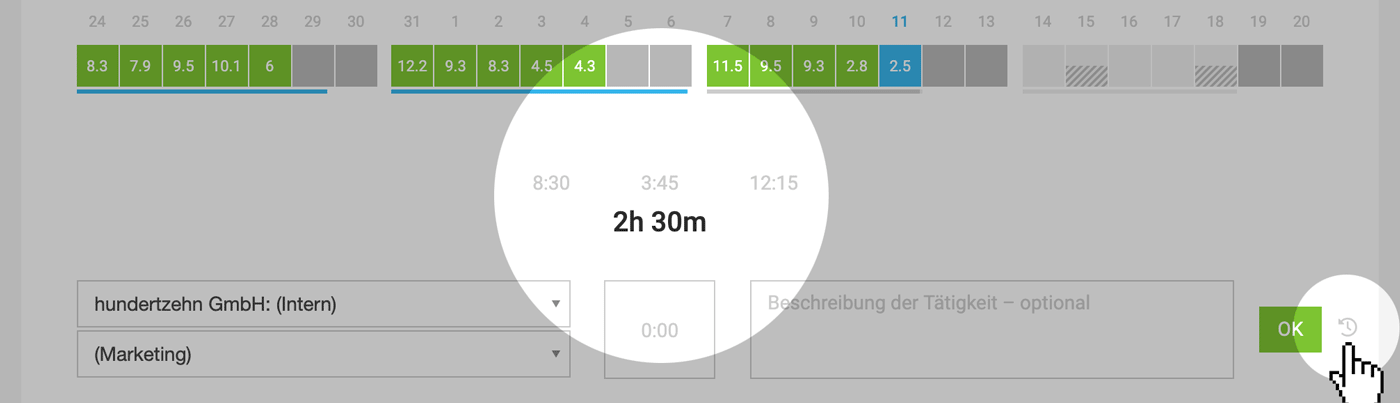
Align Project Time with Work Time in One Click.
Depending on your preferred working style, you can log project time with a single click after completing a task without using a stopwatch or overthinking it – or fill in your work time at the end of the day with an internal project (e.g., Internal > Miscellaneous).Video: Thomas demonstrates the new functionality
 (English image not yet available)
Align project time with work time in one click
Previously, the running work time already provided guidance on how many project hours should have been recorded by the current time.
Now, a time entry can be adjusted directly to the total work time with a single click.
Tip for accounts with automatic 15 or 5-minute rounding of project time entries enabled
Generally, a small discrepancy in work time is not an issue. However, if you want to avoid any discrepancies, we recommend recording work time in quarter-hour or 5-minute increments.
Generally, a small discrepancy in work time is not an issue. However, if you want to avoid any discrepancies, we recommend recording work time in quarter-hour or 5-minute increments.








