Alter News-Artikel!
» Hier geht's zur aktuellen Online-Hilfe
Article from
Minor Enhancements in Lists, Export Additions & API Updates.
 (English image not yet available)
Logo Dropzone
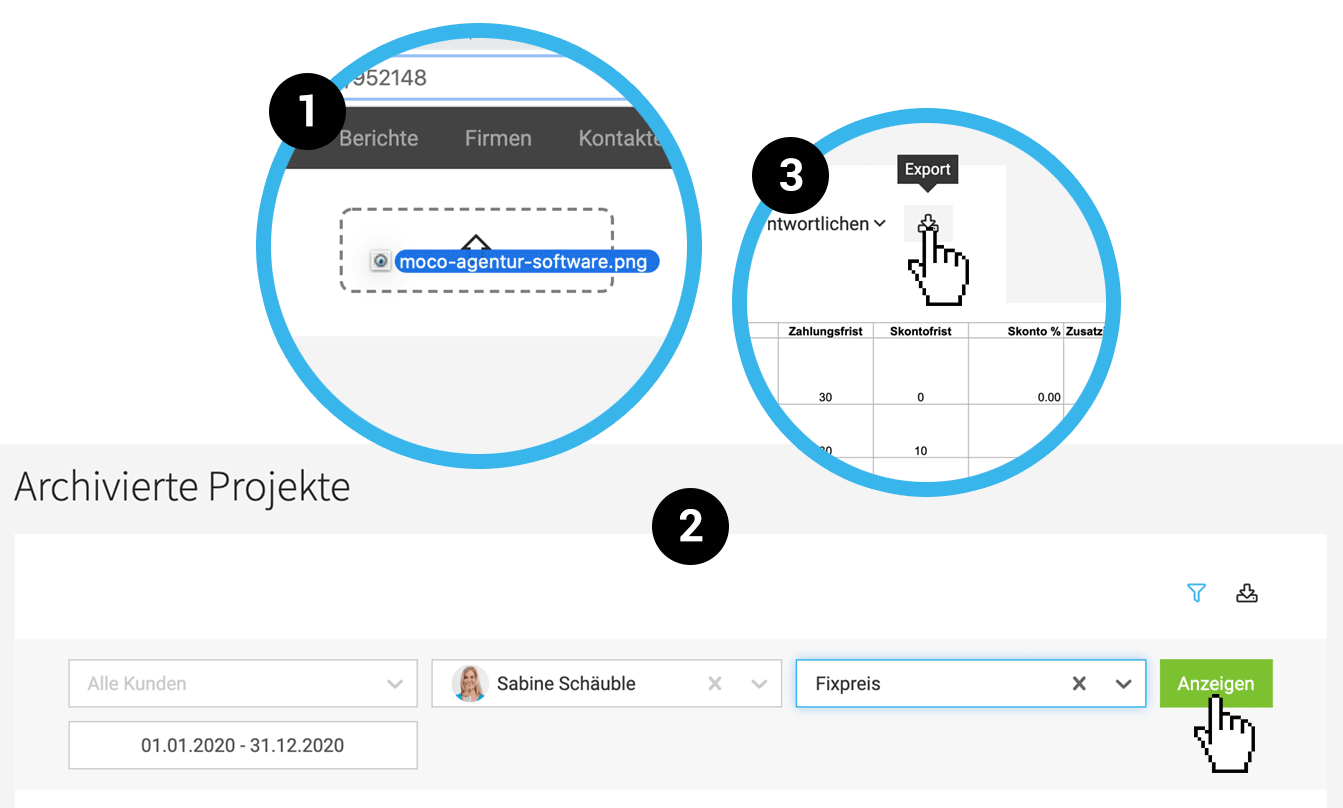
If you want to update your company logo, simply drag and drop the logo image file onto the designated area at the top left (1). We have removed the option from the account settings.
Expenditures Gross & Net
In the overview lists, the gross and net amounts of incoming invoices are displayed similarly to invoicing.
Proposal List
In the proposal list (Acquisition > Proposals), it is now immediately visible whether the proposal was created in a lead or a project.
Note: We recommend always invoicing proposals within the project under "Invoicing".
Proposals independent of a project (created in a lead) can be invoiced directly in the list (dropdown on the right).
Note: We recommend always invoicing proposals within the project under "Invoicing".
Proposals independent of a project (created in a lead) can be invoiced directly in the list (dropdown on the right).
Projects
- Even with a few projects, the relatively new project filter can be used (keyboard shortcut "F" or click the icon at the top right). The A-Z bar will only be displayed additionally when there are many active projects.
- The filter options under "Archive" have been optimized. Here too, you can display the filter with "F" (2).
Work Times Extract
Custom fields are now displayed in addition to the timesheet also on the work times extract.
Exports
- The export of invoices now also includes a "Reference" column with the ESR number (Swiss accounts).
- The client export now includes the columns "Discount" and "Discount Deadline" (3).








