Alter News-Artikel!
» Hier geht's zur aktuellen Online-Hilfe
Article from
The New Project Filter.
Previously, in MOCO, once you reached a certain number of projects, there was an A-Z bar that allowed you to quickly jump to the Client. Additionally, there was an option to filter by project manager in the top right. A lot has changed since then: With restricted rights, only your own projects are displayed, and there is a distinction between two (soon to be three!) different project types: Effort-based and Fixed-price projects. In light of this, the filter has been redesigned:
The New Filter Area
It consolidates the previous filter options and additionally filters by project type.
The filter can be accessed in the top right via the filter icon (1), it is non-intrusive and disappears automatically. You can consciously dismiss it by clicking the filter icon again.
Keyboard shortcuts for quick filtering:
F = Show/Hide Filter
Q = My Projects (2)
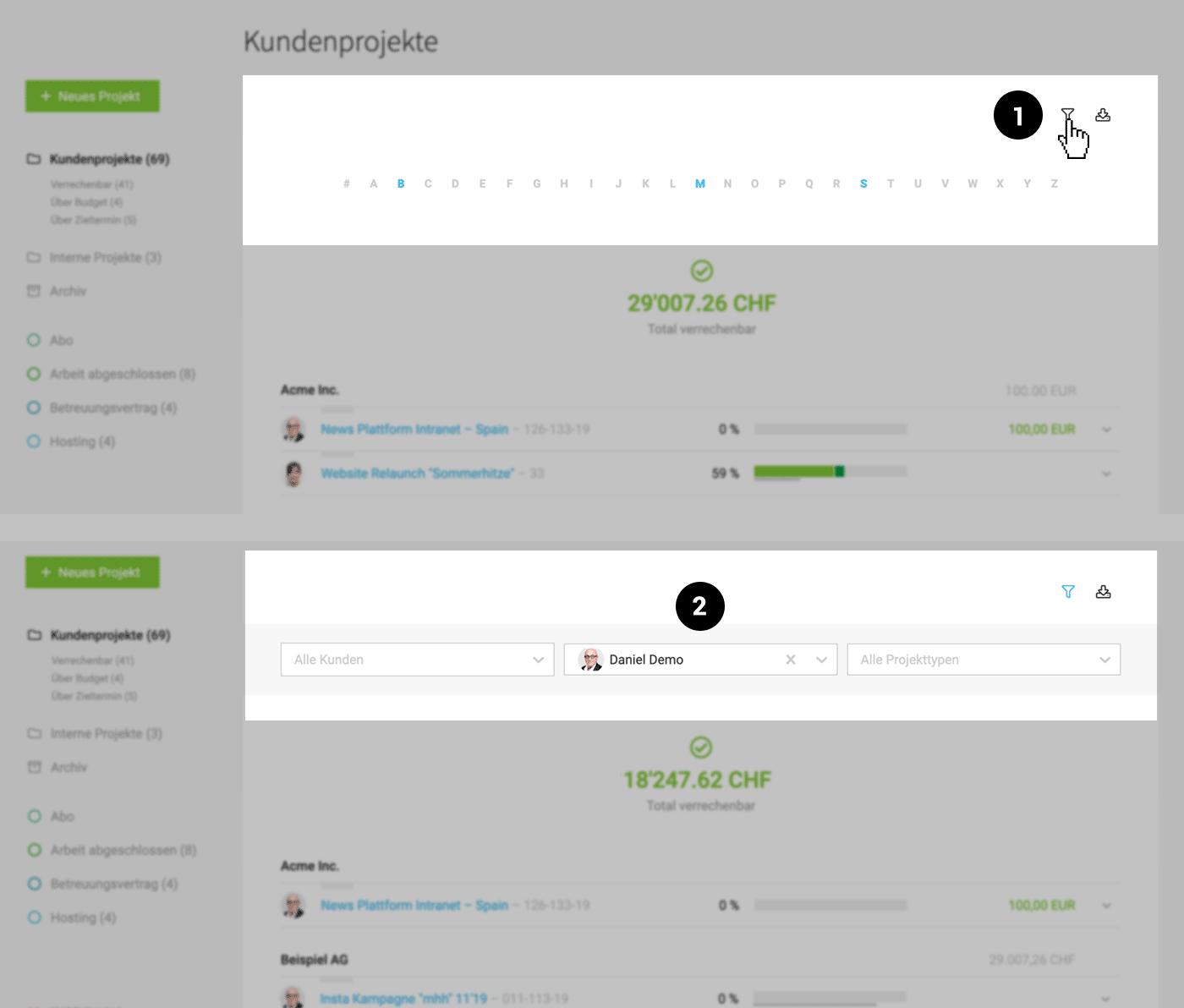 (English image not yet available)
The new filter went live yesterday, and today – even before this official news post – we have already received quite a bit of feedback, such as:
Keyboard shortcuts for quick filtering:
F = Show/Hide Filter
Q = My Projects (2)
(English image not yet available)The new filter went live yesterday, and today – even before this official news post – we have already received quite a bit of feedback, such as:
"I feel like an old geezer saying: Things were better in the past. But now it takes me at least 3 clicks to find Clients under 'P'."
Of course, it's not always easy to let go of the familiar, especially in a central list that you navigate daily. You regularly challenge our decisions, and we have responded accordingly: The A-Z quick selection option will continue to be displayed as long as the filter is not activated. :-)








