Alter News-Artikel!
» Hier geht's zur aktuellen Online-Hilfe
Article from
Quick Wins: Standardised Service Period & Minor Enhancements.
 (English image not yet available)
Standardised/Structured Service Period
Previously, the period to which an invoice pertains could be freely entered. While this offered flexibility, it also posed a significant drawback: the details could not always be clearly processed by other systems. With the new period selector, MOCO can now set and export the specific period in the background. The new features include:
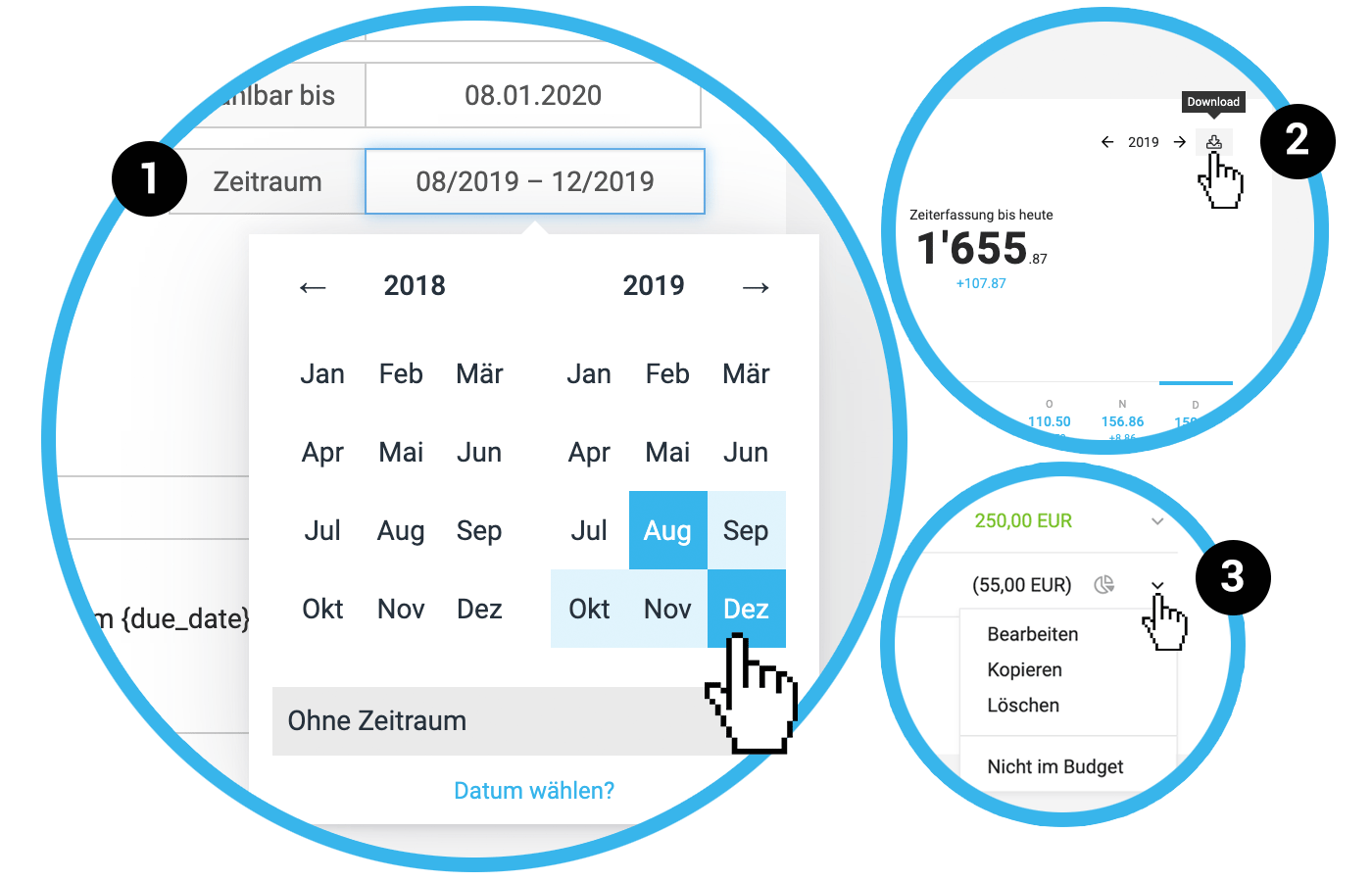
→ Period Selector (1) with options like Month to Month, Date to Date, or Quick Select "Invoice Date" and "No Period".
→ Invoice Export with a structured service period
PS: If anyone needs more (column) width in the info area, just contact us with your specific request. We are happy to adjust it for free.
The structured period also applies to incoming invoices (= expenditures in the top navigation).
The structured period also applies to incoming invoices (= expenditures in the top navigation).
Accounting
The export can be deleted within 24 hours. This is particularly useful for tests or errors.
Expenditures
- When recording an incoming invoice under "Expenditures," MOCO creates a corresponding note under "Notes & Files."
- Assigning to a project has been simplified: Existing additional services are displayed directly.
- The individual payment for the incoming invoice can be recorded not only via the icon but also through the dropdown in the list.
Additional Services in the Project
Chargeability and budget relevance can be selected directly from the dropdown on the right (3).
Time Tracking / Target-Actual
- The sorting has changed: The newest entries are always at the top.
- The Target-Actual export now also includes a column for the weekly balance (2).








