Alter News-Artikel!
» Hier geht's zur aktuellen Online-Hilfe
Article from
Quick Wins: From Parasol to Enhanced Team Report.
 (English image not yet available)
Parasol instead of Airplane
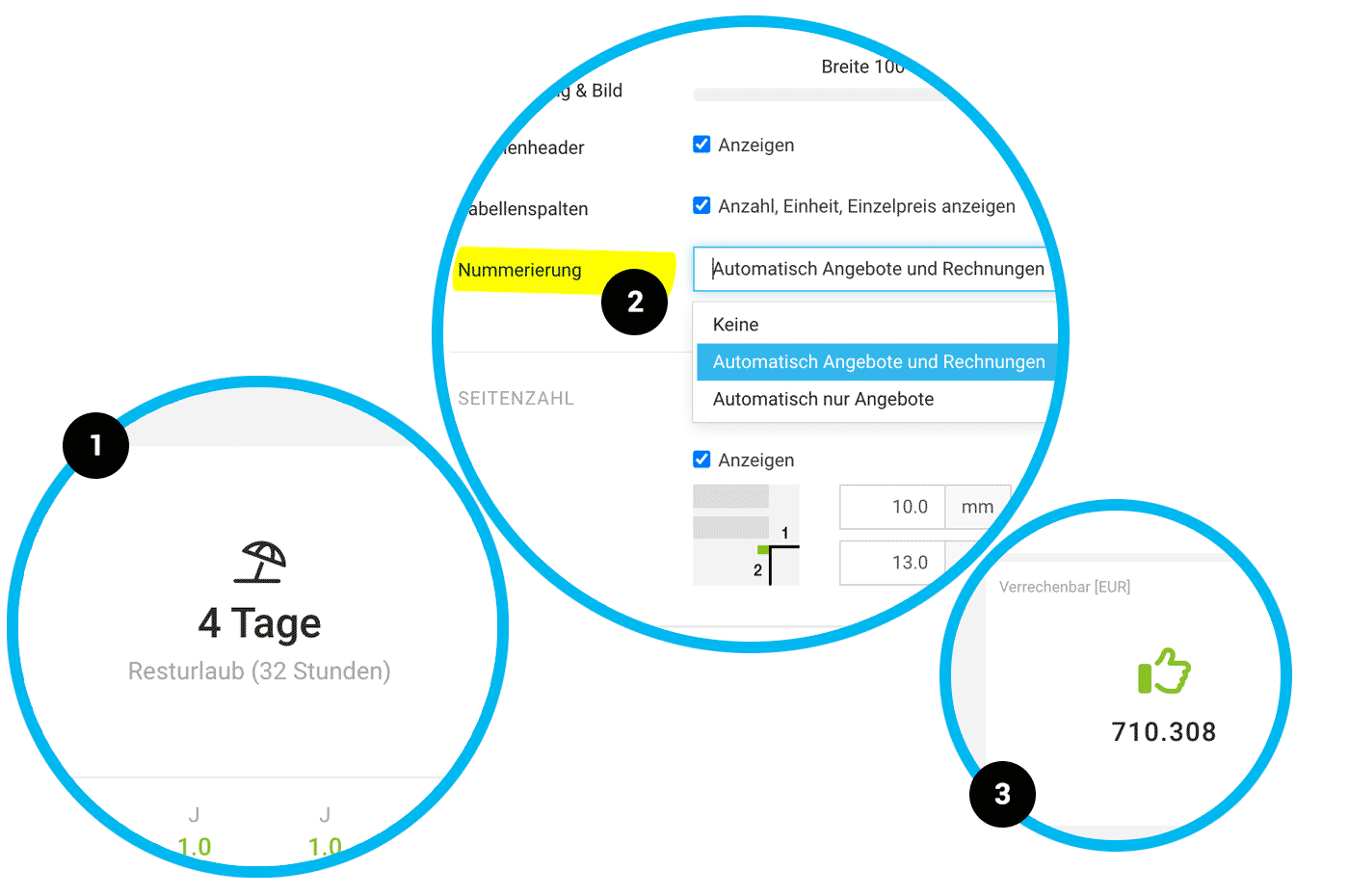
The parasol (1) has replaced the airplane as the holiday symbol in MOCO.
Save Proposal Temporarily
The parasol (1) has replaced the airplane as the holiday symbol in MOCO.
Save Proposal Temporarily
MOCO now offers an option to save proposals temporarily alongside the save button. This allows you to quickly secure the proposal without having to close and reopen it.
No Automatic Numbering for Single Item
If MOCO detects that the proposal or invoice contains only one item, no numbering is applied.
Set Automatic Numbering for Proposals Only
In the settings under "Layout" > "General", you can now choose whether only proposals should be automatically numbered (2).
If MOCO detects that the proposal or invoice contains only one item, no numbering is applied.
Set Automatic Numbering for Proposals Only
In the settings under "Layout" > "General", you can now choose whether only proposals should be automatically numbered (2).
Additional Services can now also be reallocated to internal projects.
The Detailed View of Additional Services is clearer and more attractive (creator is displayed with avatar and information is more clearly arranged, with optimized spacing).
With Restricted Access to Contacts contacts can be recorded (responsibility cannot be changed by the person who created it).
In the Timesheet for the Person projects can now also be found via project number.
In the Personal Report under "Hours by Project", planned hours per project for future years are now displayed (previously, only active projects in the selected year were shown).
In the Team Report information on the total amount of recorded billable hours has been added (3). Dividing the total recorded hours by this amount gives an average hourly rate.
Added "Team" Column in Exports for planning and absences (Planning XLSX / Absences XLSX).
Improved Readability: Texts have been slightly enlarged (small from 11 to 12 px) and a darker grey tone chosen (ongoing work).
The spacing between entries in the history has been reduced, making the view more compact with less scrolling needed.
The spacing between entries in the history has been reduced, making the view more compact with less scrolling needed.








