Projects
General | Project GroupsGeneral
Settings > Projects > General
Predefined Defaults
- Project List Sorting: Sorts within groups either alphabetically or by project number.
- Billing: Automatically sets the billing type when you create a new project.
- Hourly Rate: Automatically sets the hourly rate type when you create a new project.
- People for Time Tracking: By default, the project manager is added for time tracking, and you then select additional teams or people working on the project. Alternatively, you can assign everyone here. This is generally only recommended for very small teams.
- Additional Services “Billable/In Budget”:Automatically sets the predefined type to “Billable” or “Non-billable”, and “In Budget” or “Out of Budget”. The visualisation under the “i” is intended to make the impact of the default setting clear.
- Additional Services “Purchase Assignment Inactive”:Default for newly created additional services. If an additional service is inactive for assignment, either no purchase (supplier invoice/personal expenses) should be assigned, or the assignment has already been completed.
- Profitability: Choose whether, for profitability analysis, the project budget should take precedence over the billed amount, or not. This helps you avoid constantly appearing in the red, especially if you only offer fixed-price projects and only issue the invoice once the project is complete.
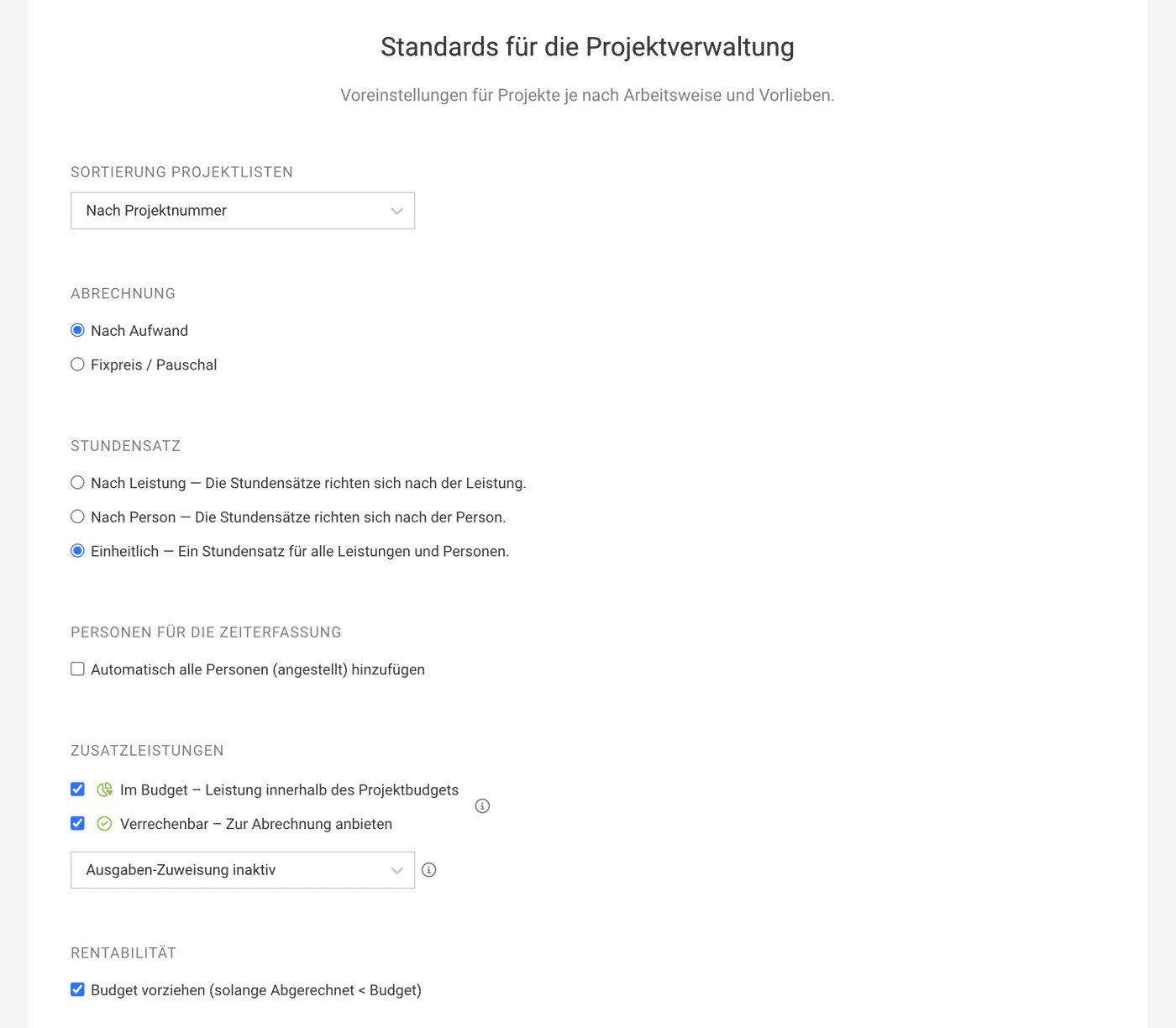 (English image not yet available)
Project Groups
Settings > Projects > Project Groups
In "Project Groups," you can unlock a section under "Projects" that allows you to group projects and consolidate sub-projects. This option is particularly useful for managing and controlling campaign budgets or client accounts.
 (English image not yet available)
In "Project Groups," you can unlock a section under "Projects" that allows you to group projects and consolidate sub-projects. This option is particularly useful for managing and controlling campaign budgets or client accounts.
(English image not yet available)







