Alter News-Artikel!
» Hier geht's zur aktuellen Online-Hilfe
Article from
Additional Services: Quick Wins on the Path to Forecasting.
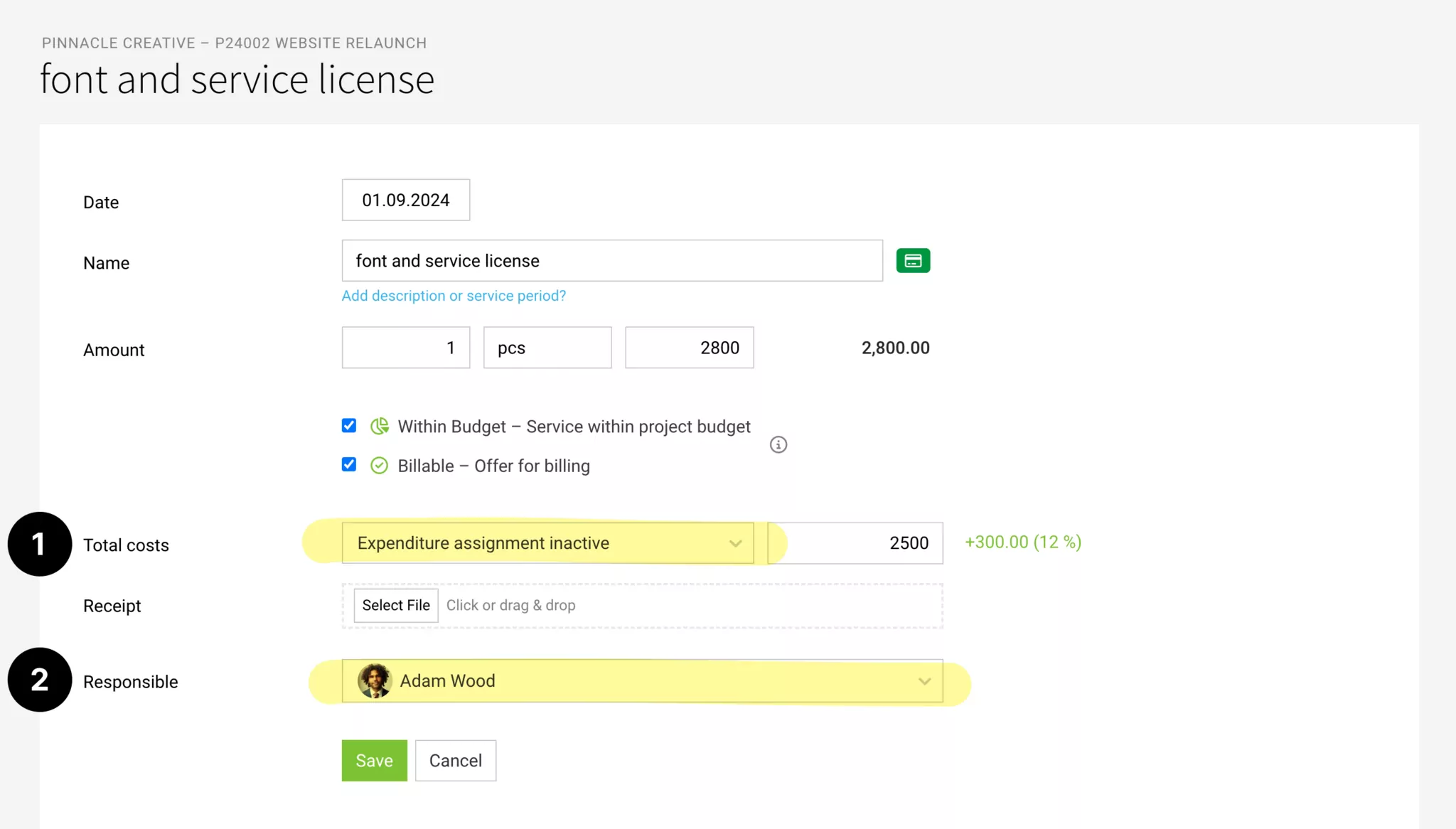
Revised Form
The revised form for additional services brings optimisations and provides a better foundation for expanding expenditure planning from projects:
- Standardised with other forms – particularly to achieve greater similarity with the planned expenditure.
- Custom fields are displayed with a grey background and are distinguishable as in other forms.
- The new option "Expenditure Assignment Active" or inactive (1) replaces the previous checkbox "Lock for Expenditure Assignment".
For the "Active" status, a planable amount will be introduced in the next step, which will play a crucial role in forecasting and assignment.
The default setting for new additional services can be selected in the settings.
Manage Responsible Person
Previously, the "Creator" was displayed as the person for the additional service. The label changes to "Responsible" and the person can be adjusted if needed through editing (2). In the exports, the new column "Responsible" is included.
This optimisation allows you to specifically assign the responsible person and filter accordingly in the overall list of additional services.
This optimisation allows you to specifically assign the responsible person and filter accordingly in the overall list of additional services.
Display Payment Status for Assigned Expenditures
In the detailed view of the additional service, the payment status of assigned expenditures is displayed. This allows project management to see if and when the invoice was settled without accessing the incoming invoice area.
Delete Receipt on Additional Service
A receipt uploaded in the additional service can now be deleted directly from the detail page below the view if needed (This overrides any receipts assigned from expenditures).
Further Links
Further Links








