Alter News-Artikel!
» Hier geht's zur aktuellen Online-Hilfe
Article from
Quick Wins: Benefit Daily from These Minor Enhancements.
To make your daily work in MOCO faster and easier, we've been tweaking a few things over the past weeks.
Add Temporary Teams for Time Tracking with One Click
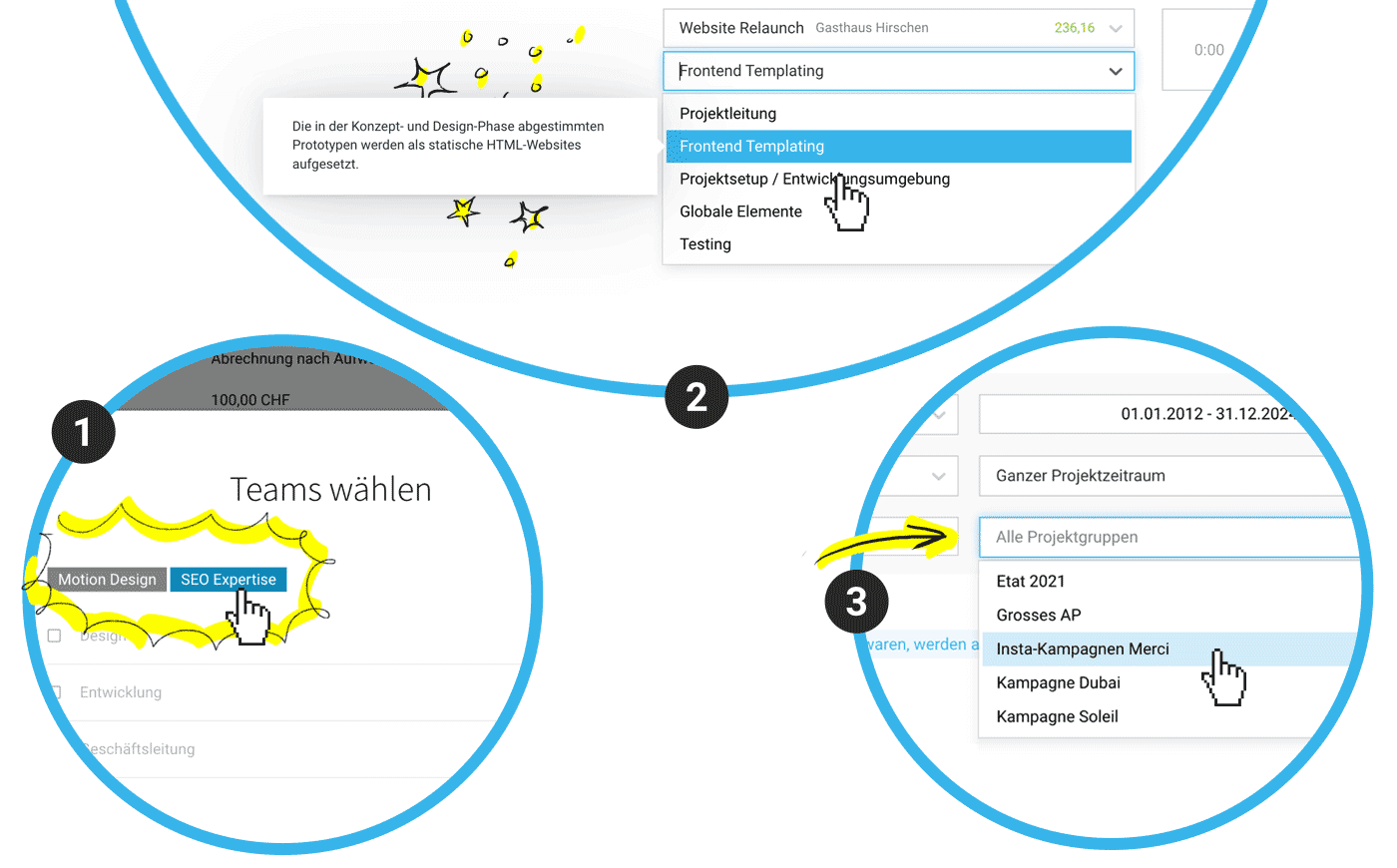
Now use labels as a new option: This allows you to represent temporary client teams or skills and selectively choose these individuals when adding (1).
More information on employee data and labels
 (English image not yet available)
More information on employee data and labels
(English image not yet available)Meaningful Additions, Better Traceability, Easier Use
- MOCO logs for you when the billing type (project type) of a project is changed (under Notes & Files).
- In time tracking, the optionally recordable service description is now displayed when you hover over a service (2).
- When assigning categories (expense accounts) to expenditure items, you can now also search by expense account.
- In the "Projects" report, you can now filter by project groups (3).
- All Hero Units have been reviewed, standardized, and supplemented with links to our MOCO Online Help to make it easier for new users to get started.
Nearly Invisible Optimizations
- Tooltips centered, elements aligned, typos corrected, clickable areas enlarged, colors adjusted – you name it!
- The "Description" element in documents now closes immediately instead of taking a brief pause.
- The capitalization of "Gross/Net" has been standardized.
Insider Tip 🤫
If you hold the ALT or OPT key while clicking "+/-" in time tracking, you can round in 5-minute increments (instead of 15).








