Alter News-Artikel!
» Hier geht's zur aktuellen Online-Hilfe
Article from
Upgrade Approval Process for Incoming Invoices.
Previously, approval requests were made individually and manually. With the new setting, approval requests can be automated for amounts exceeding a certain threshold.
Automatic Approval Request
The new setting (Settings > Expenditures) is as simple as MOCO: You define the person (1) and the amount (2). For newly created expenditures that exceed this amount (net), an approval request is automatically sent to this person.
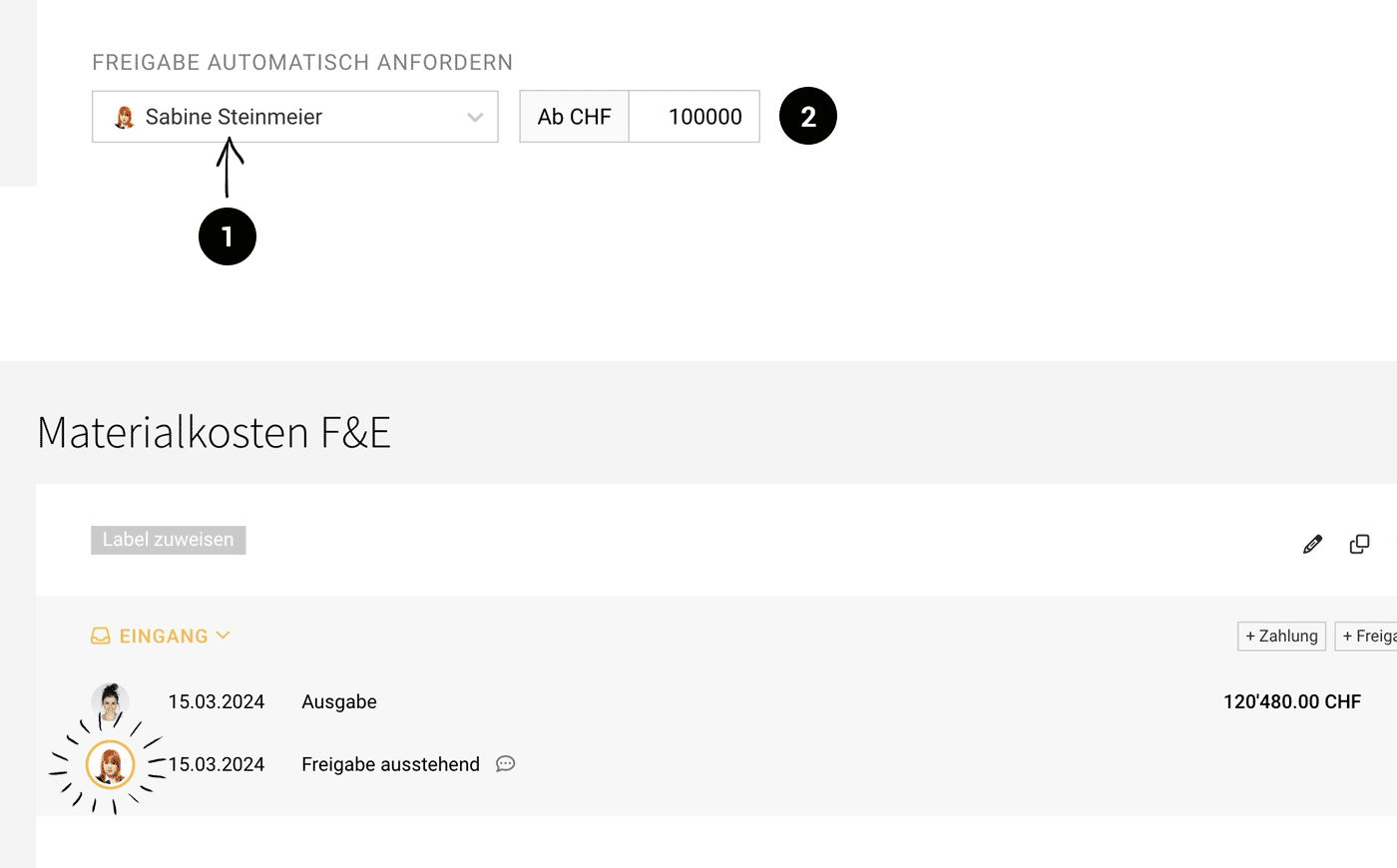 (English image not yet available)
Depending on your workflow, this option can be used in different ways:
- Only unusually large expenditures should not "slip through." For this, set the limit accordingly high (this corresponds to the current default setting in MOCO, initially set at 100k).
- All expenditures must be approved. Set the value to zero for this.
- No expenditures need approval. In this case, set the value so high that the automation never triggers in practice.
Links








