Alter News-Artikel!
» Hier geht's zur aktuellen Online-Hilfe
Article from
Quick Wins for a Smoother Workflow.
Our premise remains: MOCO should be enjoyable. We've made some minor tweaks to ensure that many small tasks are even easier to handle.
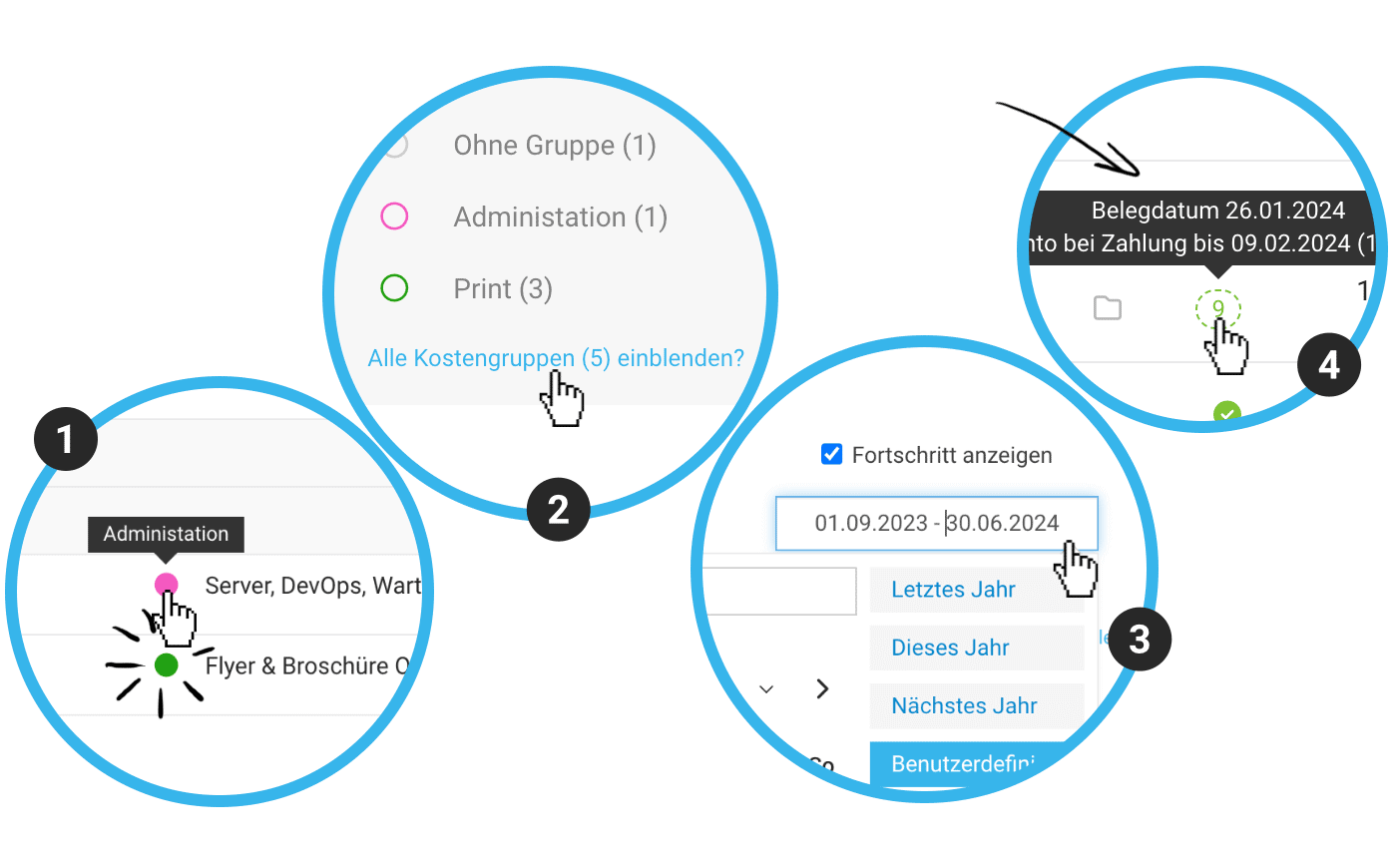 (English image not yet available)
Always Keep Additional Services in View
- When invoicing additional services, any assigned cost group is displayed directly (1). This allows you to select additional services more precisely for the invoice.
- With many cost groups in a project, all but two are collapsed (2). This saves space when scrolling and makes the entire page more organized.
- Recurring additional services are also initially collapsed to save space.
Project Progress Report Easier to Adjust
The selection of the timeframe for project progress has been simplified (3) – plus, there's a notification if there is data outside the displayed timeframe. Check it out!
☝️Not familiar with the project progress in the project report? Since this info isn't relevant for all projects, the tile needs to be activated via the gear icon at the top right.
Discount for Expenditures
A discount can now be applied to incoming invoices for transfers.
- The discount payment term is displayed in the overview – look for the dashed green line in the expenditures entry or in the Smart Filter "Transfer" (4).
- During manual payment entry, the discount amount is automatically offered for adoption via click within the term.
Further Optimizations
- When copying an invoice, the stored contact (recipient) is also copied (if the invoice remains in the same context, i.e., client).
- The accounting export (CSV) now includes the project number.
- If you enter a hourly rate per person in the project and have defined in the settings that invoicing should be grouped by service in this case, the services will now be set as lump sum items on the invoice. Previously, these were detailed items, which sometimes led to rounding errors and odd hourly rates.








