Alter News-Artikel!
» Hier geht's zur aktuellen Online-Hilfe
Article from
Assign Multiple Expenditures to an Additional Service
You can now assign multiple expenditure items (incoming invoices and personal expenses) to a single additional service. This allows the additional service to be invoiced while encompassing multiple expenditures, such as an incidental cost flat rate. All relevant documents can still be selected as attachments to the invoice as before.
Here's How
Additional services are created as usual. The project assignment of expenditures also functions as before.
What's New in the Flow
Multiple expenditures can be assigned to an additional service
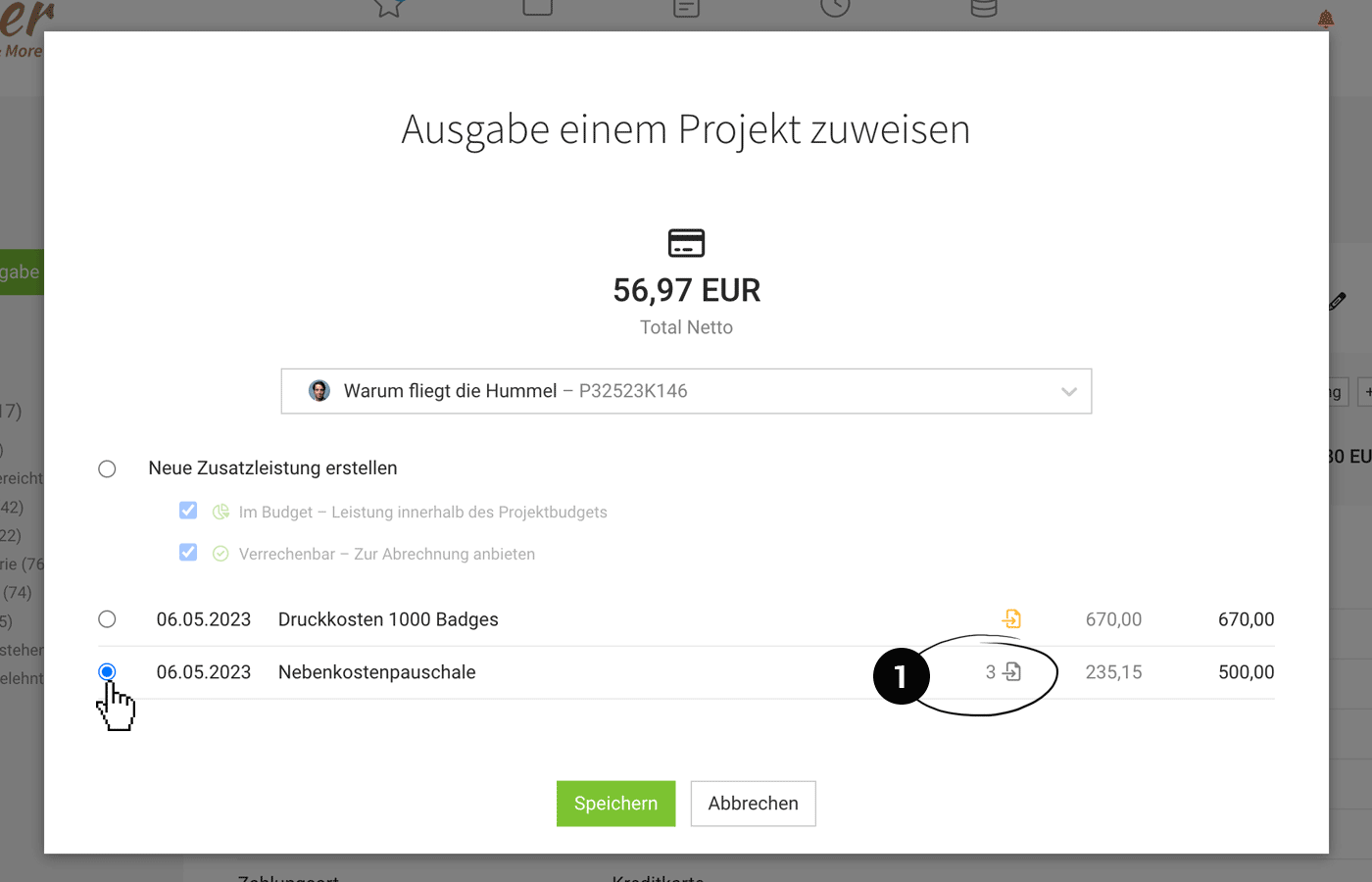
When assigning, it directly shows how many expenditures have already been assigned to an additional service (1) and what the current cost status is.
When assigning, it directly shows how many expenditures have already been assigned to an additional service (1) and what the current cost status is.
 (English image not yet available)
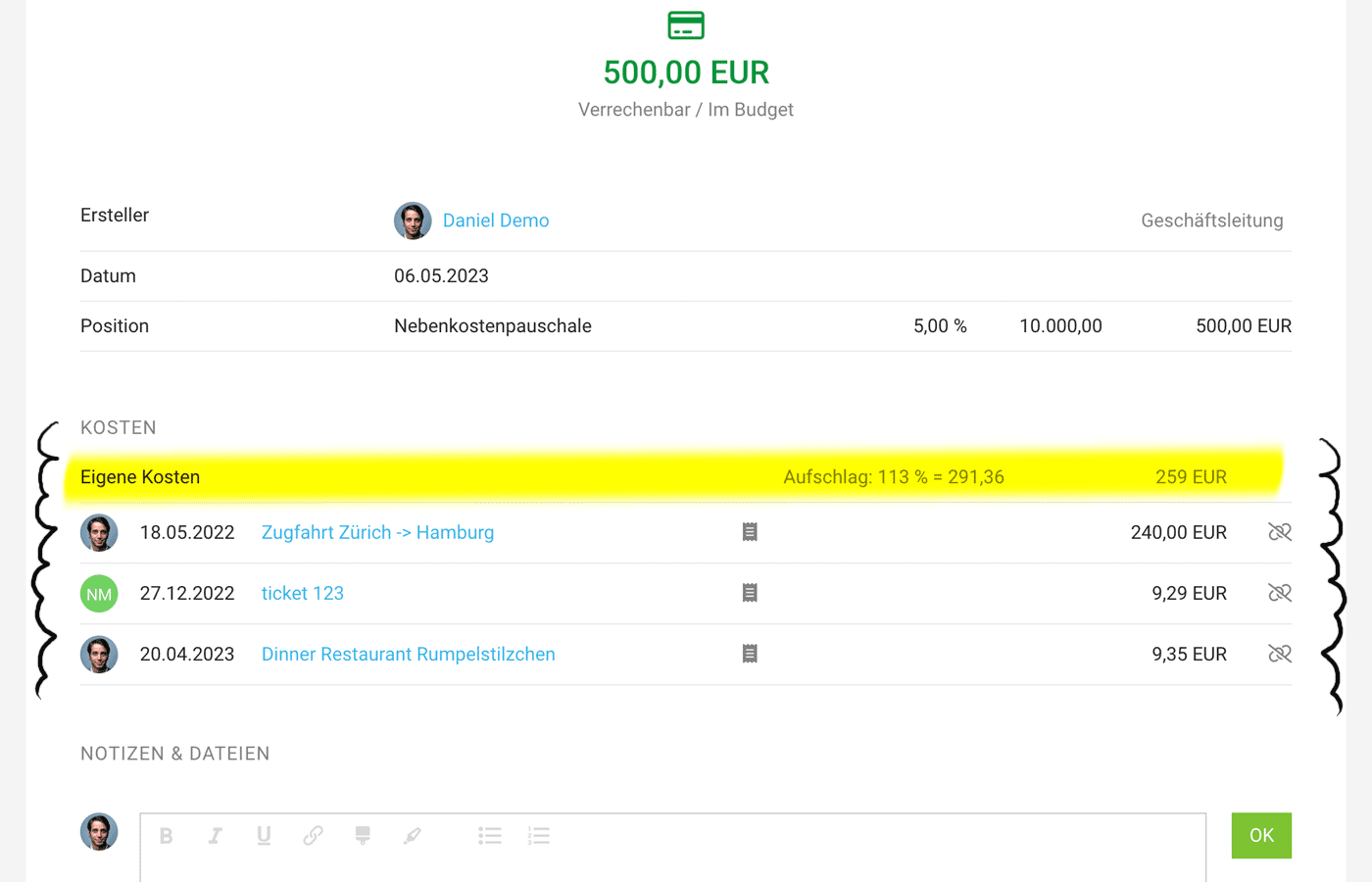
In the detailed view of the additional service, all assigned costs (expenditure items) are listed. The total cost and the current difference to the sales price are displayed.
 (English image not yet available)
When invoicing the additional service, all documents are offered as attachments.
If more than 2 documents are associated with an additional service, the number is displayed in brackets (2)
 (English image not yet available)
If an additional service includes multiple assigned items from an expenditure, the document is attached only once.








