Alter News-Artikel!
» Hier geht's zur aktuellen Online-Hilfe
Article from
Manage Additional Services Centrally.
Once at least 10 Additional Services have been created, they are now listed under "Projects" > "Additional Services" (1). These services can be managed centrally from this list:
- Filter: Numerous filtering options - e.g., by Client, project management, or keyword. (3)
- Sort: Sort columns in ascending or descending order.
- Document Info: Indicates if a document is available - it can be accessed directly from the list by clicking the icon.
- Incoming Invoice: Shows if an incoming invoice is assigned with a supplier.
- Group Affiliation: Displays the cost group (if available in the project).
- Edit: Adjust, copy, and reallocate the Additional Service as in the project.
- Create: Create new Additional Services.
- Export: Export filtered Additional Services selectively. (5)
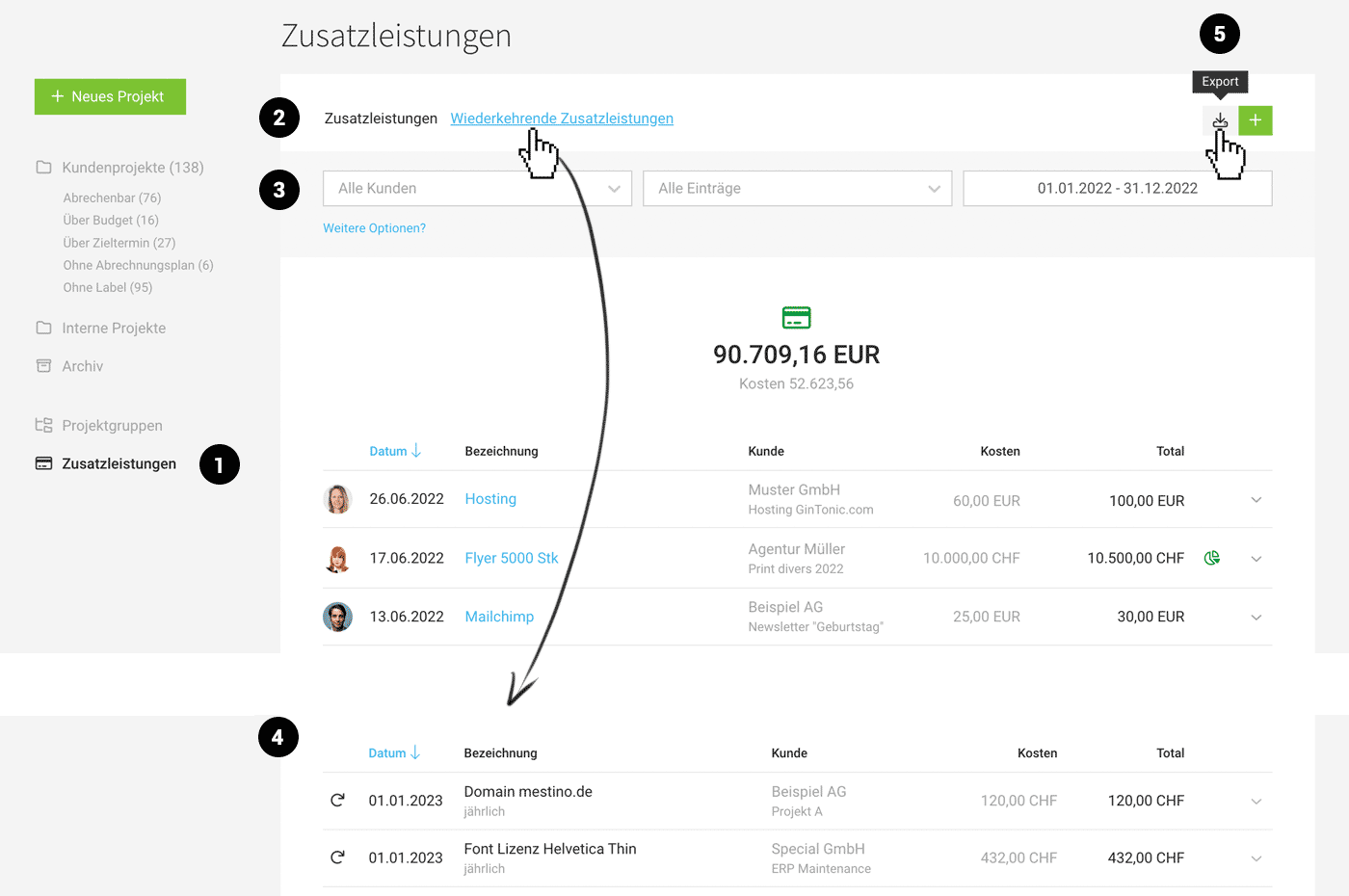 (English image not yet available)
Recurring Additional Services (2 > 4)
Recurring Additional Services are your recorded "triggers" that automatically create the Additional Services according to the settings. They can also be centrally viewed and managed under the "Additional Services" section:
- Filter: Numerous filtering options - e.g., by Client, project management, or keyword. (3)
- Sort: Sort the columns in ascending or descending order.
- Edit: Adjust and copy Recurring Additional Services as in the project.
- Create: Create new Recurring Additional Services.
- Export (5)








