Alter News-Artikel!
» Hier geht's zur aktuellen Online-Hilfe
Article from
Quick Wins: Optimisations Across the Board.
In recent weeks, numerous small optimisations have been implemented, too many to mention individually – here is a compilation of the most important ones:
General
- More informative client list – Display of company type, address, and contact details.
- Improved orientation in the annual calendar by highlighting the current month.
- Extended time tracking lock – Now possible retroactively for 1 day and 45 days.
- Better documentation of budget adjustments in projects – including monthly budgets.
- The filter in the project archive is always displayed – no need to activate it via click or keyboard shortcut.
- Labels added in eight places outside the main lists. For example, for listed individuals under the company. Mostly fully editable – read-only in some places.
Reports & Exports
Extended report on utilisation/capacity
In the report providing an overview of the year and company, the following has been added:
In the report providing an overview of the year and company, the following has been added:
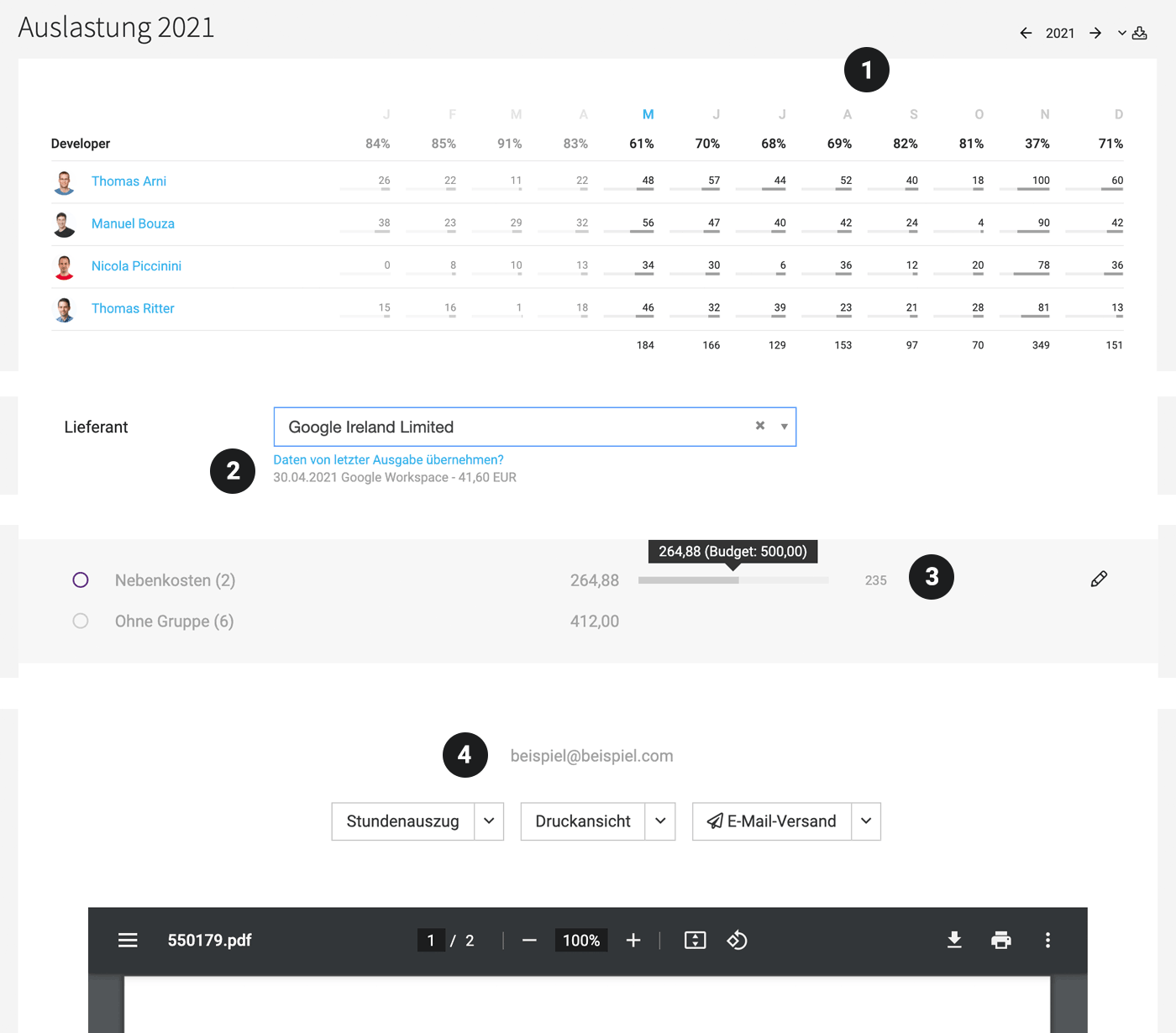
- Percentage utilisation per team and month (1)
- Remaining hours per team and month
Enhanced overall time tracking report
- In the time tracking report, the team name is directly linked to the team report.
- The Excel export now includes a new column "Invoicing type", allowing you to track whether the project is billed by effort, fixed price, or as a retainer.
Additional info in lead export
- The lead Excel export now includes new columns "Contact person email" and "Contact person phone".
 (English image not yet available)
Proposals & Invoices
- Email sending address(es) displayed for verification at the send button (4).
- Remember "Copy to me": Once "Copy to me" is selected, MOCO remembers this and offers it as a default next time.
- Visual invoicing progress in the project under "Invoicing" if a budget is present.
Expenditures/Additional Services
- Track which invoice an expenditure/additional service was billed with
If an additional service is billed, it can be tracked afterwards with which invoice: It is named and linked on the additional service detail page. - Remove expenditure > additional service assignment directly on the detail page top right – not just in the list via the dropdown. Similar to unlinking a lead and project.
- Prefill when recording an expenditure as desired: MOCO shows the last recorded incoming invoice (2) and with one click, previous data is prefilled.
- For groups (cost centres), the remaining amount is displayed on the right of the budget progress (3) instead of the previously consumed percentage.








