Alter News-Artikel!
» Hier geht's zur aktuellen Online-Hilfe
Article from
Marking Invoices Retrospectively as Instalment Invoices.
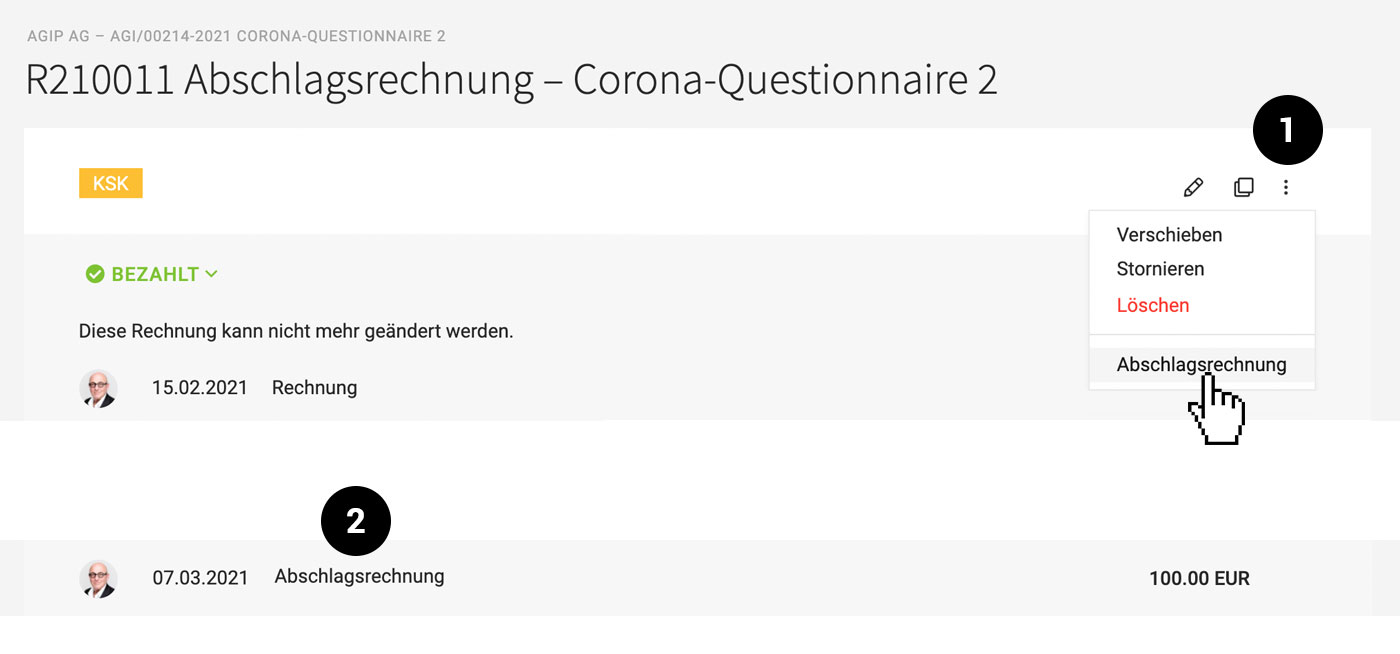
Within a project, instalment and final invoices can be created. Typically, marking as an instalment invoice occurs when the invoice is generated. If forgotten, an invoice can still be marked as such afterwards, provided no further editing is possible (e.g., after accounting export). MOCO can then automatically deduct this from the final invoice.
 (English image not yet available)
With the new option to mark as an instalment invoice, the actions at the top right of the invoice have expanded. Therefore, the area has been sensibly streamlined: less important actions are now hidden behind the three dots (1).
The invoice type "Instalment Invoice" is displayed (2). The marking does not affect the invoice format – the usual requirements for instalment invoices must be adhered to here. The marking as an instalment invoice can be removed in the same way if needed.
(English image not yet available)With the new option to mark as an instalment invoice, the actions at the top right of the invoice have expanded. Therefore, the area has been sensibly streamlined: less important actions are now hidden behind the three dots (1).
The invoice type "Instalment Invoice" is displayed (2). The marking does not affect the invoice format – the usual requirements for instalment invoices must be adhered to here. The marking as an instalment invoice can be removed in the same way if needed.
Invoice Type
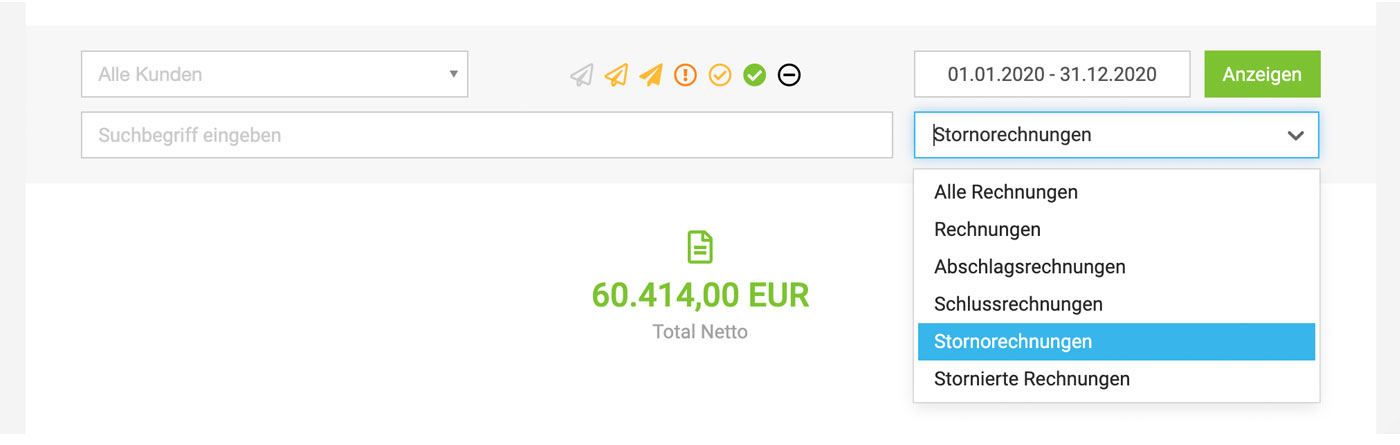
The other invoice types "Final Invoice" and "Cancellation Invoice" are also named in this location. As mentioned in a previous news post, instalment invoices can be filtered under "Invoicing" using the filter options (More Options):
 (English image not yet available)
(English image not yet available)







