Alter News-Artikel!
» Hier geht's zur aktuellen Online-Hilfe
Article from
MOCO & DATEV: The Direct Integration.
Included in the subscription: With the direct integration to DATEV, MOCO offers not only manual export but also automatic transfer including receipts.
 (English image not yet available)
General Information
🏅 Official DATEV Partner
In addition to manual accounting export, direct integration is now operational. Using the test scenarios agreed with the manufacturer for this interface, DATEV has confirmed the technically flawless data exchange. MOCO has been an official DATEV partner since February 2021.
☝️ Interface Overview
MOCO now complements
In addition to manual accounting export, direct integration is now operational. Using the test scenarios agreed with the manufacturer for this interface, DATEV has confirmed the technically flawless data exchange. MOCO has been an official DATEV partner since February 2021.
☝️ Interface Overview
MOCO now complements
With the API interface, DATEV Rechnungsdatenservice 1.0, incoming and outgoing invoices can be transmitted as document images with invoice information from the partner solution seamlessly to DATEV Unternehmen online. The sent data can be further processed as booking proposals in DATEV Rechnungswesen.
With the file interface, DATEV format, transaction data can be transferred to DATEV Rechnungswesen. Detailed information can be found in the PDF document: Functionality of the DATEV Format Interface.
🤝 Free Consultation from DATEV for Ordering and Setting Up Data Services in DATEV
DATEV offers free consultation for accountants and self-accounting businesses to facilitate the setup of the DATEV Rechnungsdatenservice 1.0. You can book an appointment here
🤝 Support in Finding an Accountant
Don't have an accountant yet and want to use the new accounting integration? Accountants working with DATEV are listed here under Smart Experts.
Advantages of Direct Integration
- Significant time savings: data including receipts are available at the push of a button in the office.
- Security: the transfer is secured multiple times.
- The receipts remain with the company
Activate Connection to DATEV Unternehmen online
1. Requirements
1.1 Your accountant has ordered and set up the DATEV Rechnungsdatenservice 1.0 for you.
If you handle financial accounting with DATEV yourself, you can independently activate the Rechnungsdatenservice 1.0 with your accountant's approval. More information can be found here.
DATEV offers free support for ordering the data service and setting it up in DATEV – see above.
1.2 For authentication (see 3.), you need DATEV SmartLogin. You will receive access to DATEV SmartLogin after successfully ordering the interface. If you already have a DATEV Smart Login, it will be equipped with the necessary rights during the activation process.
1.3 In DATEV Unternehmen online, the advanced editing mode is activated (see illustration).
 (English image not yet available)
2. Choose Setting in MOCO
In the settings under "Accounting," select the option "Automatic Transfer – DATEV Unternehmen Online."
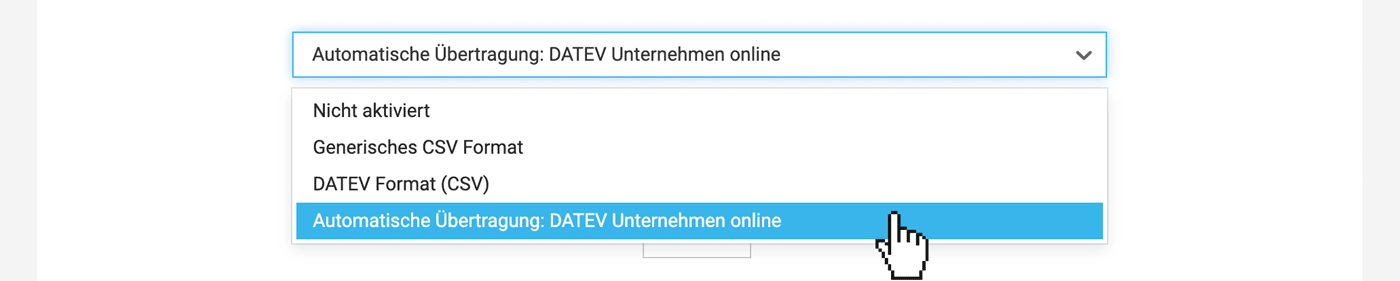 (English image not yet available)
3. Authenticate with DATEV
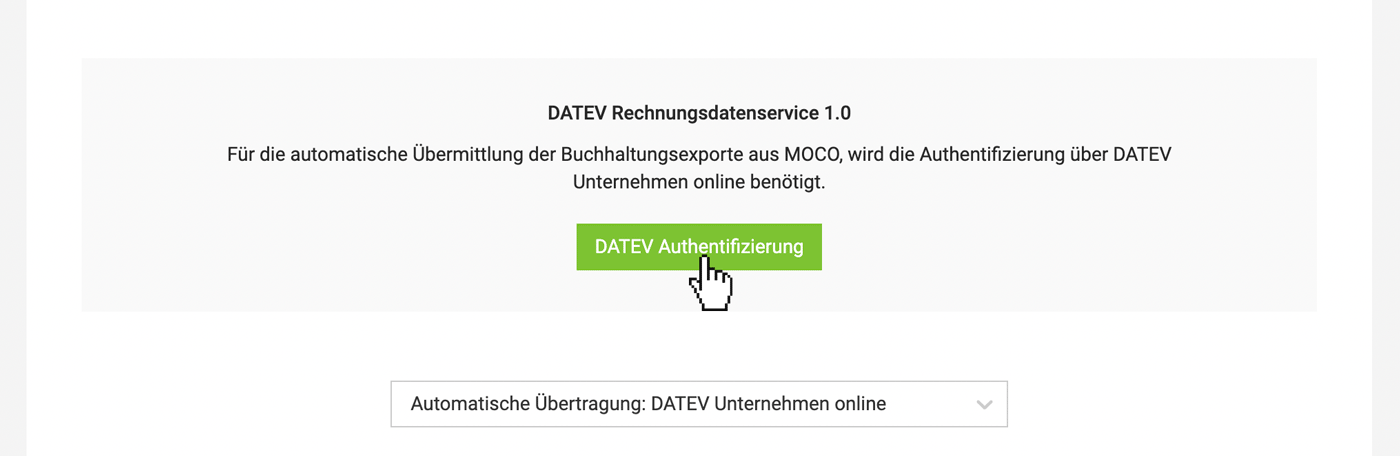 (English image not yet available)
4. Enter your accounting accounts
MOCO is now ready to transfer incoming and outgoing invoices to DATEV Unternehmen online for this account.
If you handle financial accounting with DATEV yourself, you can independently activate the Rechnungsdatenservice 1.0 with your accountant's approval. More information can be found here.
DATEV offers free support for ordering the data service and setting it up in DATEV – see above.
1.2 For authentication (see 3.), you need DATEV SmartLogin. You will receive access to DATEV SmartLogin after successfully ordering the interface. If you already have a DATEV Smart Login, it will be equipped with the necessary rights during the activation process.
1.3 In DATEV Unternehmen online, the advanced editing mode is activated (see illustration).
(English image not yet available)2. Choose Setting in MOCO
In the settings under "Accounting," select the option "Automatic Transfer – DATEV Unternehmen Online."
(English image not yet available)3. Authenticate with DATEV
(English image not yet available)4. Enter your accounting accounts
MOCO is now ready to transfer incoming and outgoing invoices to DATEV Unternehmen online for this account.
Transfer Outgoing and Incoming Invoices
In the "Invoicing" or "Expenditures" section under the "Accounting" menu, select the invoices and transfer them (invoice data including receipts) to DATEV:
Prepare and Select Invoices
Select pre-accounted invoices and confirm at the bottom right.
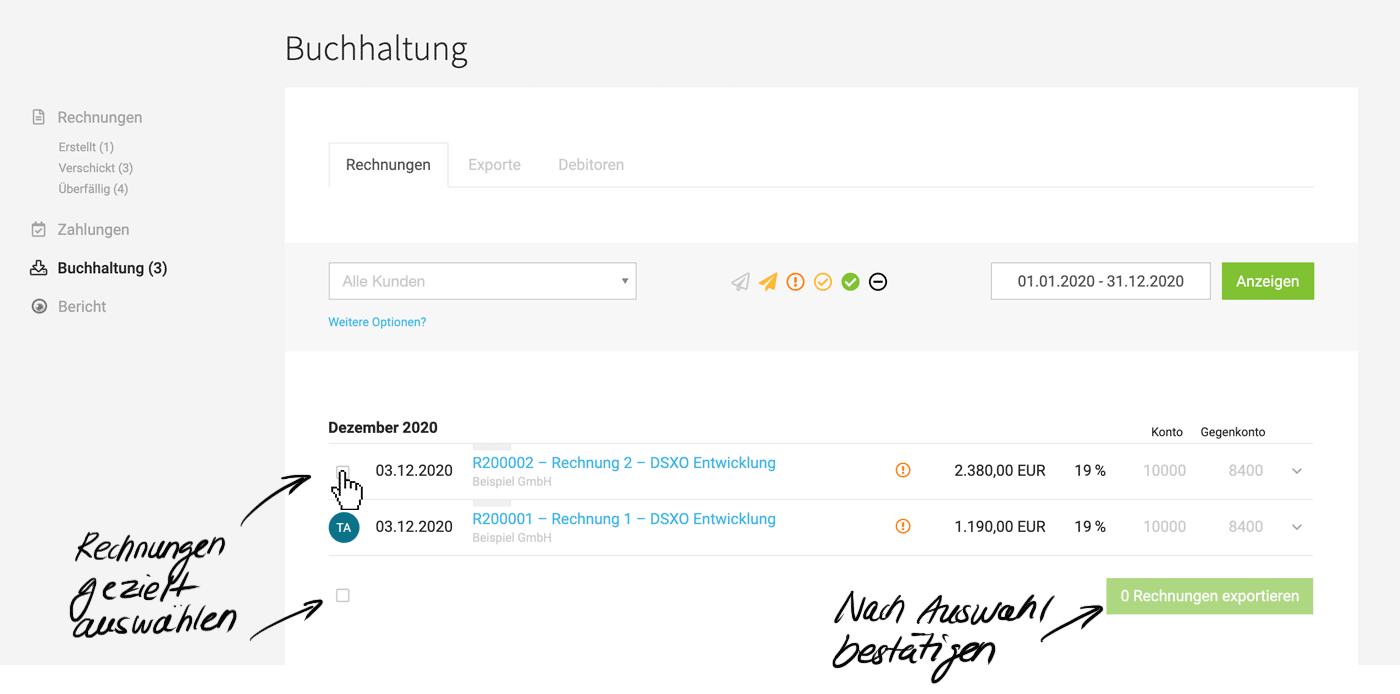 (English image not yet available)
Transfer to DATEV
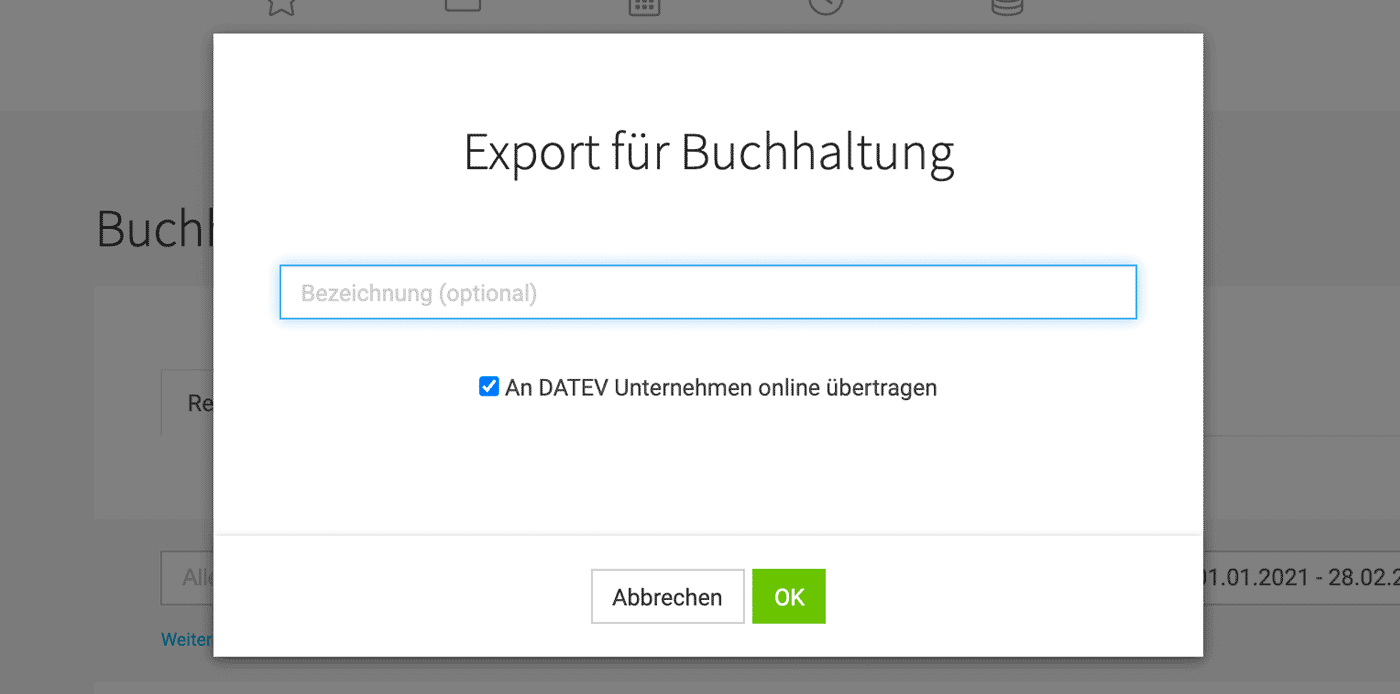
In the export dialog window, the export can be named, e.g., "December 2020."
With "OK," the invoice data & receipts are transferred to DUO (the checkbox is set by default).
 (English image not yet available)
Prepare and Select Invoices
Select pre-accounted invoices and confirm at the bottom right.
(English image not yet available)Transfer to DATEV
In the export dialog window, the export can be named, e.g., "December 2020."
With "OK," the invoice data & receipts are transferred to DUO (the checkbox is set by default).
(English image not yet available)Confirmed Transfer
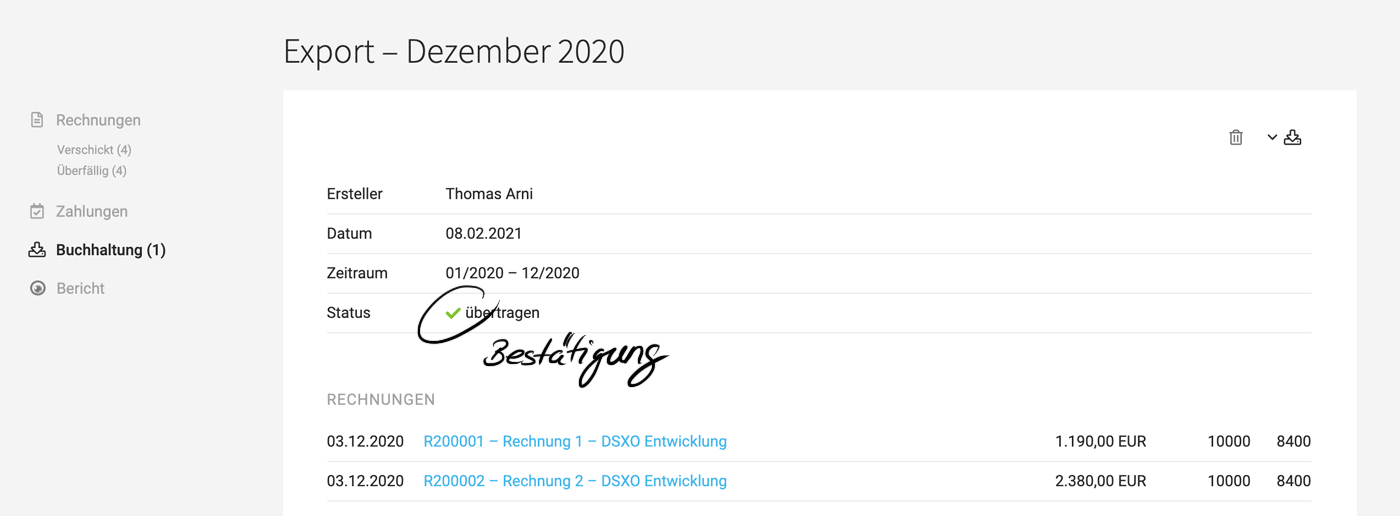
The successful transfer is indicated by the green checkmark symbol.
 (English image not yet available)







