Article from
Confirming a Proposal vs. Confirming an Order: What's the Difference?
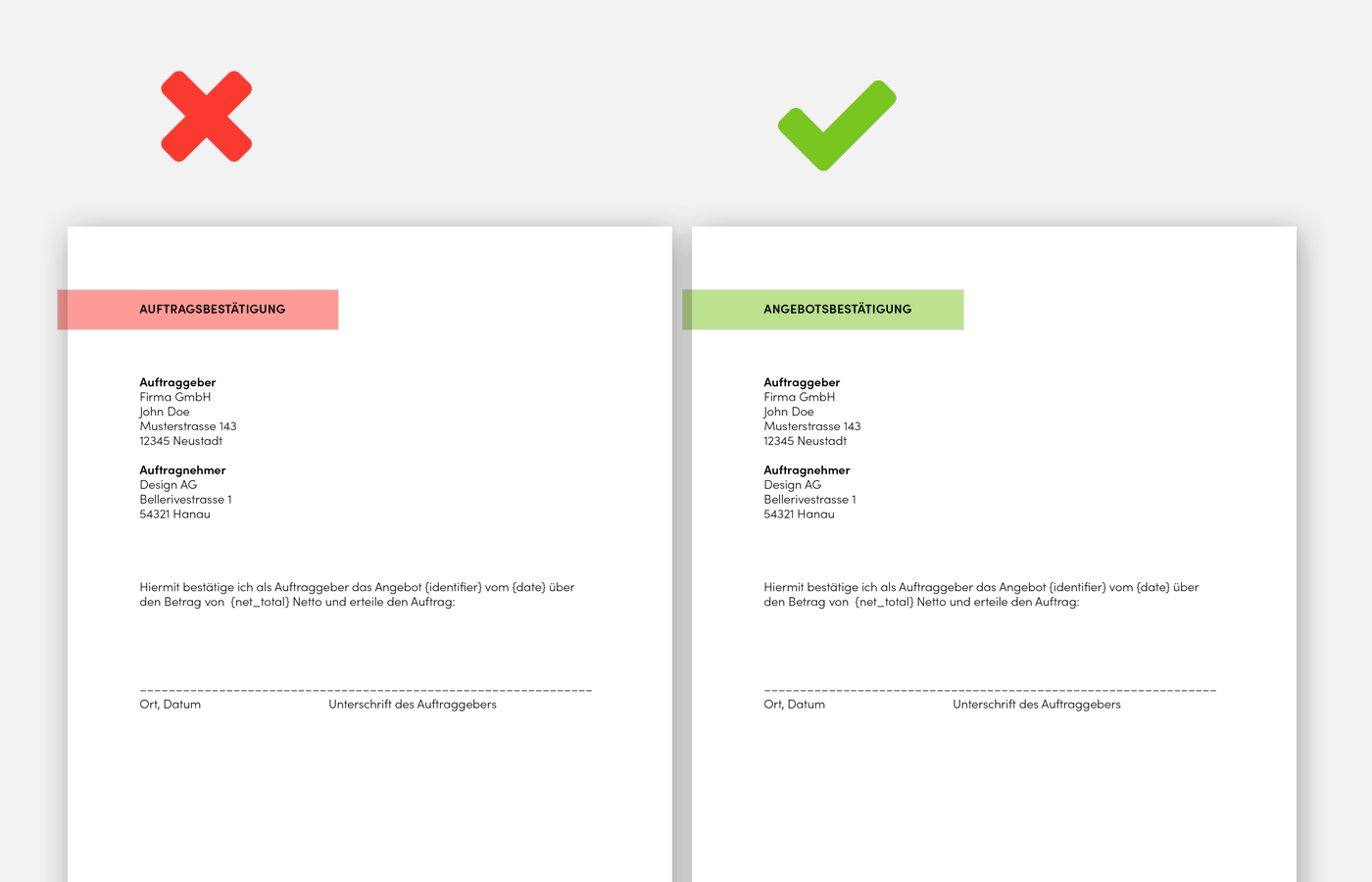
The term 'order confirmation' is often used incorrectly. This is because 'proposal confirmation' and 'order confirmation' sound very similar and are therefore easily confused. It often happens that after a proposal, a signature section is placed for the client and titled 'order confirmation'. This is incorrect.
 (English image not yet available)
1. What is the Difference?
First – Proposal Confirmation: The client confirms the proposal with their signature (signature section) or – more simply and just as binding – via email. Also known as commissioning or order placement.
Then – Order Confirmation: The contractor confirms to the client with a second document which commissioned services they will diligently execute.
2. A Proposal Confirmation is Standard – an Order Confirmation is Not
The proposal confirmation is a routine process. It is important in some form to start work smoothly. An order confirmation, on the other hand, is used much less frequently. It is not mandatory and is often seen as unnecessary bureaucracy in a straightforward agency environment.
3. When an Order Confirmation Makes Sense
An order confirmation is a common form of declaration of intent in business transactions and can have the advantage of avoiding misunderstandings on both sides. It is not mandatory – but makes sense, for example, when
- there are multiple versions of a proposal
- the client has already confirmed the proposal but communicated an adjustment request at the same time
4. Proposal Confirmation & Order Confirmation in MOCO:
MOCO focuses primarily on the unbureaucratic initial approach. The simplest way for a proposal is:
A sent proposal is confirmed by the client via email and work begins.
A sent proposal is confirmed by the client via email and work begins.
Proposal Confirmation
A signature section for the proposal confirmation can be easily implemented if needed through the predefined closing text (with or without page break and variables). An example of a proposal confirmation in MOCO
Order Confirmation
With one click, an order confirmation can be created from a proposal:
1. Select "+Order Confirmation" at the top right of the proposal
2. Confirm or adjust the accompanying text
2. Confirm or adjust the accompanying text
3. Save: An order confirmation is created from the proposal, and the proposal status is automatically set to "confirmed".
Important Notes:
- As before, the proposal is invoiced. The order confirmation is merely to be considered as an optional additional document.
- If the order confirmation differs from the proposal, the proposal must first be adjusted or copied accordingly before the order confirmation can be created. The position part of the order confirmation is not changeable.
- The standard accompanying texts can be predefined in the settings (Acquisition & Proposals).








