Article from
Successful Project Management Made Fun – with Trello!
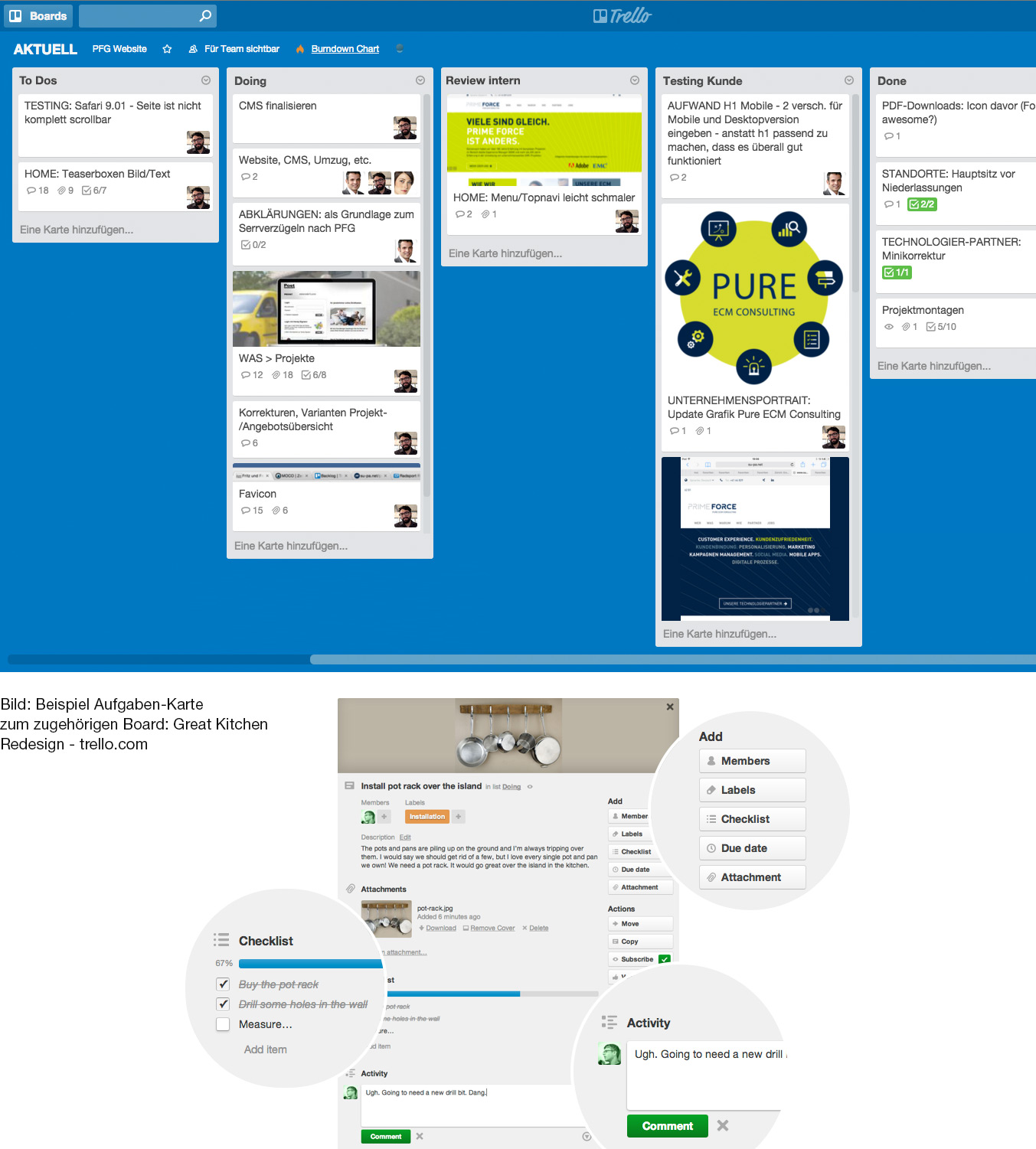
If you're a project manager and haven't heard of Trello, you're missing out. Projects are organized here with boards, lists, and cards. The project management software Trello impresses with its simplicity and visual representation.
 (English image not yet available)
Why We Introduce Trello Here
Software that promises to do everything should be approached with caution, as the 'jack of all trades' no longer meets today's software standards. Software should simplify daily work life - all-in-one solutions are almost always complicated and cumbersome to handle. Therefore: Neither 10 individual solutions nor an all-in-one solution will make you happy. The truth lies somewhere in between - with 2-4 core tools - depending on your needs.
MOCO specializes in business figures, and Trello virtuously covers project management. We therefore recommend Trello as an ideal complement. With the MOCO Chrome Extension, time can be recorded directly in Trello without having to switch to MOCO. Additionally, there are more possibilities via Zapier to connect MOCO and Trello and define your own workflows.
MOCO specializes in business figures, and Trello virtuously covers project management. We therefore recommend Trello as an ideal complement. With the MOCO Chrome Extension, time can be recorded directly in Trello without having to switch to MOCO. Additionally, there are more possibilities via Zapier to connect MOCO and Trello and define your own workflows.
What is Trello
Trello is a software or tool where projects are organized using boards. Within the board, defined and assigned tasks are moved in card form with drag-and-drop between status lists. Multiple people can collaborate ideally, and it's clear at a glance what needs to be done, what is being worked on, and what is already completed.
Different project managers organize their projects differently. Trello supports an individual approach. From simple to-do lists to a Scrum workflow, various project management styles can be covered.
Boards, Lists, Cards
A board represents a project or, in the case of a large project, a project phase. Tasks can be organized in lists and collaborated on with other participants.
Within the list, cards are created. Using the lists, a workflow can be mapped, or ideas can be collected and structured. Cards can be moved between lists with 'drag-and-drop'. This tactile experience is simply brilliant.
A card is the most important unit. Cards represent tasks or ideas – something that needs to be done or must not be forgotten during a project.
Within the cards, descriptions, checklists, dates, or files can be added. Additionally, comments can be made within the task card, and involved persons can be notified – thus, all information related to the task is collected chronologically. All cards and information can be searched afterward.
Within the cards, descriptions, checklists, dates, or files can be added. Additionally, comments can be made within the task card, and involved persons can be notified – thus, all information related to the task is collected chronologically. All cards and information can be searched afterward.
More information on the basics, possibilities, customization, collaboration, and apps: https://trello.com/guide
Demo video: Trello offers a good demo video (in English) as a starting aid.
What Does Trello Cost
Trello is free in its basic version. This is usually sufficient, as all the actions described above are included in the basic version.
Pricing
Pricing
Apps
Trello is always with you – the Android and iOS apps are extremely practical and easy to handle on the go. Photos or files can be added directly to a card. With real-time notifications on tablets and smartphones, you won't miss any info and can respond immediately.
Languages
Trello is currently available in German, English, French, Spanish, and Portuguese.
Integration of MOCO
MOCO enables time tracking in Trello without switching software through an extension.








