Article from
The New To-dos in MOCO.
Tasks not organised in a management system can easily be overlooked. Say goodbye to your sticky notes: with MOCO To-dos, you can effortlessly manage administrative tasks, milestones, and reminders.
 (English image not yet available)
Capture
Your Personal To-dos
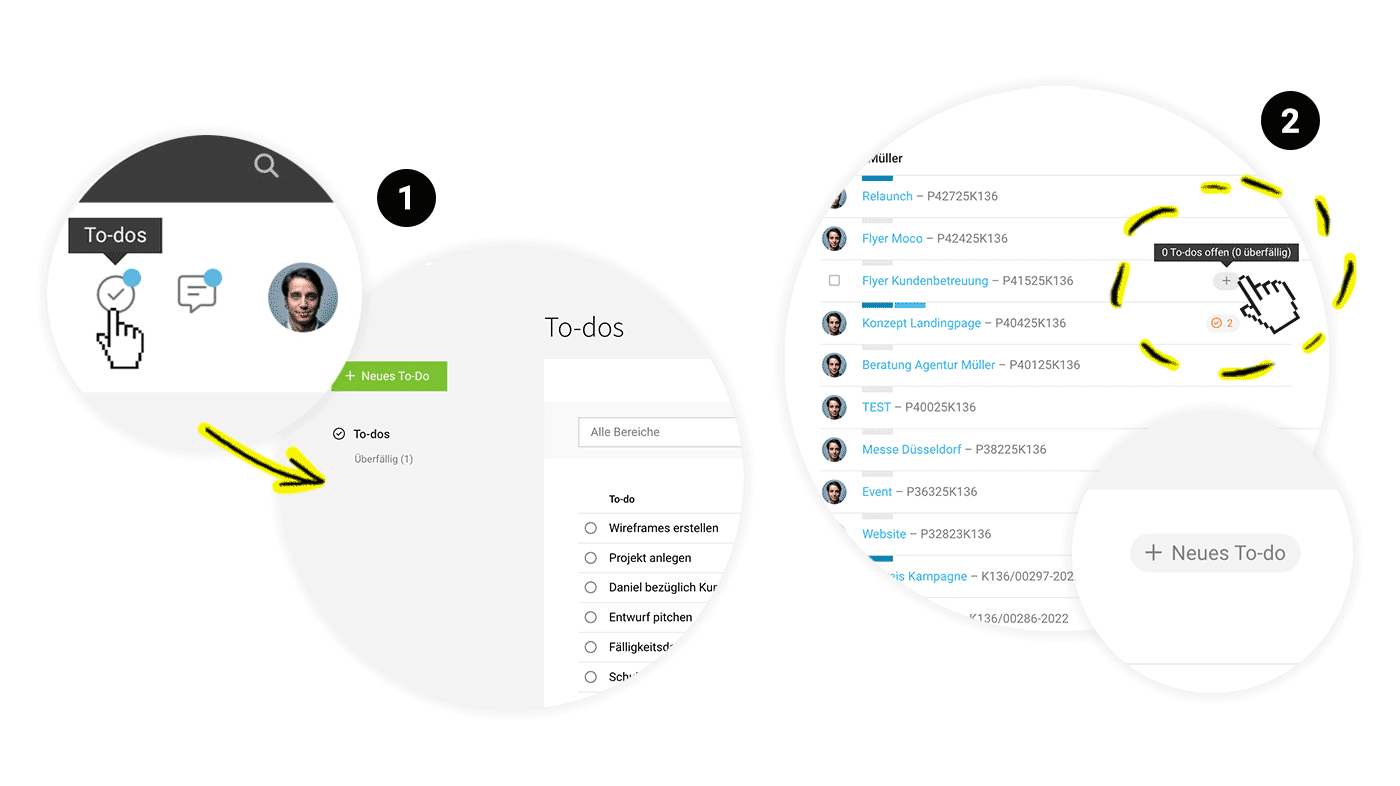
Everyone can record their personal to-dos in MOCO. Simply click on the new to-do icon right next to notifications (1) and get started. Your personal to-dos are visible only to you.
To-dos for Projects & Leads
Record to-dos for a project or lead directly via the icon in the list (2) or on the detail page at the top right. Use the option to assign a date and person if needed, organising administrative tasks and milestones effectively.
 (English image not yet available)
(English image not yet available)Review & Complete
Your To-do List
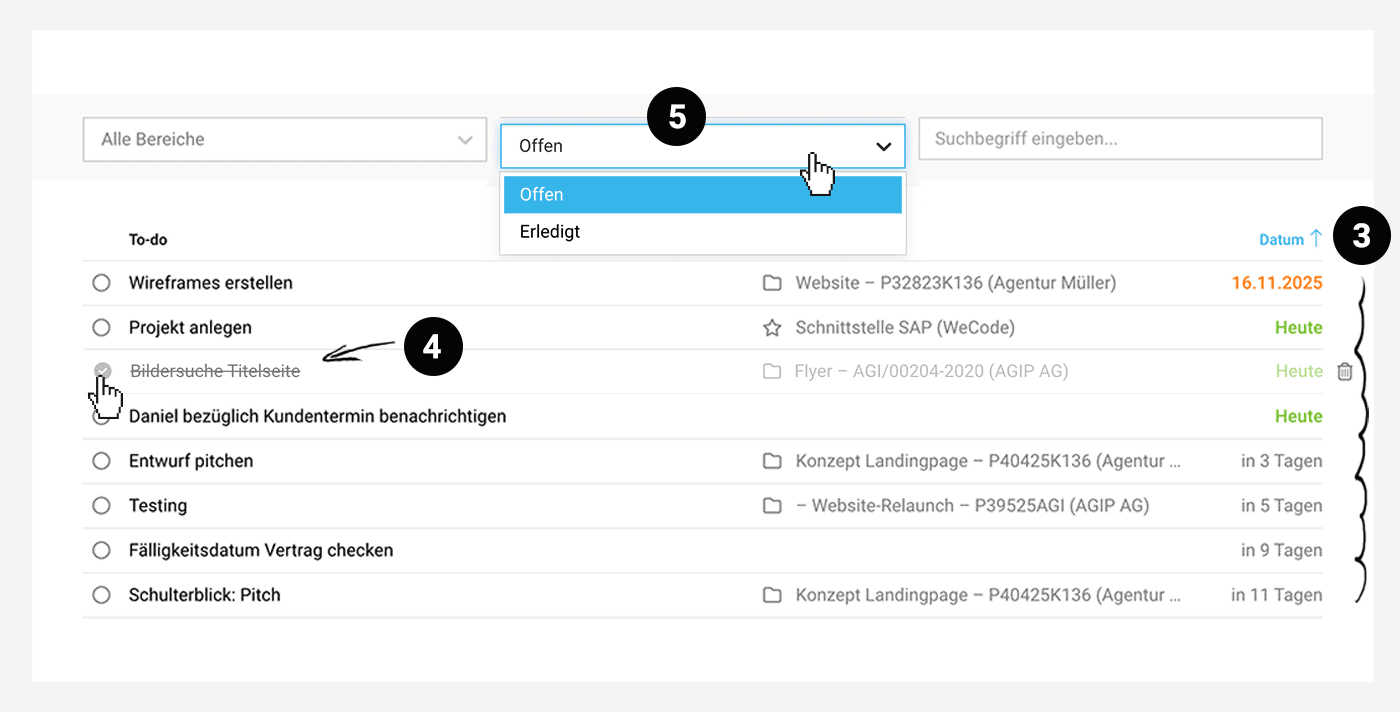
Under To-dos, you can see all personal and assigned to-dos. The list is sorted by default by due date (3). This way, you always have the most urgent tasks in view and can quickly check what's coming up in the next few days.
Filter the aggregated list by areas if you want to narrow down specific to-dos, or use the search for specific keywords.
Complete
Complete
As expected with to-dos, they can be marked as completed (4). You can display and review completed to-dos using the filter (5).
Hints & Notifications
Overdue To-dos
MOCO highlights currently overdue personal or assigned to-dos with a blue dot. In the project or lead itself, an orange notice draws attention to overdue to-dos.
Smart Filter
In the project and lead list, you can filter for corresponding entries using the new Smart Filter "Overdue To-dos".
Notifications
MOCO notifies you when a to-do is assigned to you. You can disable this information in your profile under Notifications.
If to-dos become overdue in projects or leads you are responsible for, you will also receive a notification – regardless of whether someone is assigned or not.
MOCO highlights currently overdue personal or assigned to-dos with a blue dot. In the project or lead itself, an orange notice draws attention to overdue to-dos.
Smart Filter
In the project and lead list, you can filter for corresponding entries using the new Smart Filter "Overdue To-dos".
Notifications
MOCO notifies you when a to-do is assigned to you. You can disable this information in your profile under Notifications.
If to-dos become overdue in projects or leads you are responsible for, you will also receive a notification – regardless of whether someone is assigned or not.
Areas
Choose whether and for which areas to-dos should be used
To-dos can be activated or deactivated for individual areas at any time (Settings > Account > To-dos).
Coming soon: Companies, Contacts, Personnel
In the coming days, to-dos will also be available for additional areas. Keep an eye on the Blog (or the info via the red bell at the top right in MOCO) to not miss any news!
Coming soon: Companies, Contacts, Personnel
In the coming days, to-dos will also be available for additional areas. Keep an eye on the Blog (or the info via the red bell at the top right in MOCO) to not miss any news!








