Article from
Simplified Assignment of Expenditures.
Expenditures can be assigned to planned expenditures or freely chosen projects. The previous dropdown selection has been reduced to a single click to make the assignment process even smoother.
Are you planning expenditures for your income/expenditure analysis and cash flow? If so, this reduction in selection is of interest to you. If not: How to activate and use planned expenditures
No Selection to Hold You Back
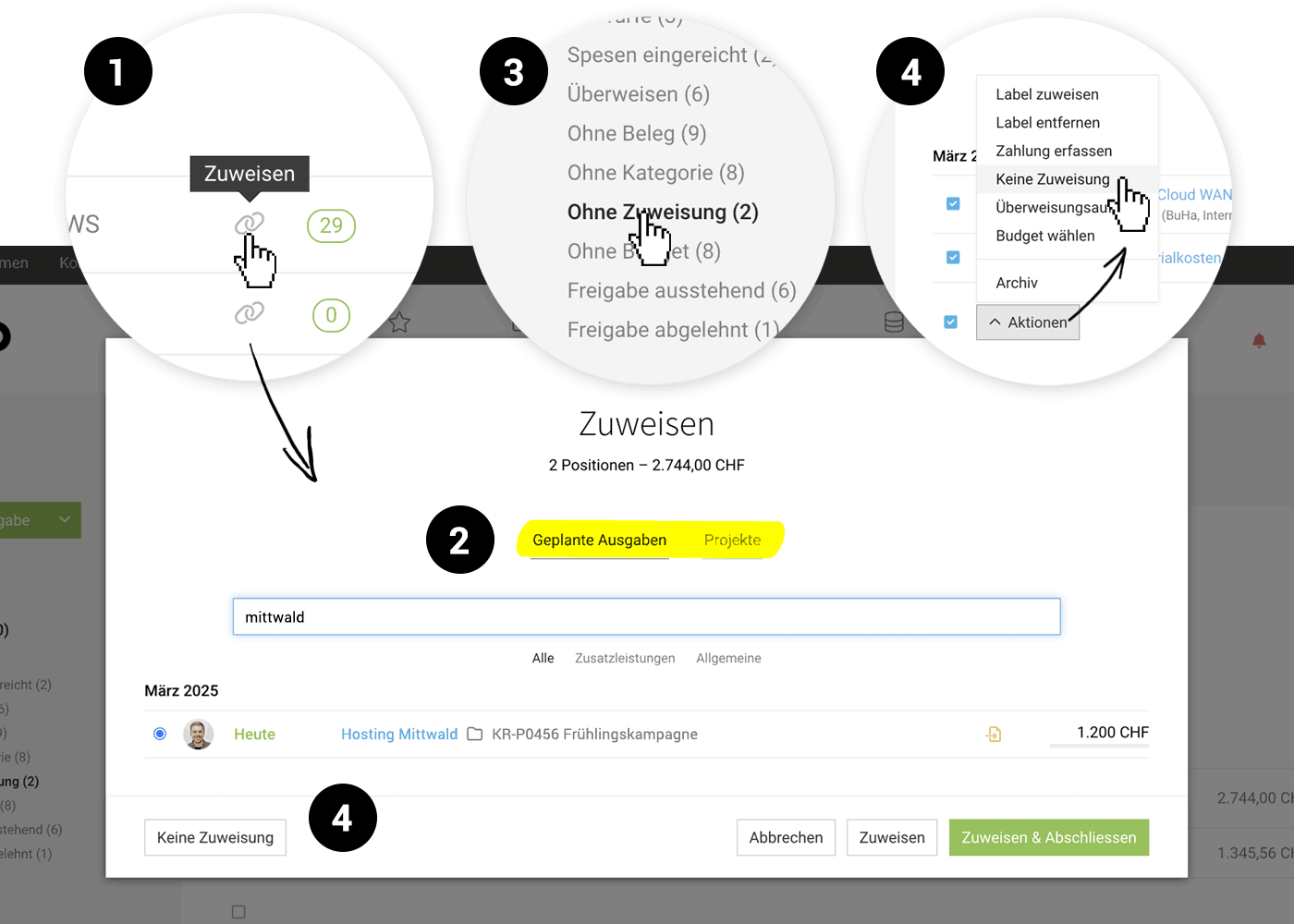
As usual, select the link icon (1) to assign the expenditure. MOCO then directly offers you the assignment of a planned expenditure (this also includes planned expenditures from additional services created in the project!) – alternatively, you can choose other projects via the switch option (3).
This way, you no longer need to ponder what might fit and, in the worst case, go back.
Tip: With the Smart Filter "Without Assignment" (3), you have all unassigned expenditures in view.
This way, you no longer need to ponder what might fit and, in the worst case, go back.
Tip: With the Smart Filter "Without Assignment" (3), you have all unassigned expenditures in view.
"No Assignment" Moves
Sometimes expenditures should not be assigned to a project or a planned expenditure. You mark these cases for better oversight of which assignments are still missing with "No Assignment" (Mass Action (4) mark – for a single expenditure, use the option in the Assignment Modal (4).
 (English image not yet available)
(English image not yet available)Centrally Manage Information to Project Management
Whether the project management should be informed when a new additional service is created through the assignment of the expenditure is now defined centrally in the settings. This replaces the previous checkbox during assignment.








