Alter News-Artikel!
» Hier geht's zur aktuellen Online-Hilfe
Article from
Project Group: Timesheet, Invoicing Button, Share Report.
Budgets or campaigns are typically divided into smaller sub-projects. In MOCO, sub-projects are treated as regular projects. A group consists of selected projects. These project groups are now equipped with new features.
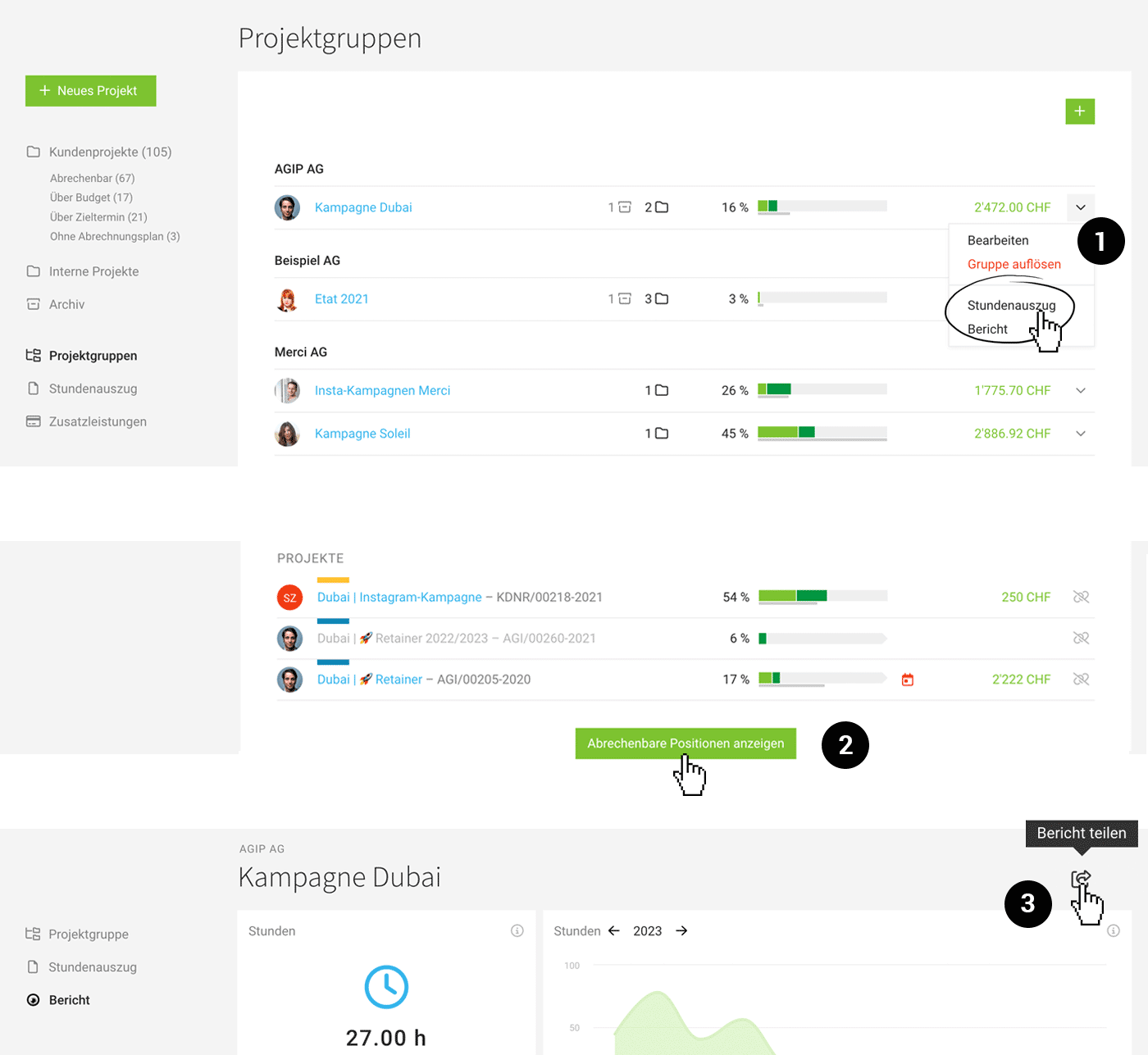 (English image not yet available)
Timesheet
Directly within the project group under "Timesheet" (1), a timesheet can be generated. This is equivalent to a timesheet at the client level, automatically narrowed down to the projects within the group.
The timesheet can also be accessed via the project group list through a dropdown menu.
The timesheet can also be accessed via the project group list through a dropdown menu.
Invoicing
Clicking on the green number (Billable Items) in the list takes you directly to the invoicing option within the client. Additionally, after clicking on the project group, there is a new button "Show Billable Items" (2), which allows you to create the invoice.
Share Report
Just like individual projects, the report for the project group can now also be shared (3).
» More about Project Groups
» More about Project Groups








