Alter News-Artikel!
» Hier geht's zur aktuellen Online-Hilfe
Article from
Invoicing Overview for Projects.
In addition to the central project list with key control information, there is a new overview focusing on invoicing. It is located under "Invoicing" and is called "Billable" (1).
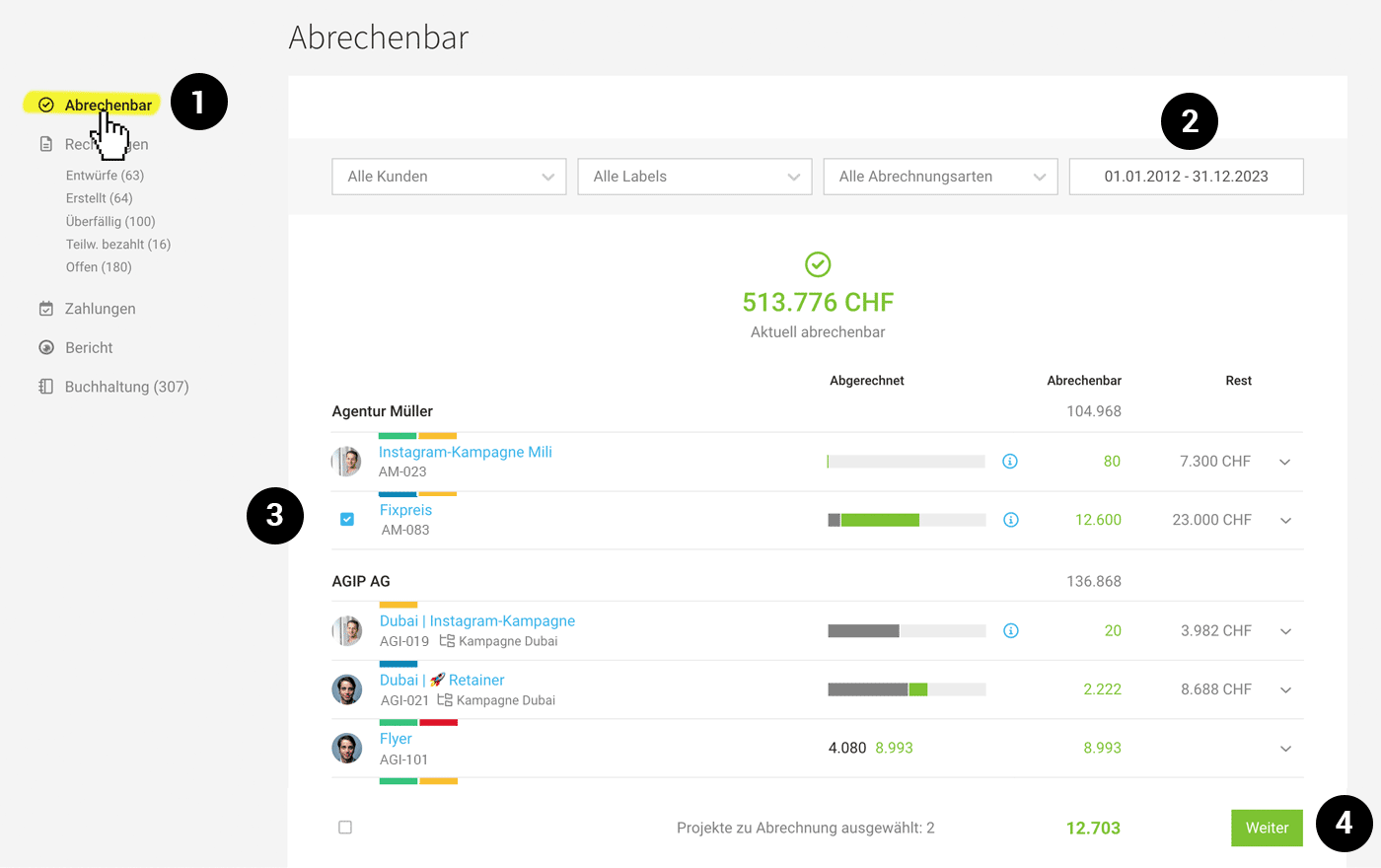 (English image not yet available)
"Billable" Overview
The new overview not only offers positions as clickable green amounts for invoicing:
- Only projects with billable positions are displayed.
- The billable positions can be filtered by time period (2).
- "Invoiced" indicates the amount that has already been invoiced.
- "Billable" shows which amounts are billable within the selected period.
- "Remaining" indicates the portion of the project budget that has not yet been invoiced.
- Projects can be invoiced individually as before in the project list, or through bulk actions – this is particularly useful for hosting or subscriptions. Select the projects (3) and use the button (4) to create drafts or invoices directly.
Predefine Data Well for Bulk Invoicing
General tips for accurately invoicing multiple projects with one click
- Use labels such as "Monthly Inv.", "Annual Inv.", etc. This allows you to filter the projects to be invoiced with one click.
- Standardize the deadlines for recurring services across clients
→ For example, always record the recurring service with a deadline of the 27th of a month and invoice at the end of the month or on the 1st of the following month. - Check project data
→ Since MOCO composes the invoice title as "Invoice – Project Name", the project name should be descriptive.
→ In the project under "Invoicing", theinvoice address and email(s) can be overridden if they differ from the client standard. Specific invoicing information can also be stored here.
The list supports with these hints
- Indication if there is specific invoicing information stored (blue "i").
- Notice if no invoice address is stored (red "!").








