Alter News-Artikel!
» Hier geht's zur aktuellen Online-Hilfe
Article from
New Reports on Time Tracking.
The new reports under "Reports" > "Time Tracking" consist of three parts: An overall summary, the previous monthly overview, and a new report on time tracking.
Overview
 (English image not yet available)
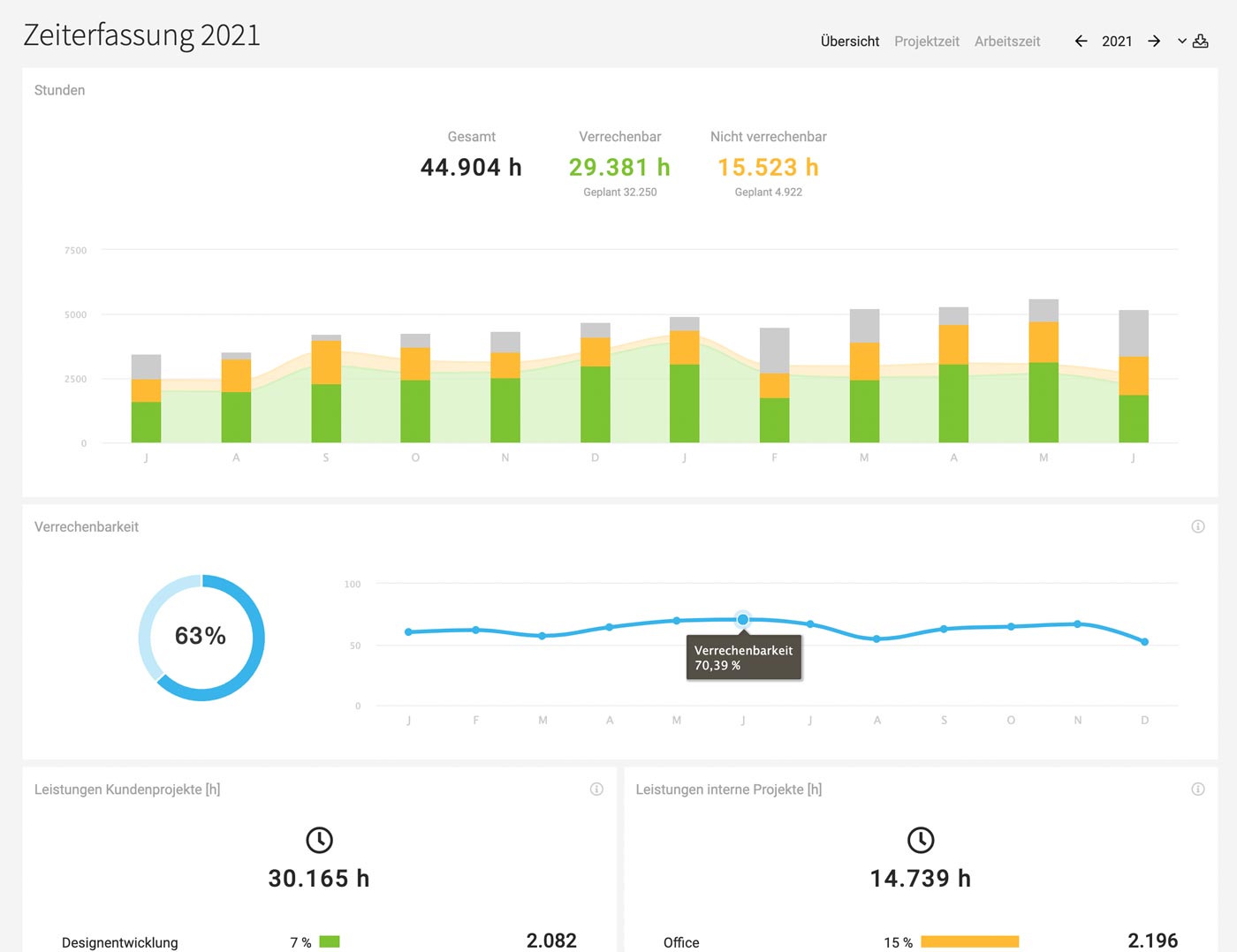
This is derived from the company report and includes the following additional information:
- Total hours worked, proportion of billable and non-billable hours compared to planned hours.
- Fluctuations in billability throughout the year.
Project Time
 (English image not yet available)
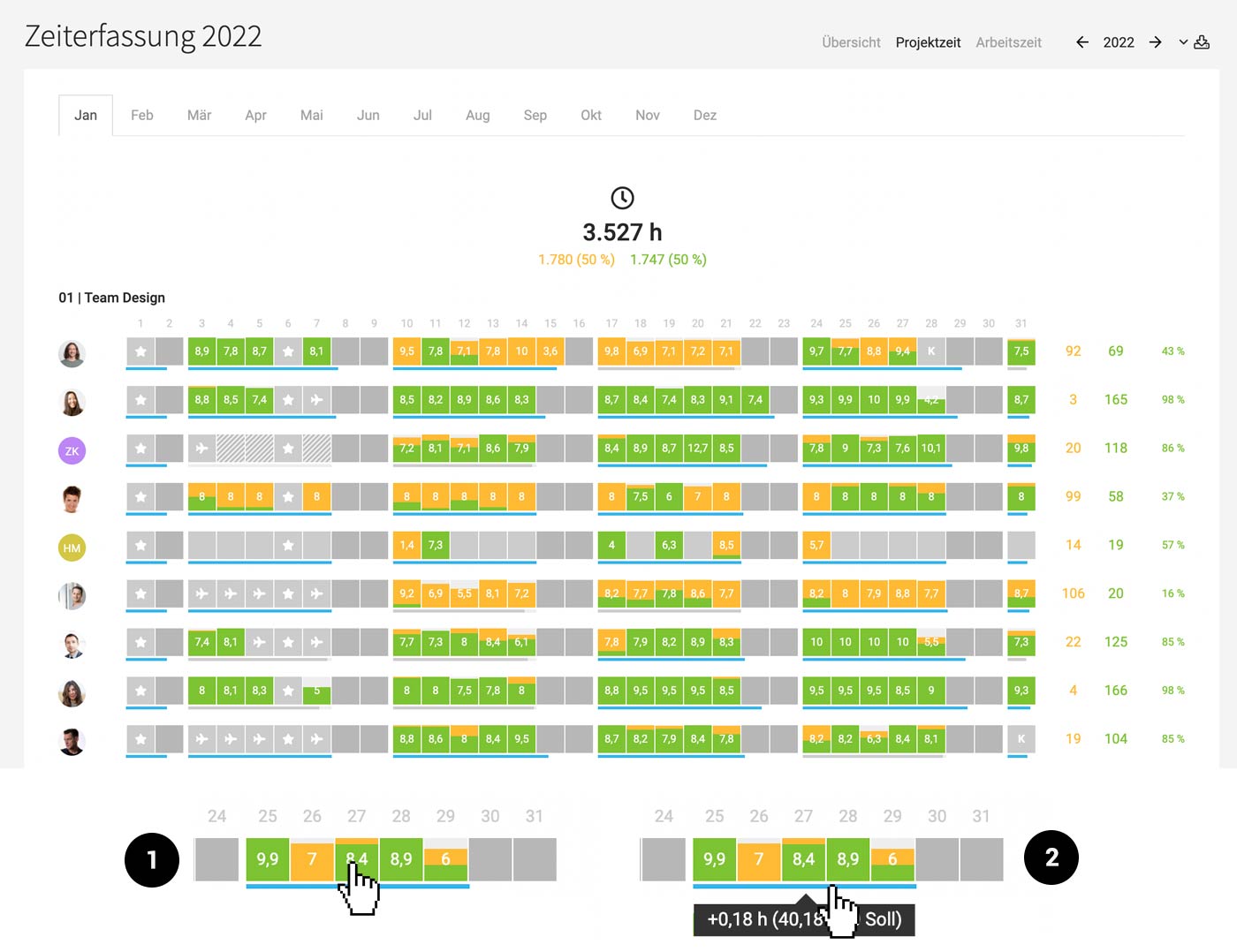
Corresponds to the previous report. With a brief Timesheet (1) and weekly Target-Actual (2).
Working Time
 (English image not yet available)
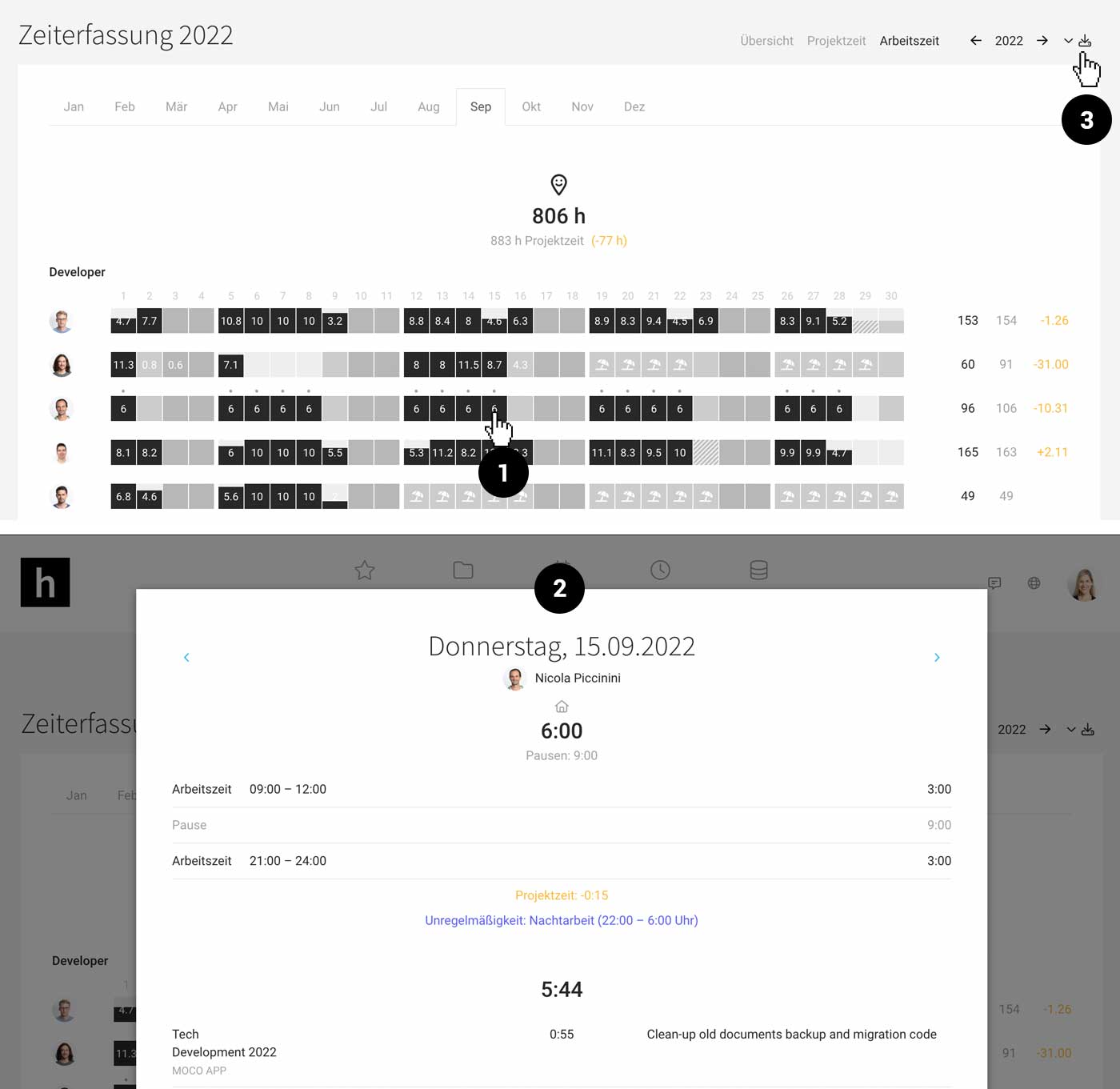
This section is completely new and interesting for companies that also use time tracking.
- Overview/Control: Quickly see who has logged their working hours
- Identify which person has discrepancies with project time. Ideally, working time matches project time – meaning working hours are allocated to projects. This helps to best determine how non-billable hours are distributed and uncover optimization potential.
- Export: In the top right, there is an Excel export for recorded working hours per month and per year.
Target-Actual Comparison
Depending on whether the regular time tracking (project times are fully recorded) or the working time tracking is set as the basis for the Target-Actual comparison, the Target-Actual progress bar is displayed in the "Project Time" or "Working Time" report.








