Alter News-Artikel!
» Hier geht's zur aktuellen Online-Hilfe
Article from
Retainer: Advanced Settings for Invoicing.
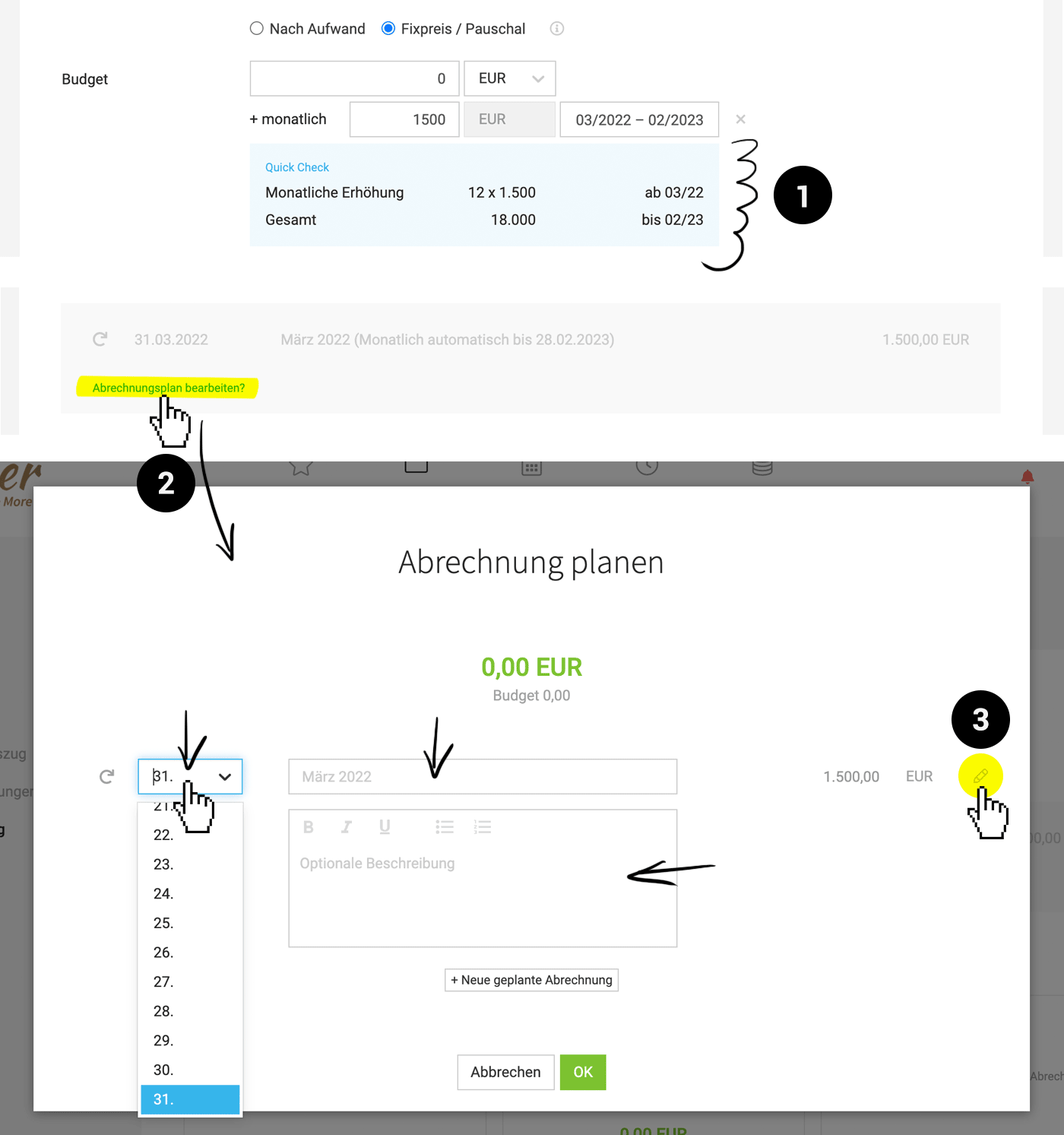
Monthly Budget with Quick Check (1)
In the new Quick Check, you can now directly see:
👉 Starting budget if available (Retainer is already running or being edited afterwards)
👉 Start of automatic increase
👉 Total budget until the end of the term
 (English image not yet available)
Editable Invoicing Details
The choice of project setting Fixed Price/Pauschal Invoicing + Monthly Budget corresponds to the project type Retainer. The invoicing plan offered for fixed price projects is automatically created in this case. Newly, you can customize the following points in the automatic invoicing plan (2 + 3):
Adjust Invoicing Date
In the invoicing plan, you can choose the invoicing date yourself. This must be within the relevant month. The position is created on the 1st of a month as before – and can be invoiced early under "Billable Items" if needed. By default, MOCO sets the invoicing date to the last day of the month.
Adjust Position Description
In the invoicing plan, you can determine the position description yourself.
Add Description Text
If needed, a description text can now also be added, which will appear on each invoice.
In the invoicing plan, you can choose the invoicing date yourself. This must be within the relevant month. The position is created on the 1st of a month as before – and can be invoiced early under "Billable Items" if needed. By default, MOCO sets the invoicing date to the last day of the month.
Adjust Position Description
In the invoicing plan, you can determine the position description yourself.
Add Description Text
If needed, a description text can now also be added, which will appear on each invoice.








